
CCleaner is dead, at least in its original role. Ten years ago, you’d install it as soon as you unpacked your PC to save 3GB on a 64GB disk. Today, with a 1TB SSD and Windows 11 managing its temporary files almost single-handedly, freeing up space is of little interest to many people. Except that while nobody was looking, the role of the cleaner has shifted completely.
What we’re tracking is no longer the .tmp files that take up space. It’s the traces. Tracking cookies, thumbnails of images viewed, activity logs, histories of recently opened files, and above all, those fragments of data that survive normal deletion and that a basic recovery utility can resurrect in two clicks.
Here’s my selection of the 6 best privacy cleaners for Windows in 2026, sorted by usage profile. I’ve been using several of these programs for years, and I’ll tell you frankly what works, what irritates, and which one to choose depending on your situation.
In this article
- 1. PrivaZer, the Swiss army knife that justifies its top ranking
- 2. Wipe (PrivacyRoot), for those who use 30 different programs
- 3. BleachBit, the choice for those who don’t take their word for it
- 4. Privacy Eraser, because nobody runs a manual scan every week
- 5. Secure Eraser (ASCOMP), when you want certainty
- 6. Eraser, the veteran you keep in your toolbox
- Which Windows privacy cleaner should I choose in 2026?
1. PrivaZer, the Swiss army knife that justifies its top ranking
If I had to pick just one, it would be this one, without hesitation. PrivaZer does what no other consumer cleaner does seriously: it reads the master file table (the MFT) and scans the free areas of the disk for fragments of files you thought had been deleted long ago. It’s all still there, scattered in crumbs that good recovery software knows how to put back together.
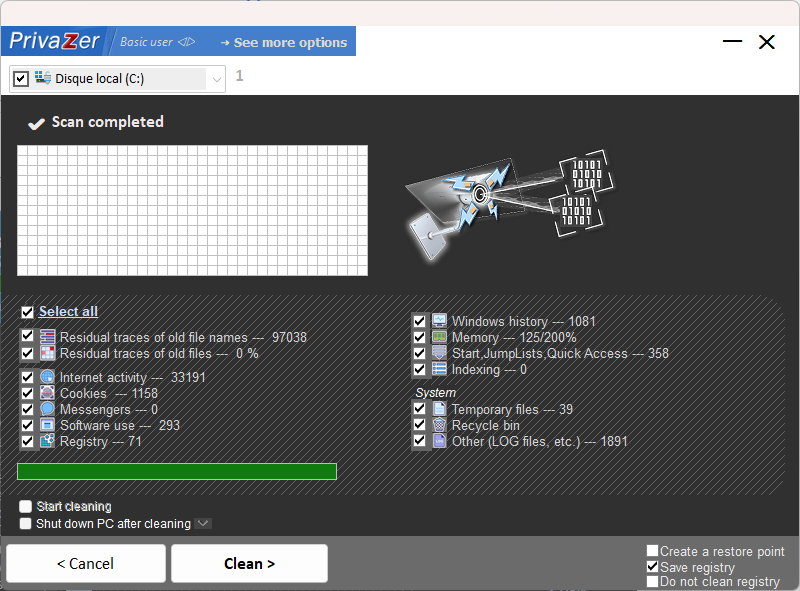
What convinced me was the intelligence of the engine. PrivaZer detects by itself whether you’re on SSD or mechanical disk, and adjusts its method accordingly. On HDD, it overwrites and rewrites. On SSD, it relies on the TRIM command rather than massacring your memory cells with 35 useless passes. This nuance is worth its weight in gold, because many users kill their SSDs by applying shredding methods designed for mechanical drives.
What we like: the depth of the scan, the total absence of advertising or bloatware, support for USB sticks and SD cards, and the fact that it can create a before-and-after report so you can really see what it has cleaned.
What we don’t like: The free version is more than enough for personal use, but the interface has forgotten to involve the designer, which can be confusing at first.
See also our full review of PrivaZer.
2. Wipe (PrivacyRoot), for those who use 30 different programs
Where PrivaZer goes deep, Wipe goes wide. PrivacyRoot’s software knows the traces left by several hundred third-party applications, which makes a big difference if your PC is more than just a browser and the Office suite. Video players, email clients, video software, capture tools, torrent managers, development IDEs – each leaves its own logs, and most cleaners ignore these areas.
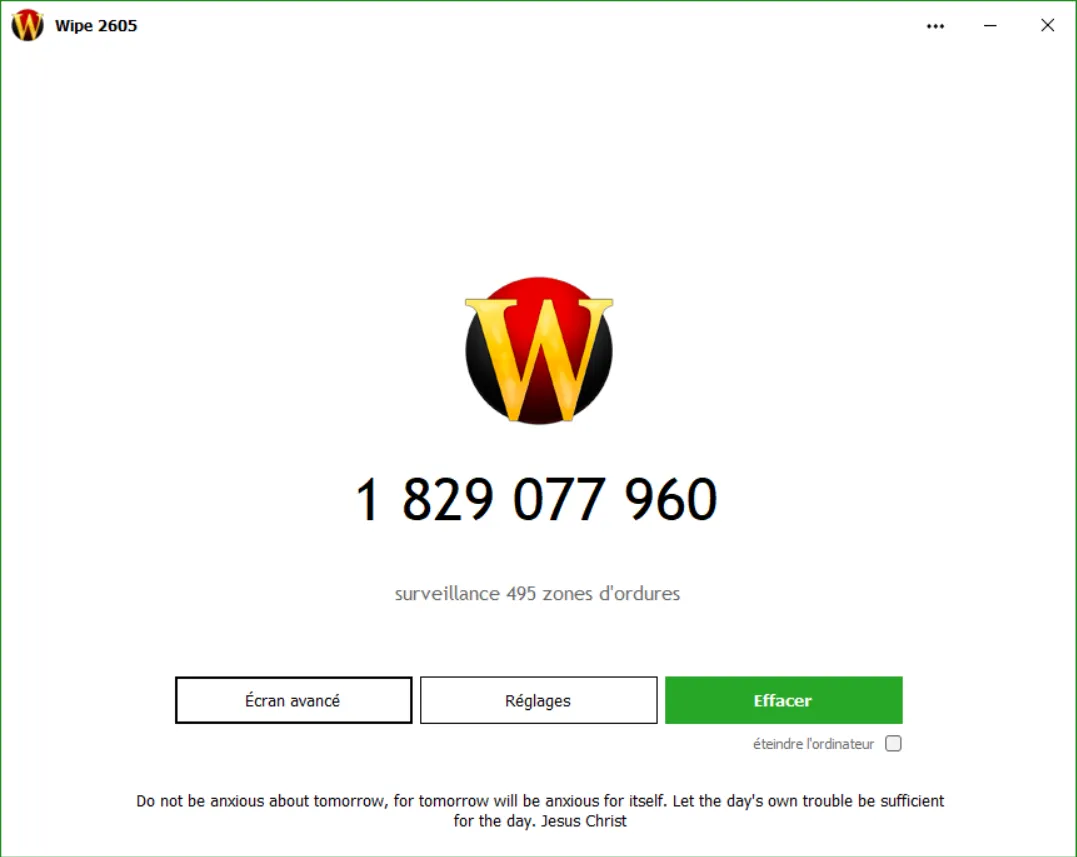
Wipe goes looking for them. It uses recognised overwriting algorithms (Gutmann, DoD 5220.22-M, these two references can be found everywhere in the secure erasure literature) and it offers three functions that few tools have at this level:
- Forced closure of applications that lock a trace file (very useful for processes that restart themselves)
- A panic mode that triggers emergency cleaning with a shortcut
- Specific tracking of
index.datfiles, those Windows logs that are extremely informative about past activity
3. BleachBit, the choice for those who don’t take their word for it
We’re getting into a different logic here. PrivaZer and Wipe are proprietary software; you trust them because their reputation is good, but you can’t check what they’re actually doing under the bonnet. BleachBit is the complete opposite, because its source code is public, hosted on GitHub, and can be read by any curious developer. You can check line by line that it doesn’t download anything in the background or have any hidden functions.
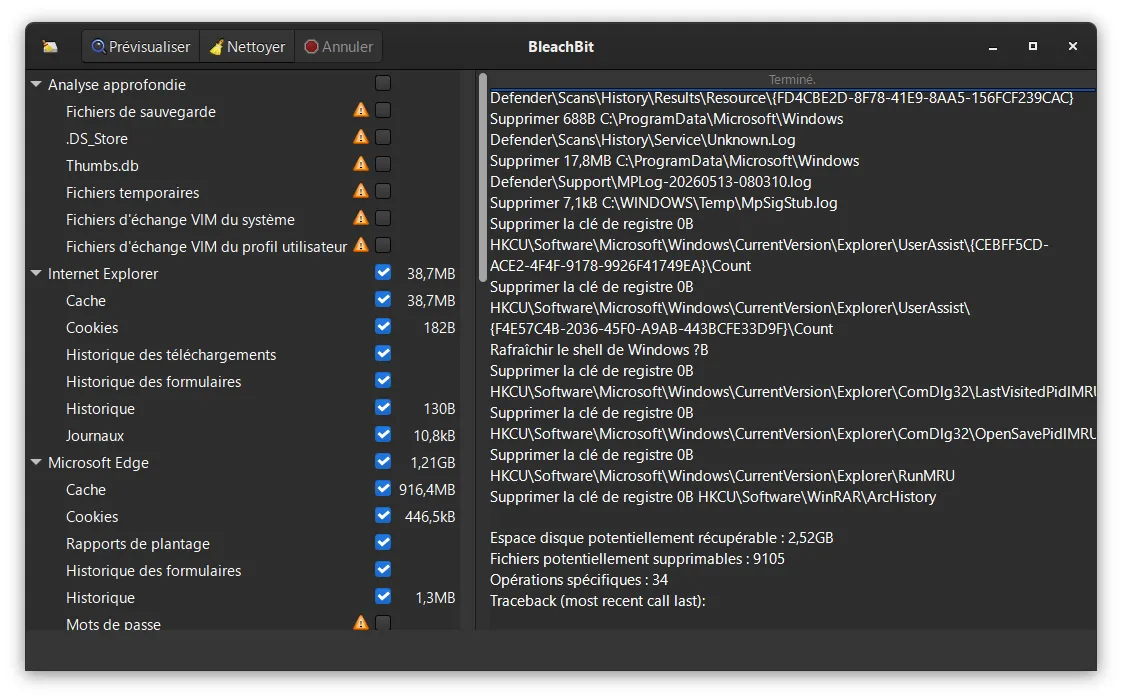
In a sector where transparency is not really the norm, this is a serious argument. In fact, BleachBit is the tool often recommended by communities with a touch of paranoia (journalists, activists, security researchers), and there’s a reason for that.
Beyond its transparency, it does a very good job of shredding files on demand, cleaning up browsers’ SQLite databases (which really speeds up Firefox and Chrome without affecting passwords), and a portable version that can be used from a USB stick. It’s true that the interface is twenty years old. But under the bonnet, it’s running.
Limitation to be aware of: BleachBit does not inspect free sectors like PrivaZer. When it comes to advanced forensic cleaning, it’s a step down.
4. Privacy Eraser, because nobody runs a manual scan every week
Let’s be honest, most people install a cleaner, use it twice and then forget about it. Privacy Eraser took this observation as the starting point for building its entire proposition aroundautomation.
You configure the tool once (which browser to monitor, what to purge, how often) and forget about it. The clean-up is triggered when the browser is closed, when the PC is switched off, when the session is started, whatever you like. It’s a mode of operation that suits 80% of users who want continuous protection without turning their PC into a part-time project.
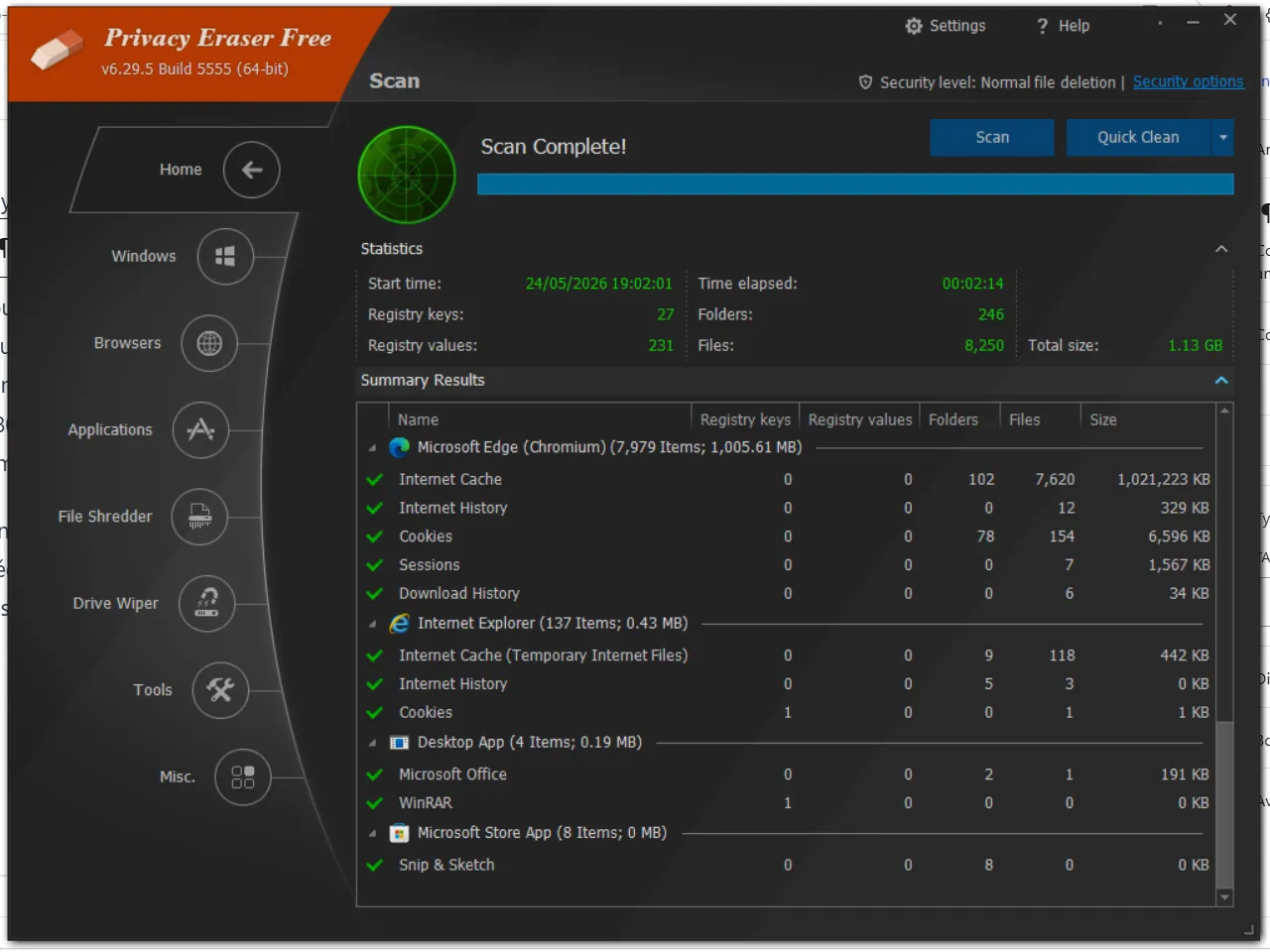
The interface is modern and easy to read, in the spirit of current Windows applications. The overwriting methods are based on recognised standards. And the free version more than covers domestic needs.
5. Secure Eraser (ASCOMP), when you want certainty
All the cleaners on this list aim to erase your tracks. Secure Eraser takes this logic to its extreme, aiming to permanently destroy data that you yourself designate. Sensitive contracts, medical records, business archives that need to be destroyed to comply with the RGPD, confidential files that don’t belong on the disk – that’s its terrain.
Its main selling point is its 35 overwriting passes (the complete Gutmann method, the most exhaustive on the market). At this level, even laboratories specialising in data recovery are giving up. For everyday use, it’s an overkill. 3 to 7 passes already cover 99.9% of needs, and on SSDs it simply doesn’t make sense (2 passes are enough thanks to TRIM). But if you work in a sector where compliance has to be demonstrable to an auditor, the figure of 35 has its legal and rhetorical value.
The tool completes its shredder by cleaning the Windows registry and deleting temporary system files.
6. Eraser, the veteran you keep in your toolbox
Let’s finish with a tool I’ve been using for over ten years, and which has never let me down. Developed by Heidi Computers, Eraser doesn’t try to compete with the full suites mentioned above. It shreds files and folders on demand from the Windows context menu.
 assistouest.fr
Right-click on a file, “Eraser > Erase” and you’re done. No global analysis, no dashboard to digest, no notification to pull your leg. Just immediate, irreversible action.
It’s light, free, ad-free and still going strong after two decades. It’s the tool you install without thinking on any machine, as a complement to the more complete suites. A must-have.
Which Windows privacy cleaner should I choose in 2026?
If you want to get straight to the point:
- One tool to do it all: PrivaZer, plus Eraser.
- You install a lot of software: Wipe.
- You want to check the code: BleachBit.
- You want to install and forget: Privacy Eraser.
- Highly confidential business documents: Secure Eraser.
| Software | Price | Open source | Strengths | Ideal for |
|---|---|---|---|---|
| PrivaZer | Free (paid Pro) | No | Deep scan, intelligent SSD/HDD management | PC resale, multi-purpose use |
| Wipe | Paid (free trial) | No | Covers hundreds of third-party apps | Multi-application users |
| BleachBit | Free | Yes | Public code, portable version | Transparency-sensitive profiles |
| Privacy Eraser | Free (paid Pro) | No | Automation, modern interface | General public, “set and forget |
| Secure Eraser | Free (paid Pro) | No | Up to 35 overwrite passes | Compliance, ultra-sensitive documents |
| Eraser | Free | Yes | Context menu integration | One-off shredding, add-ons |
And one last piece of advice that may not please all the editors on this list: no cleaner can replace good habits. Activate BitLocker (or VeraCrypt if you prefer open source), use a password manager, disable Windows telemetry and browse in private mode when the context requires it. The cleaners then step in to deal with what these first lines of defence were unable to prevent.
We allow some readers to view our articles for free with an ad blocker. However, their number is currently too high for us to keep this access available to everyone.
You can disable your ad blocker to continue reading immediately, subscribe to enjoy all our content without ads, or come back a little later when the pressure has eased.
Access will be restored automatically as soon as the situation allows.