
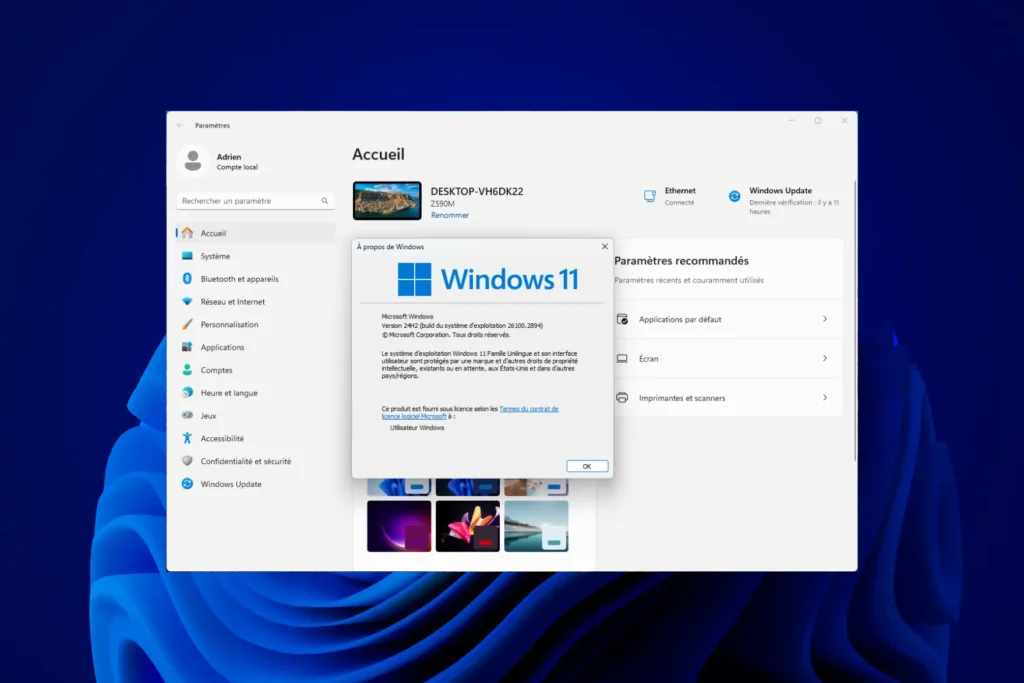
Wondering which version of Windows is installed on your computer? Knowing this information is essential, whether you’re installing new software, solving compatibility problems or simply updating your system. In this article, we’ll explain how you can easily identify the version of Windows you’re using, whether on a recent or an older PC.
How can I find out which version of Windows I have?
- Winver: Find out in an instant which version of Windows is installed on your PC
- System information: The complete tool for knowing your computer’s details
- What is the latest version of Windows available in 2026?
Winver: Find out in an instant which version of Windows is installed on your PC
Don’t know which Windows you’re using? The winver command gives you details of your Windows version and edition in just a few seconds.
- Press
Windows+Ron your keyboard. This opens the “Run” window. - In the title field, type
winver.
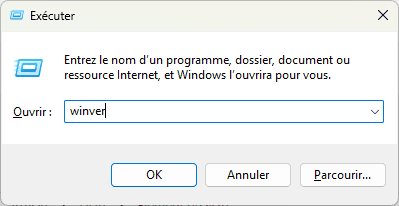
- Click OK or press Enter.
- A window will open, indicating the Windows version and edition (as shown below).
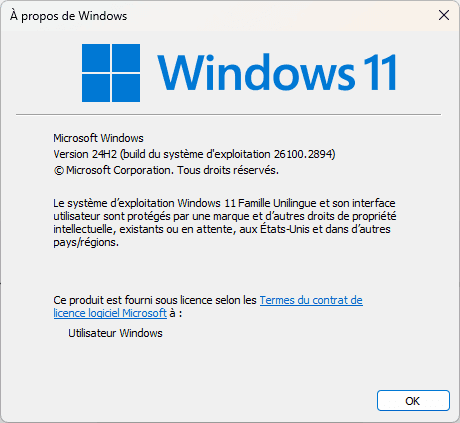
For example: Windows 11 Home Unilingual, Version 24H2 (operating system build 26100.2894) in our case.
System information: The complete tool for knowing your computer’s details
Want to know your Windows version and much more? Use the System Information tool for complete details on your system.
Open the Start menu and search for System information.
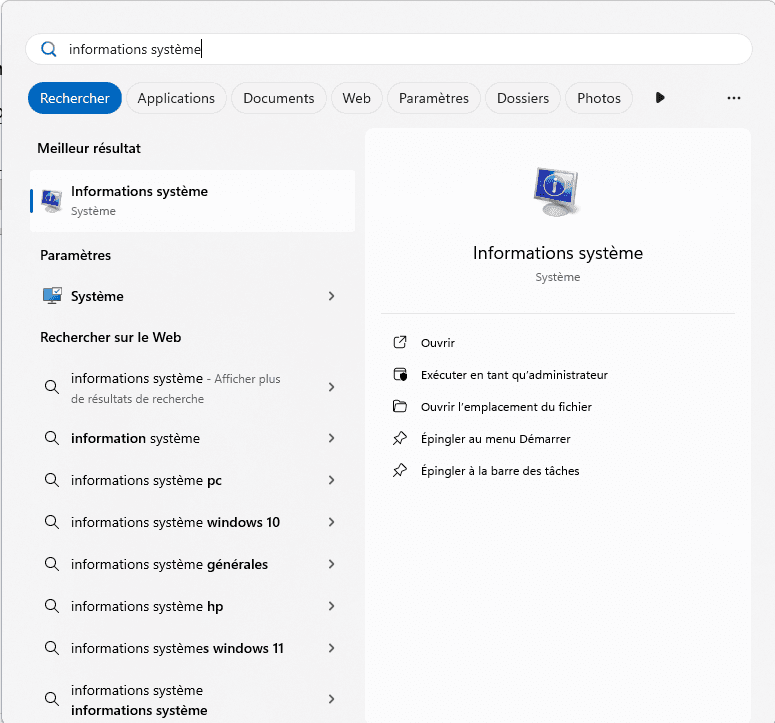
A window will open containing a wealth of information about your device:
Operating system name: Here you’ll find the exact name of Windows (e.g. Windows 11 Home Unilingual).
Version: The Windows version number is also indicated (e.g. 10.0.26100 Build 26100).
Other information: You can also view details about your hardware and system (such as motherboard manufacturer or BIOS version).
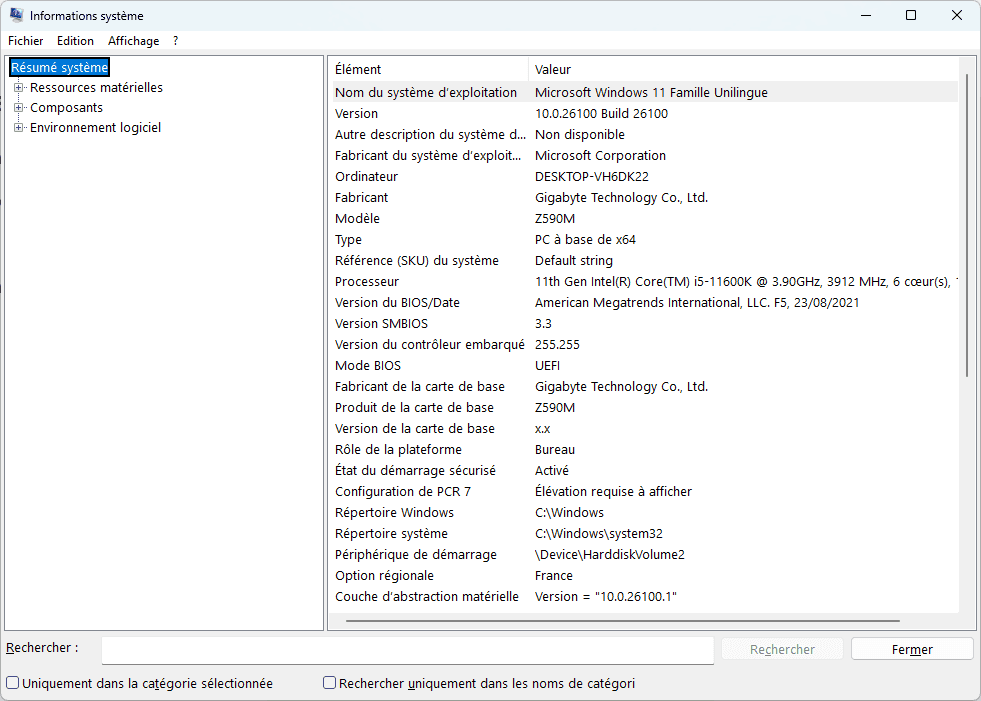
Unlike the winver method, this tool provides the Windows version as well as complete hardware and software information.

What is the latest version of Windows available in 2026?
In 2025, the last version available is Windows 11, with the recently released 24H2 update. However, many previous versions are still in use, although some have already reached the end of their support.
It is important to know that Microsoft provides time-limited support for each version of Windows, divided into two phases:
- Standard support: security updates and new features.
- Extended support: security-critical updates only.
| Windows version | Release date | End of standard support | End of extended support (ESU) | Current status |
|---|---|---|---|---|
| Windows 11 (24H2) | October 2024 | In progress | N/A | Current version |
| Windows 10 (22H2) | October 2022 | October 14, 2025 | ESU for home and pro users | End of cycle |
| Windows 8.1 | October 2013 | January 9th, 2018 | January 10, 2023 | End of support |
| Windows 7 (SP1) | February 2011 | January 13th 2015 | January 10th, 2023 | Support ended |
| Windows Vista | January 2007 | April 10th, 2012 | April 11th, 2017 | Support ended |
| Windows XP | October 2001 | April 14, 2009 | April 8th, 2014 | Support terminated |
If you’re using a version that has reached the end of its support period or is already obsolete, we recommend that you upgrade to a more recent version for the best, most secure experience.
Did you find this article helpful?
Share it so others can benefit from it.
Learn more about the author
