
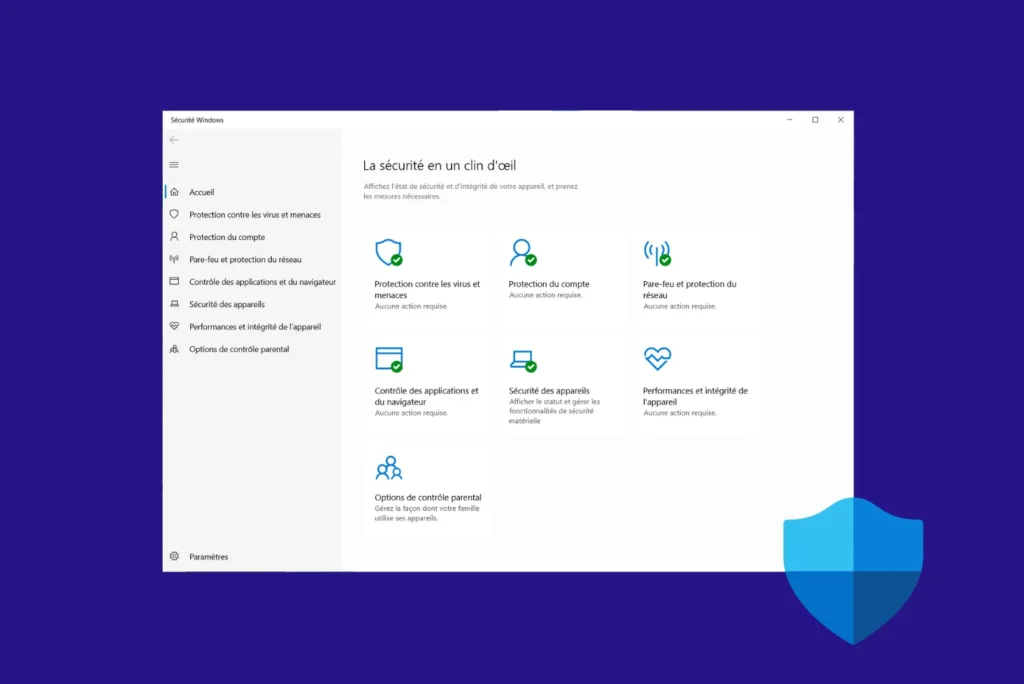
Support for Windows 10 officially ended on October 14, 2025. After ten years of service, the operating system has entered a transition period where security updates are no longer provided. Despite this deadline, Microsoft continues to offer a minimum level of protection to its users through its built-in antivirus. Microsoft Defender will remain active and continue to receive updates until 2028, a decision that extends the security of millions of computers while giving users time to plan a migration to Windows 11 even on devices that are not officially compatible.
Microsoft Defender will continue to protect Windows 10 until 2028
- Windows 10 officially ends support on October 14, 2025
- Microsoft Defender extended to 2028
- Windows 10 remains partially protected thanks to Defender
Windows 10 officially ends support on October 14, 2025
Windows 10 officially bowed out on October 14, 2025 after more than ten years of service. This date marks the end of consumer support for one of the most popular operating systems in Microsoft’s history. Since this date, the system no longer receives the monthly security updates distributed via Windows Update. Patches to close vulnerabilities or improve system stability are no longer released, leaving computers more exposed to new threats.
Technical support for home users has also been discontinued, putting an end to the free assistance offered by Microsoft. Only businesses and government bodies can still benefit from extended updates, thanks to the paid ESU (Extended Security Updates) program. This program enables them to continue receiving critical patches for a few more years, while they organize their transition to Windows 11 or another compatible solution.
Microsoft Defender extended to 2028
Microsoft has confirmed that its integrated antivirus will remain active on Windows 10 for another three years. Security updates that include threat definitions and improvements to the antivirus engine will continue to be distributed until October 2028.
Microsoft will continue to provide security updates for Microsoft Defender Antivirus on Windows 10 until October 2028.
This decision ensures minimal protection for users who have not yet made the leap to Windows 11, while maintaining a line of defense against recent viruses and malware.
Technically speaking, this extension only concerns the antivirus component. Windows 10 kernel, system components and integrated security functions will no longer be patched. Microsoft does not foresee any further functional evolution, but only the regular updating of the signature database that enables Defender to identify threats.
By extending the life of Microsoft Defender, the company offers users a safety net during the transition to Windows 11. This approach limits immediate risks, while reminding users that true security requires migration to a supported operating system.

Windows 10 remains partially protected thanks to Defender
Microsoft has chosen to offer Windows 10 users a reprieve by maintaining updates for its integrated antivirus until 2028. Microsoft Defender’s threat signatures and engine will continue to evolve to ensure minimal protection against new viruses. On the other hand, security patches for the operating system will not be released until October 2025.
This situation places Windows 10 in an intermediate zone, neither totally abandoned nor truly secure. For individuals and businesses who haven’t yet migrated, this extension represents a smooth transition, while they adapt their IT estate or renew their hardware.
In the long term, staying on Windows 10 carries increasing risks. Unpatched vulnerabilities will eventually expose machines, even with up-to-date antivirus software. The safest solution therefore remains migration to Windows 11 or a Linux distribution with full support.
Did you find this article helpful?
Share it so others can benefit from it.
Learn more about the author
