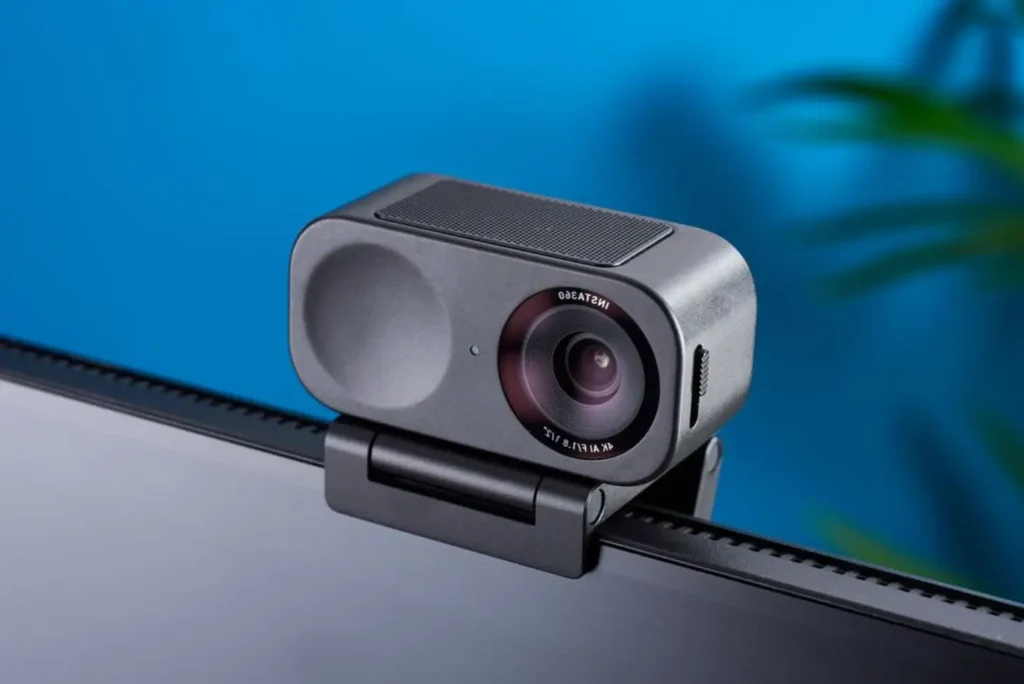
Streaming and videoconferencing are now at the heart of our daily lives, for work, entertainment or social exchanges. In 2026, webcams have undergone a veritable technological revolution, with models capable of rivaling professional cameras. Whether it’s a high-quality feed to captivate your audience, or a simple online meeting with colleagues, having a high-performance webcam is essential. In this article, discover 2026’s best webcams for streaming and videoconferencing, chosen for their image quality, ease of use and features.
Our selection of webcams in 2026
| Logitech C920s | Insta360 Link 2 | Elgato Facecam MK.2 | |
|---|---|---|---|
| Image |
 |
 |
 |
| Info : | Full HD 1080p Autofocus Automatic light correction Dual stereo microphones Competitive price | 4K Ultra HD resolution 1/2” CMOS sensor with f/1.8 aperture AI powered intelligent tracking Gesture controls | 4K Ultra HD resolution Sony STARVIS™ sensor 21 mm autofocus lens f/2.0 Optimized for content creation |
| Acheter |
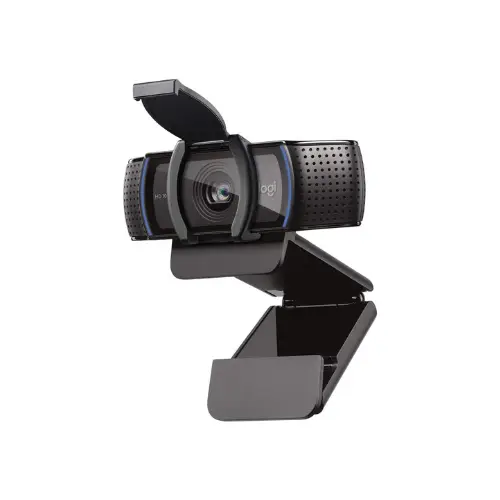
Logitech C920s
Full HD 1080p
Autofocus
Automatic light correction
Dual stereo microphones
Competitive price
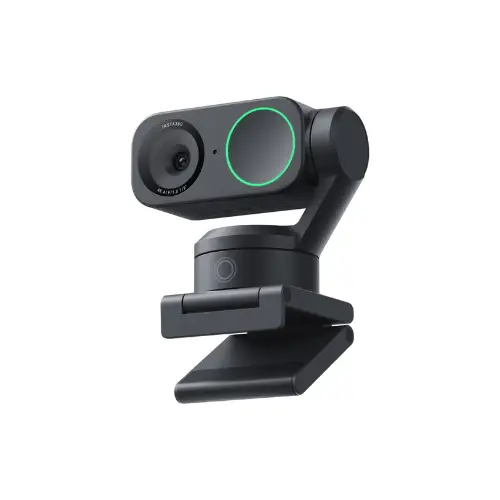
Insta360 Link 2
4K Ultra HD resolution
1/2” CMOS sensor with f/1.8 aperture
AI powered intelligent tracking
Gesture controls
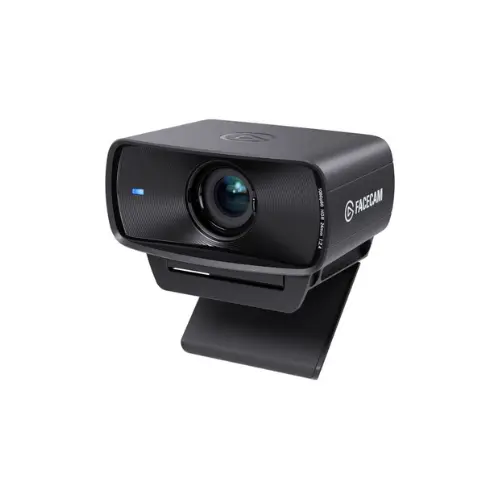
Elgato Facecam MK.2
4K Ultra HD resolution
Sony STARVIS™ sensor
21 mm autofocus lens f/2.0
Optimized for content creation
Discover also the best microphones for streaming or podcasting.
Logitech C920s: The Full HD webcam for videoconferencing
The Logitech C920s is a Full HD webcam designed to deliver good image quality in 1080p (Full HD) at 30 frames per second. Featuring a five-element glass lens and a 78° field of view, it delivers a sharp, detailed image, ideal for videoconferencing. Its automatic autofocus ensures focus, while built-in lighting correction adjusts the image to ambient light conditions for a natural, well-balanced rendering.
On the audio side, the C920s incorporates two stereo microphones for audio communication without the need for an external microphone. An integrated privacy shutter hides the lens from unauthorized access when not in use. Its adjustable mounting system enables easy installation on a monitor, laptop or tripod.
Compatible with Windows, macOS and Chrome OS, the C920s works with the major video conferencing platforms Zoom, Skype, Microsoft Teams and Google Meet. Its USB-A interface ensures a fast, stable connection with most computers.
Editor's Verdict :
Thanks to its strong value for money, this webcam stands out as an effective solution for professionals and individuals looking for better image and sound quality without a high investment.
Highlights :
Drawbacks :
Buy at the Best Price on Amazon
Insta360 Link 2: A 4K webcam for professionals
The Insta360 Link 2 is a high-precision 4K webcam designed for professionals, content creators and users who demand impeccable image quality. Equipped with a 1/2-inch CMOS sensor, it delivers images in 4K at 30 frames per second or 1080p at 60 frames per second, guaranteeing fluid, detailed rendering. Its f/1.8 aperture lens optimizes light management for sharper capture and better contrast, even in low-light conditions. What’s more, its HDR mode dynamically adjusts exposure to improve color balance and avoid over- or underexposed areas.
One of the main assets of the Insta360 Link 2 is its advanced automatic tracking system, combining a two-axis motorized gimbal and an artificial intelligence algorithm. This allows dynamic adjustment of framing, ensuring that the subject remains at the center of the image, whatever its position. Suitable for presentations, videoconferences and live productions, it also offers intuitive gesture control, enabling zoom and framing modes to be managed without manual intervention, optimizing ergonomics and fluidity of interaction.
Its compact, functional design includes a magnetic base for easy installation on different supports, plus an integrated privacy mode that automatically deactivates the lens when not in use. Compatible with Windows and macOS, it integrates seamlessly with leading videoconferencing solutions and streaming software.
Editor's Verdict :
Although priced higher than standard webcams, its image quality, intelligent tracking, and overall ergonomics make it a benchmark choice for users looking for professional-grade equipment.
Highlights :
Drawbacks :
Buy at the Best Price on Amazon
Elgato Facecam MK.2: A webcam made for streaming
The Elgato Facecam MK.2 is a high-end webcam designed to deliver outstanding image quality in 1080p at 60 frames per second, with HDR mode for enhanced color rendering. Its Sony STARVIS™ sensor and Elgato Prime Lens ensure excellent sharpness, even in low light. With an 84° field of view and f/2.4 aperture, it guarantees a detailed, natural image, ideal for streaming and videoconferencing.
Designed for content creators and professionals, this webcam features advanced Camera Hub software for fine-tuning parameters such as white balance, exposure and contrast. Its settings can be saved directly to its internal memory, ensuring optimal configuration every time. Its sliding privacy shutter is a practical addition to protect privacy when the camera is not in use.
Compact and lightweight (90 g without stand), Facecam MK.2 connects via a USB-C port, ensuring minimal latency and smooth image transmission. Compatible with Windows and macOS, it works perfectly with all major streaming and videoconferencing platforms. With its optimized image quality and advanced customization options, it’s a must-have for those looking for a high-performance, reliable webcam.
Editor's Verdict :
The Elgato Facecam MK.2 stands out as a reference for streamers and content creators looking for smooth and detailed image quality in 1080p or 4K.
Highlights :
Drawbacks :
Buy at the Best Price on Amazon
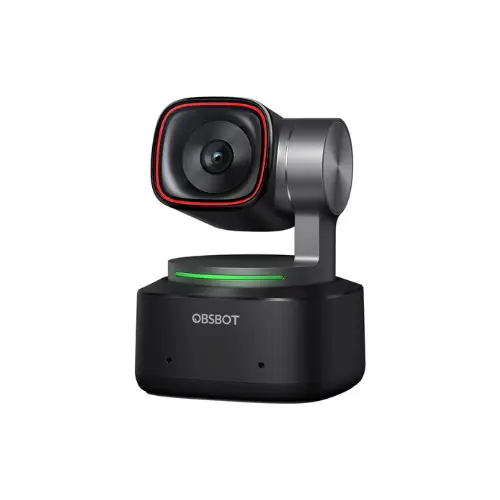
OBSBOT Tiny 2: A smart, motorized 4K webcam
The OBSBOT Tiny 2 is an intelligent 4K webcam designed to deliver a high-end video experience for streaming, videoconferencing or content creation. It features a 1/1.5-inch CMOS sensor with native dual ISO for excellent light management and ultra-detailed image capture even in low light. Its f/1.9 lens guarantees a bright, sharp image, while its ability to record in 4K at 30 fps or 1080p at 60 fps ensures perfect fluidity.
One of the highlights of this webcam is its advanced automatic tracking based on artificial intelligence. Thanks to its motorized PTZ (Pan-Tilt-Zoom) system, it follows the user’s movements in real time and automatically adjusts the framing to maintain optimal framing, ideal for presentations or dynamic streams. It also integrates gesture and voice controls to command certain actions without physical contact.
In terms of design, the OBSBOT Tiny 2 remains compact and discreet, with a magnetic base for easy installation. It features a privacy mode that tilts the camera down when not in use, preventing unintentional capture. Compatible with Windows and macOS, it integrates perfectly with videoconferencing and streaming software.
Editor's Verdict :
With its advanced feature set and impressive image quality, it positions itself among the best webcams on the market for demanding professionals and creators.
Highlights :
Drawbacks :
Buy at the Best Price on Amazon
The practice of live streaming and videoconferencing has never been so democratized, not only for telecommuting but also for distance learning and online content creation. New-generation webcams now offer high-definition and even ultra-high-definition (UHD) resolutions, and are capable of capturing millions of pixels with an ever-increasing number of effective pixels. With sensors exceeding several tens of millions of pixels, the display quality and sharpness of HD images are impressive. If you’re looking for the best webcam for your purpose, it’s essential to understand the different technical specifications, connectivity and environment in which you’ll be using it (laptops, external monitors, or even HD and Smart TVs).
Webcam resolution and image quality
For professional rendering, aim for a high-resolution webcam (e.g. Full HD or UHD resolution). Today, some cameras easily achieve a 16:9 ratio in Full HD resolution, or even Ultra-High Definition for striking realism. Accuracy depends on the sensor and the screen or monitor technology on which you’re watching your feed. Whether you’re using a classic LCD screen, an IPS monitor, or even an OLED panel, you’ll appreciate pixel finesse and color accuracy. Newer TV sets (LED TVs) are also compatible with these definitions. They support different display modes such as 4K or Ultra High Definition, which can come in handy if you’re streaming or viewing your videoconferences from a living room.
Some advanced webcams offer wide-aperture lenses to enhance brightness. Sensor diagonal or screen size (expressed in inches) is used to describe the performance of a camera or monitor. In addition, low-light image capture is becoming more efficient thanks to infrared or software optimization technologies (dedicated processor processing). In the end, whether you’re watching your video returns on a simple capture box, a TV, a video projector or even Philips monitors, the sharpness and number of pixels displayed are immediately noticeable.
Is my computer compatible with a webcam?
To get the most out of your webcam, make sure your computer (desktop or laptop) has sufficient RAM and a solid processor capable of handling real-time video compression. Indeed, HD or ultra-high-definition streaming requires a powerful computing solution to encode streams without latency. Gaming and professional laptops from 2026 often feature graphics chips capable of processing large quantities of data.
It’s also essential to check your Internet bandwidth: live streaming of ultra-high-definition videos can quickly saturate a modest connection. Even with a top-of-the-range Ethernet router, network stability remains crucial to avoid jerks.
Did you find this article helpful?
Share it so others can benefit from it.
Learn more about the author