
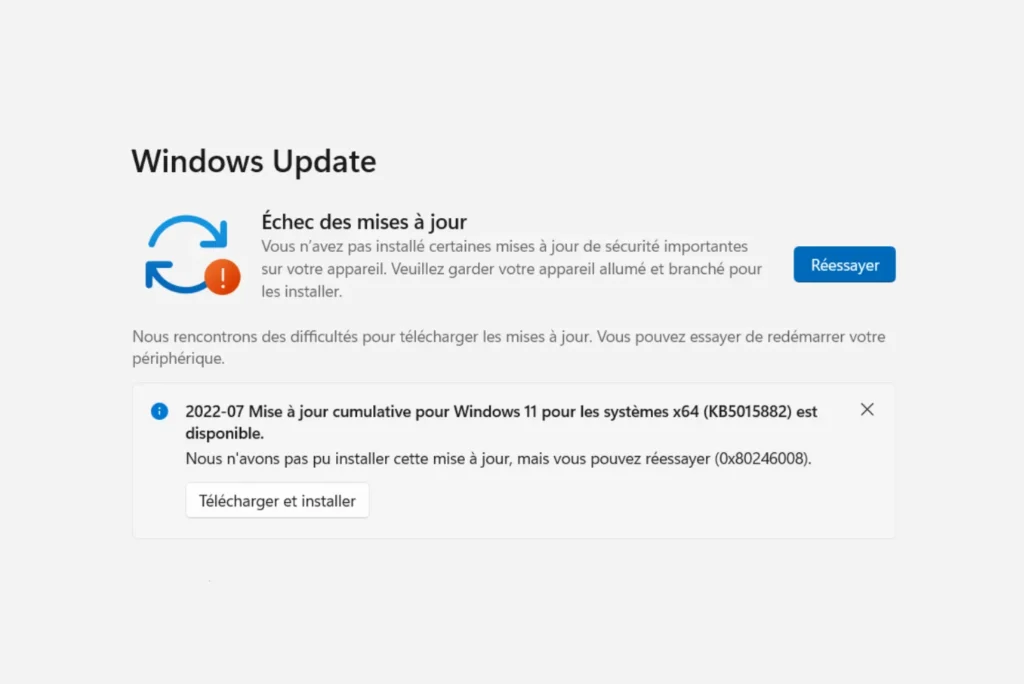
Since early July 2025, many Windows 11 24H2 users have been reporting systematic failure to install the cumulative update KB5062553. Whether it stalls at 95%, causes a looping reboot or displays a series of errors such as 0x8007371b or 0x800f0991, the observation is the same: the update refuses to apply correctly. This guide explains how to correct the failure of KB5062553.
Windows 11 24H2: update KB5062553 fails to install
What does the KB5062553 update contain?
Released in July 2025, cumulative update KB5062553 is aimed at users of Windows 11 version 24H2, recently released as part of the Release Preview channel. It is part of Microsoft’s classic monthly maintenance cycle, aimed at correcting the latest known vulnerabilities, improving overall system stability and paving the way for consumer versions.
Among the notable elements reported in Microsoft’s official documentation, this update integrates :
- security patches for the Windows kernel, memory management and certain critical system libraries
- the resolution of bugs affecting network connections, in particular with VPNs or SMB shares
- compatibility adjustments for certain recent hardware configurations, including ARM64 machines
- performance improvements targeting system responsiveness when opening sessions and running background tasks.
KB5062553 is therefore a cumulative update, which means it also contains all previous fixes not yet installed. It is considered an important milestone to stabilize Windows 11 24H2 before its widespread release. If installation fails, the system will not benefit from these critical patches.
Manual installation via Microsoft Update Catalog
If the KB5062553 update fails via Windows Update, the most reliable method is to install it manually from the Microsoft Update Catalog. This approach bypasses any problems associated with Windows Update’s internal components and gives you total control over the process.
1. Download files
First of all, it is imperative to install the corresponding maintenance stack update (SSU), otherwise the installation of KB5062553 may fail again.
- Service Stack Update (KB5043080)
- Cumulative update (KB5062553)
Make sure you choose the right version for your architecture (x64, ARM64, etc.). To check, open Settings > System > System information.
2. Install updates
Follow the correct order to avoid conflict:
- Double-click on the
.msufile of KB5043080 to install the maintenance stack. Let Windows restart if necessary. - Once installation is complete, launch KB5062553 by opening its
.msufile. - Please be patient: installation may take several minutes, even if no apparent progress is displayed.
3. Check installation
After reboot, go to :
- Settings > Windows Update > Update history
→ You should see KB5062553 in the list of installed updates.
This method often unblocks installations blocked via Windows Update in the event of a software conflict, cache error or undocumented bug. If the update still fails, switch to the reset or ISO repair method.
Did you find this article helpful?
Share it so others can benefit from it.
Learn more about the author
