
Whether you’re in an open-plan office, on a train or at a co-working desk, someone is bound to end up glancing at your screen without meaning to. Whether it’s a confidential document, a password or simply your email, a privacy filter sorts the problem out in a matter of seconds. This guide will help you choose the right model for your screen size.
The best privacy filters for laptops in 2026
|
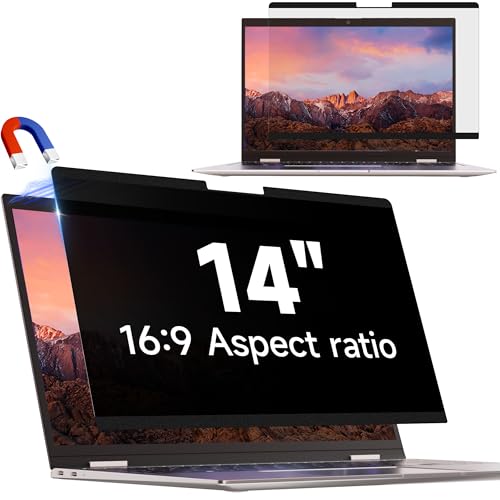
IPROKKO 14-inch Privacy Screen Filter
|
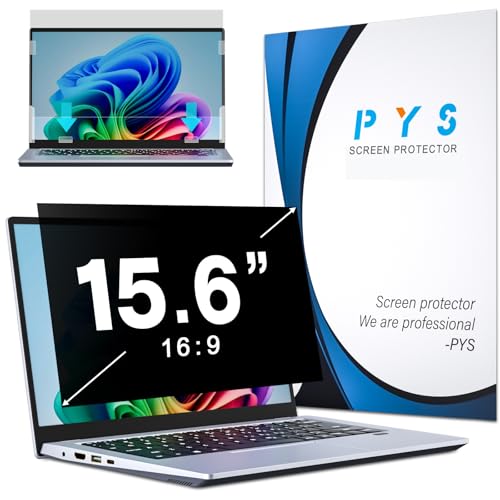
PYS 15.6-inch Privacy Screen Filter
|
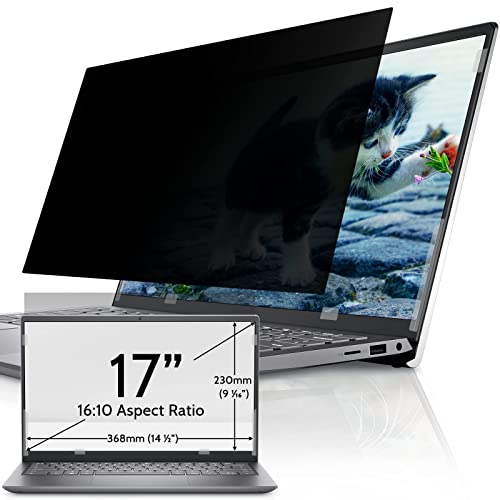
IPROKKO 17-inch Privacy Filter
|
|---|---|---|
 |
 |
 |
|
14-inch screen size 16:9 aspect ratio Magnetic attachment IPROKKO brand |
15.6-inch screen size 16:9 aspect ratio Adhesive attachment PYS brand |
17-inch screen size 16:10 aspect ratio Magnetic attachment IPROKKO brand |
| 32,99 € | 26,59 € | 30,99 € |
Before placing your order, please check the screen size and aspect ratio to avoid any compatibility issues.
IPROKKO 14-inch privacy filter, for business laptops
The 14-inch screen remains very common on compact business laptops, although it is not the best-selling size on the market (that title goes to the 15.6-inch model, featured further down in this selection). This IPROKKO model attaches magnetically; you can put it on and take it off in a matter of seconds without leaving any sticky residue on your screen. It also filters out some of the blue light, which is a bonus if you spend long hours in front of your computer.
Check the 16:9 aspect ratio before ordering; some recent 14-inch laptops use a 16:10 aspect ratio, so the screen size alone is not enough to guarantee compatibility. Over 1,800 verified reviews endorse this model, which is a good indication of its long-term reliability.
Highlights :
Drawbacks :
Buy at the Best Price on Amazon
PYS 15.6-inch privacy filter, best-seller
The 15.6-inch PYS is Amazon’s best-selling product in its category, with over 1,100 verified reviews. It uses an adhesive mount rather than a magnetic one – something to bear in mind if you plan to remove and replace the filter frequently, as a magnetic mount is more practical for on-the-go use.
Compatible with most 15.6-inch laptops with a 16:9 aspect ratio (HP, Dell, Acer, Lenovo, ThinkPad, Samsung, ASUS), it is also the most affordable model in this selection. A good compromise if you’re equipping several workstations in your business.
Highlights :
Drawbacks :
Buy at the Best Price on Amazon
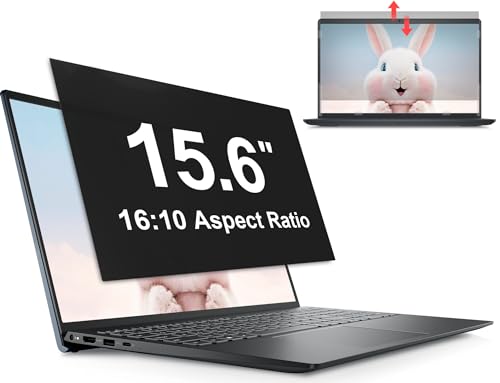
Mamol 15.6-inch privacy filter in 16:10 aspect ratio
Most 15.6-inch screens have a 16:9 aspect ratio, but some recent business laptops are switching to the taller 16:10 aspect ratio to display more lines of text on screen. If this applies to you, the filter above won’t be suitable, but this one will.
This Mamol model features a removable mounting system that does not use permanent adhesive, and has over 1,100 verified reviews. Before ordering, measure your screen rather than relying solely on the diagonal measurement stated by the manufacturer; the 16:10 aspect ratio is still relatively uncommon for this size and can easily be confused with 16:9.
Highlights :
Drawbacks :
Buy at the Best Price on Amazon
IPROKKO 17-inch privacy filter, for large screens
If you’re working on a 17-inch laptop – often creative or gaming machines that have been repurposed as workstations – this IPROKKO model supports the 16:10 aspect ratio specific to this screen size. The removable magnetic mount works in the same way as on other sizes in the range.
Over 1,700 verified reviews endorse this model. As with other sizes, be sure to check the exact aspect ratio of your screen before buying, as a 17-inch screen may come in several different formats depending on the manufacturer.
Highlights :
Drawbacks :
Buy at the Best Price on Amazon
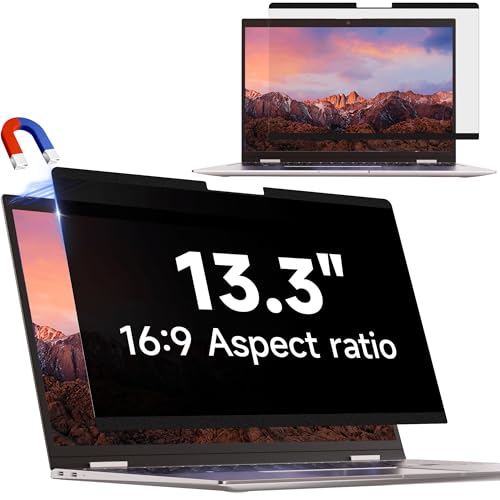
IPROKKO 13.3-inch privacy filter, for ultraportables
If your laptop is an ultraportable or a MacBook Air, the 13.3-inch size is a better fit than the sizes shown in the table above. This IPROKKO model features the same removable magnetic attachment as its larger counterparts, with over 1,800 verified reviews for this range of sizes.
This is the most expensive option in the range, which makes sense for smaller screen sizes, where the price does not fall in proportion to the size. Please check the exact 16:9 aspect ratio of your screen once more before ordering.
Highlights :
Drawbacks :
Buy at the Best Price on Amazon
How to choose the right size privacy filter
The diagonal measurement of your screen is measured in inches, from the bottom-left corner to the top-right corner; it is almost always stated in your laptop’s specifications or on its manufacturer’s label. A screen protector that is too small will not cover the whole screen, whilst one that is too large will hang over the edges and is more likely to peel away there.
The aspect ratio is just as important as the screen size. Most recent laptops use a 16:9 aspect ratio, but some professional models have switched to 16:10, which is taller and offers better vertical readability. If you’re in any doubt, measure your screen directly rather than relying on your laptop’s model name.
Magnetic mounts are generally a little more expensive than adhesive ones, but they allow you to remove the filter in a second when you’re sharing your screen during a meeting, and then put it back on without a second thought. If you leave the filter in place all the time, the adhesive version works just as well and is cheaper.
Why use a privacy filter on a daily basis?
A privacy filter darkens the screen when viewed from the side; only the person sitting directly opposite can see the image clearly. On a train, a plane or in a co-working space, this prevents someone sitting next to you from reading your emails or work documents over your shoulder.
For businesses, it is also a simple measure to incorporate into an IT security policy, particularly for staff who often work from home or whilst travelling. The cost remains minimal compared to the risk of confidential data falling into the wrong hands.