The Dark Web looks like a spy film from the outside. In reality, it is a network of sites accessible only with a specific browser; most host forums, encrypted messaging services and independent archives. Some are illegal. All are invisible to Google.
Tor Browser makes anonymity possible, not guaranteed. It hides your IP address, but not your session identity, behaviour or digital fingerprint. Millions install Tor believing they are invisible, then log in to Gmail or leave JavaScript enabled. This guide covers installation on several operating systems, Tor’s real limitations, VPN + Tor, and tools for people who need robust anonymity.
In this article
- Deep Web, Dark Web and Tor: the distinction that matters
- Is using Tor legal in France?
- Install Tor Browser: Windows, macOS, Linux and Android
- Connect and choose the right security level
- What Tor protects, and what it does not
- VPN and Tor: which order, and why it matters
- Access the Dark Web: engines, directories and legitimate .onion sites
- Tools for robust anonymity
- Frequently asked questions
Deep Web, Dark Web and Tor: the distinction that matters
Deep Web means content that search engines do not index: private mailboxes, academic databases, company extranets and banking forms. It is not illegal; it is simply inaccessible without a direct link or authentication.
The Dark Web is a small part of the Deep Web accessible only through anonymous networks such as Tor. It hosts .onion sites that are invisible without a specific browser. Some are legitimate (independent journalism, secure messaging, press archives and anti-censorship services), while others are not. Anonymity is structurally stronger there, as are the risks.
Tor encrypts traffic in several layers and sends it through three independent nodes (guard, relay and exit) before reaching its destination. Each node knows only the previous and next hop, never the complete route. This is onion routing. It protects your IP, not everything else.
Is using Tor legal in France?
Yes. Downloading and using Tor Browser is legal in France, Belgium, Switzerland and almost all Western countries. It is free software maintained by a US non-profit organisation.
What is illegal is what you do with it: buying controlled substances, accessing child sexual abuse material or taking part in criminal activity. Visiting a forum, reading a news article or using encrypted messaging through Tor is not an offence under French law.
In some countries (China, Iran, Russia, Belarus and Turkmenistan), Tor is blocked or formally restricted. Bridges can bypass these blocks; they are explained in the configuration section below.
Install Tor Browser: Windows, macOS, Linux and Android
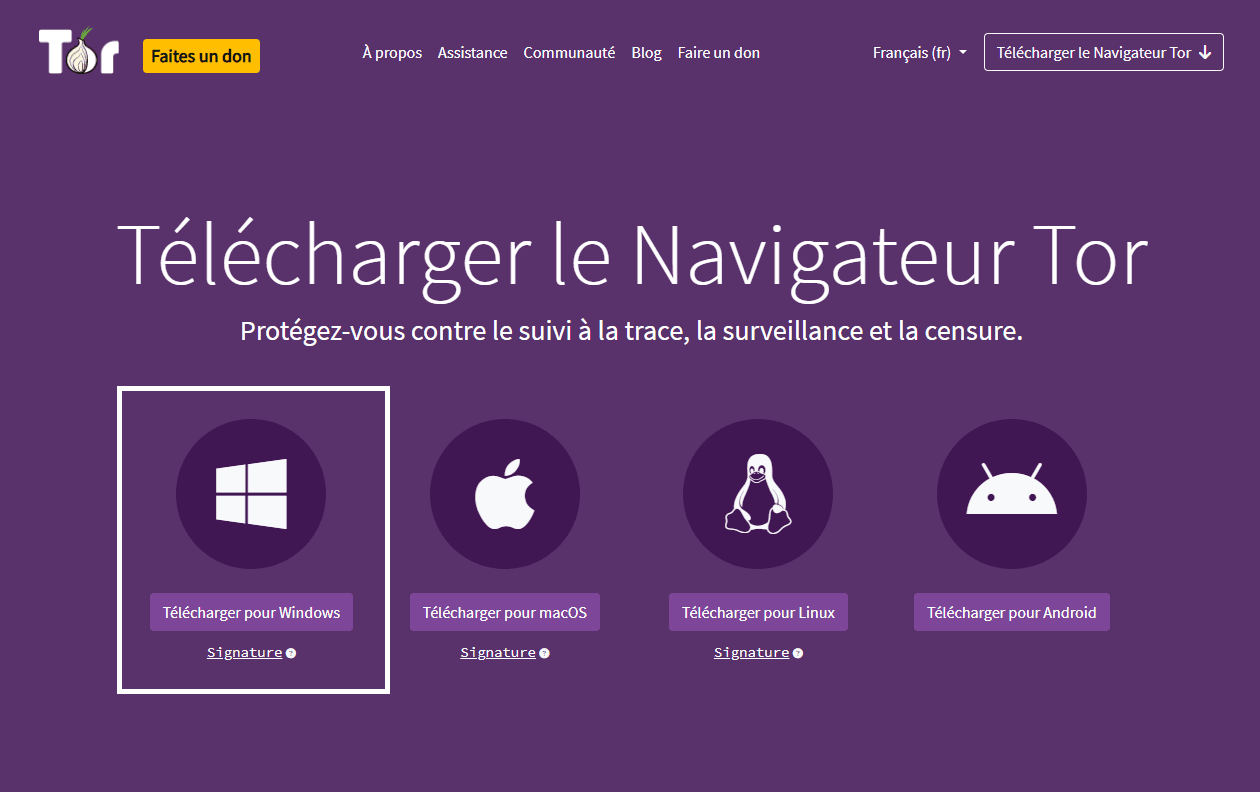
Always download it from the official torproject.org website. Versions hosted on third-party sites or on the Dark Web itself are frequently compromised.
Windows
Download the .exe installer, run it and choose an installation folder. Tor Browser can also run without installation from a USB drive, which is useful when you do not want to leave traces on the computer.
macOS
Download the .dmg file, open it and drag Tor Browser to Applications. At first launch, macOS shows a Gatekeeper warning. Open System Settings > Privacy & Security and click Open Anyway.
Linux
On Ubuntu and Debian:
sudo apt install torbrowser-launcher
Alternatively, download the .tar.xz archive from torproject.org, extract it and run start-tor-browser.desktop. This method obtains the latest version directly from the Tor Project.
Android
Tor Browser for Android is available on the Google Play Store and F-Droid. The Tor Project maintains the app. To route all Android traffic, not only browser traffic, use Orbot.
Connect and choose the right security level
First connection
At first launch, Tor asks you to connect to its network. Click Connect and enable Always connect automatically to skip this step at startup.
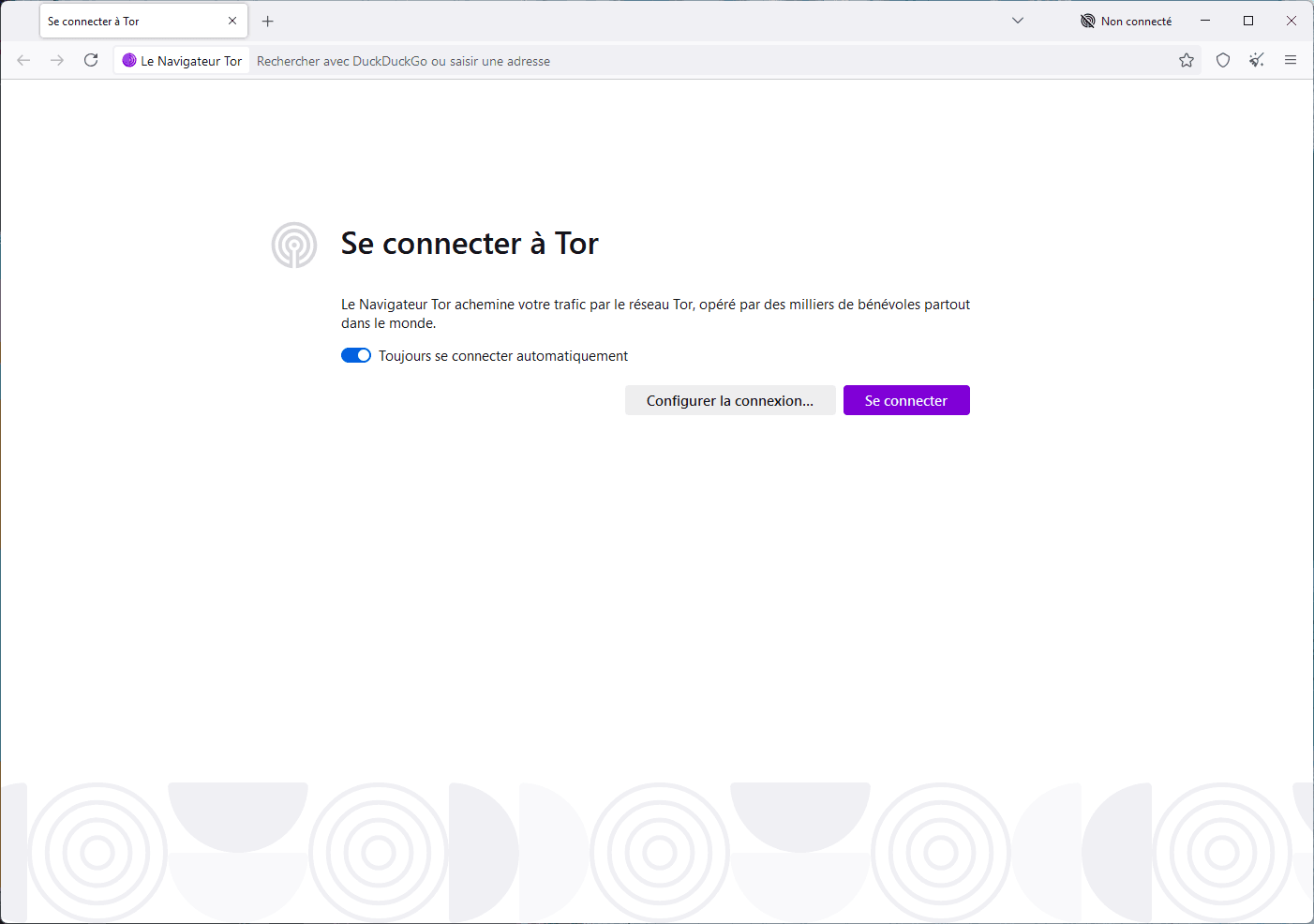
On a restricted network (censored country or company firewall), Configure Connection lets you enable bridges: unpublished Tor relays that bypass blocks.
The three security levels
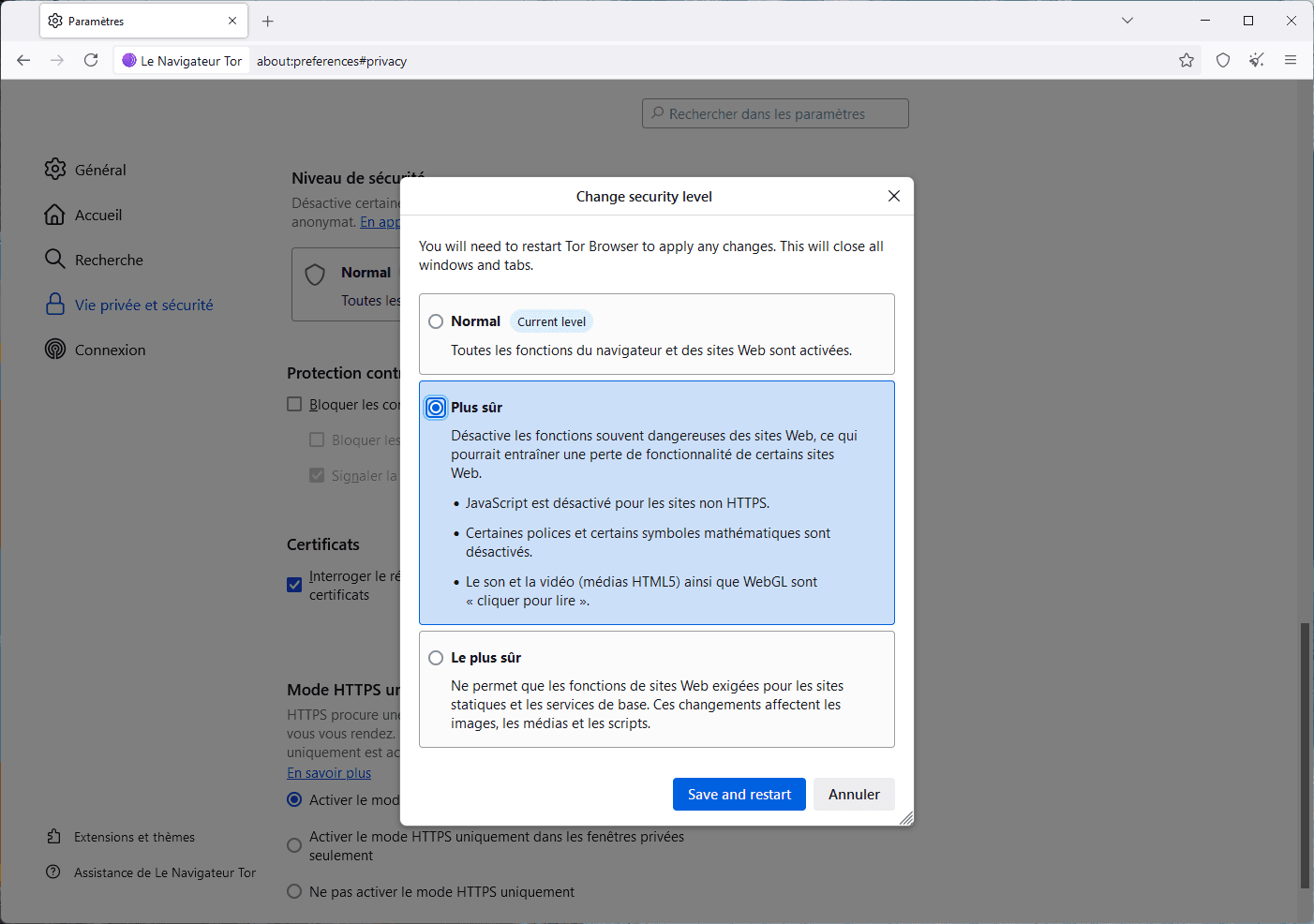
Click the shield icon at the top right, then Settings. Three levels are available:
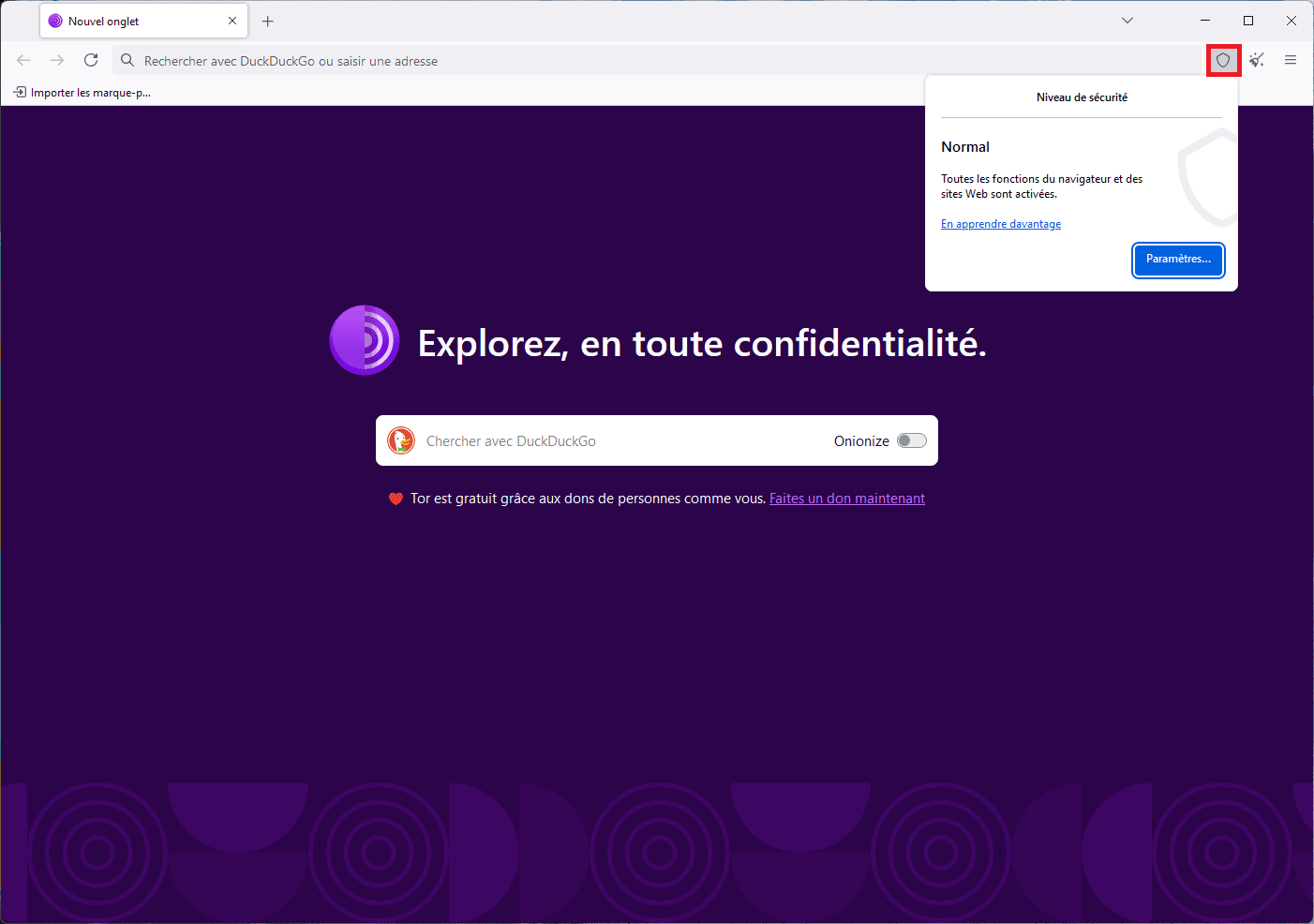
| Level | What is disabled | Who it suits |
|---|---|---|
| Standard | Nothing (Firefox-like behaviour) | Occasional browsing and known .onion sites |
| Safer | JavaScript on non-HTTPS sites, HTML5 media and WebGL | Regular Dark Web use |
| Safest | All JavaScript and third-party fonts | Journalists, activists and high-risk contexts |
What Tor protects, and what it does not
This is the section most guides omit. Tor is not a universal shield, and behavioural mistakes quickly cancel its technical protections.
| Tor protects | Tor does not protect |
|---|---|
| Your IP address from visited sites | Unencrypted HTTP traffic at the exit node |
| Your identity from your ISP | Your identity when you log in to an account |
| Your geographical location | Fingerprinting through canvas, WebGL and screen resolution |
| Against passive mass surveillance | Malware downloaded through the browser |
| Access to sites blocked in your country | File metadata such as GPS EXIF coordinates |
The exit node: the weak link
The last relay decrypts traffic before sending it to the destination server. If the site uses HTTP rather than HTTPS, the exit node sees your data in plain text. Anyone running a malicious exit node can intercept it. On Tor, use HTTPS sites exclusively.
The login that cancels everything
Logging in to a personal account through Tor is the most common mistake. As soon as you enter Gmail or Instagram credentials, the site recognises your session, not your IP. The Tor circuit is compromised in seconds. Tor hides where you are, not who you are.
Fingerprinting: the signature Tor cannot hide by itself
Even without an IP and cookies, your browser reveals a unique signature: screen resolution, installed fonts, canvas rendering, WebGL capabilities and system language. Combined, these details can identify you across sessions. This is why Safest disables JavaScript, the main source of these leaks.
The same mechanism affects the ordinary web; the important point is to avoid customising Tor Browser or adding extensions that make you unique.
VPN and Tor: which order, and why it matters
A VPN alone does not guarantee anonymity: it hides your IP but not your digital fingerprint or persistent cookies. Combined with Tor, the order determines what each party can see.
| Configuration | What your ISP sees | What the VPN sees | Use case |
|---|---|---|---|
| VPN then Tor (Tor over VPN) |
Your VPN connection, not Tor | That you use Tor | Hide Tor use from your ISP; the most common and simplest setup |
| Tor then VPN (VPN over Tor) |
Your Tor connection | Your decrypted traffic | Hide Tor from the destination server; more complex and not recommended for beginners |
In practice, activate the VPN first, then open Tor Browser. Your ISP sees an encrypted VPN connection rather than a Tor node. Remember that a VPN cannot replace safe behaviour in the browser.
Access the Dark Web: engines, directories and legitimate .onion sites
.onion sites are not indexed by Google. Use dedicated search engines or verified directories to find them.
Tor search engines include Ahmia (the cleanest, with illegal-content filtering), DuckDuckGo’s .onion version (no tracking), Torch (more exhaustive and less filtered), Dark Search and Not Evil. For verified link directories, The Hidden Wiki remains a community reference; choose versions that are regularly updated.
Before clicking a .onion link, check the exact address. Onion addresses contain 56 characters and are easy to imitate for phishing. Never trust a link found on YouTube or a forum without cross-checking it with a reliable source.
For a low-risk start, BBC News, The New York Times, ProtonMail and Wikipedia have official .onion versions published on their clear-web sites. Check those addresses on the ordinary web first.
Tools for robust anonymity
Tor Browser alone is enough for occasional Dark Web exploration. Investigative journalists, activists in authoritarian regimes, whistleblowers and professionals handling sensitive data need more. These tools close blind spots.
Tails OS: no traces, no persistence
Tails OS (The Amnesic Incognito Live System) boots from a USB drive without writing to the host computer’s hard disk. It routes all traffic through Tor by default and erases the session at shutdown. Even if the machine is compromised, Tails runs in an environment isolated from the host system.
It integrates OnionShare for Tor file sharing, MAT for removing document metadata, KeePassXC for encrypted passwords and optional LUKS-encrypted persistent storage. Tails is aimed at people who cannot afford a mistake; its protection still depends on behaviour outside Tails.
Qubes OS and Whonix: compartmentalise every risk
Qubes OS runs each application in a separate virtual machine. If one is compromised, the attacker remains in its sandbox. Combined with Whonix, which isolates network identity through Tor, it is one of the strongest configurations available to individuals.
The learning curve is steep. Reserve Qubes OS for users who understand virtualisation and genuinely need this level of separation.
Orbot: Tor for all of Android
Tor Browser for Android protects browser traffic only. Orbot is a system proxy that routes every app through Tor in transparent VPN or SOCKS5 mode. It is developed by the Tor Project and available from Google Play and F-Droid.
I2P: an alternative anonymous network
I2P (Invisible Internet Project) is separate from Tor and optimised for internal communications rather than ordinary web access. It hosts services inside its own network (eepsites) instead of using exposed exit nodes. It is more complex and is used by forums and messaging services that want to stay entirely inside an encrypted network.
Frequently asked questions
Does Tor significantly slow the connection?
Yes. Traffic travels through three independent nodes, increasing latency. Expect a 50–80% reduction depending on the circuit. Text browsing remains usable; avoid video streaming and large downloads.
Can my ISP see that I use Tor?
Yes, without a VPN. Your ISP can detect a connection to a known Tor node without seeing the content. Use a VPN before Tor or enable bridges to hide this fact.
We allow some readers to view our articles for free with an ad blocker. However, their number is currently too high for us to keep this access available to everyone.
You can disable your ad blocker to continue reading immediately, subscribe to enjoy all our content without ads, or come back a little later when the pressure has eased.
Access will be restored automatically as soon as the situation allows.