Between the mouse, keyboard, external hard drive and phone-charging cable, our computers quickly turn into a battlefield. We never have enough USB ports. You do not need to replace your computer to solve the problem. A simple USB hub can instantly turn a single port into a real docking station. Here is our selection of the best USB hubs to restore your connection freedom.
The best USB hubs for PC or Mac
|
i-tec USB 3.0 Hub
|
Anker 565 USB-C Hub (11-in-1)
|
UGREEN Revodok Pro 210
|
|---|---|---|
 |
 |

|
|
10 USB-A 3.0 ports External power supply Ideal for desktop setups and multiple accessories |
11-in-1 with HDMI, DP, Ethernet, audio 10 Gb/s USB and 100W charging Great for MacBook and ultrabooks |
10-in-1 with dual HDMI Gigabit Ethernet and SD/microSD Complete desktop setup without breaking the budget |
| 45,08 € | 49,99 € | 39,99 € |
UGREEN Revodok Pro 210: the USB-C hub that turns a laptop into a workstation
The UGREEN Revodok Pro 210 is a 10-in-1 USB-C hub that turns a laptop into a complete workstation with one cable. It adds two HDMI ports, one 5 Gb/s USB-C data port, one 5 Gb/s USB-A 3.0 port, two USB-A 2.0 ports for a keyboard, mouse or accessories, one USB-C Power Delivery port up to 100 W, one 1,000 Mb/s Gigabit Ethernet port, an SD reader and a microSD reader. It is useful for connecting a display, a second monitor, wired networking, a memory card, a USB drive and several peripherals without saturating the laptop’s ports.
The Revodok Pro 210 can drive two 4K 60 Hz displays or one display up to 8K 30 Hz, provided the computer’s USB-C port supports video output and DisplayPort 1.4.
Highlights :
Drawbacks :
On Amazon right now:
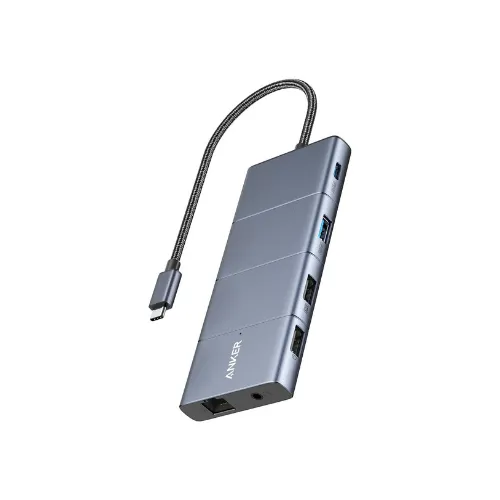
Anker 565: the 11-in-1 USB-C hub for a complete workstation
The Anker 565 is an 11-in-1 USB-C hub with one HDMI, one DisplayPort, one 10 Gb/s USB-C data port, one 10 Gb/s USB-A 3.2 port, two USB-A 2.0 ports at 480 Mb/s, one USB-C Power Delivery input up to 100 W that can deliver up to 85 W to the laptop, one 1 Gb/s Gigabit Ethernet port, one 104 MB/s UHS-I SD reader, one UHS-I microSD reader and a combined audio jack. It is a good choice if you want to connect one or two displays, wired networking, a memory card, USB peripherals and the laptop charger with one adapter.
On a computer compatible with DisplayPort 1.4, it can reach 4K 60 Hz on one display and 2K 60 Hz on two external displays. On a PC limited to DisplayPort 1.2, expect 4K 30 Hz with one display or 1080p 60 Hz with two. The USB-C and USB-A data ports are used neither for charging nor display output.
Highlights :
Drawbacks :
On Amazon right now:
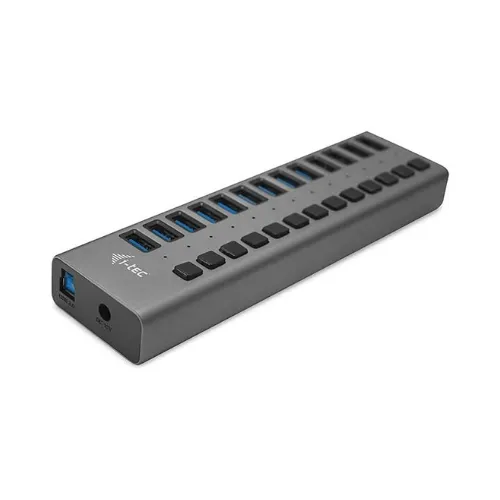
i-tec USB 3.0 Hub: the multi-port hub for connecting more devices
The i-tec USB 3.0 Hub is designed for users who lack USB ports on their computer. Depending on the model, it adds up to 13 USB-A 3.2 Gen 1 ports at 5 Gb/s, connected to the PC through a USB-B 3.2 Gen 1 port and powered by an external 60 W, 12 V 5 A supply. It is useful for connecting several USB drives, external disks, card readers, printers, dongles, accessories, smartphones or tablets without constantly unplugging something. Individual on/off switches and status LEDs are also convenient because they let you cut power to a device without removing the cable.
Unlike a small passive USB adapter, it does not rely only on power from the computer. This makes it better suited to desktops, workshops, busy offices and users who regularly handle USB storage. Each port can reach 5 Gb/s for data transfers and 10 W for USB charging, but total power is limited by the 60 W supply. It should therefore not be treated as a fast charger for 13 devices at full power.
Highlights :
Drawbacks :
UGREEN Revodok 1071: the small USB-C hub that keeps things light
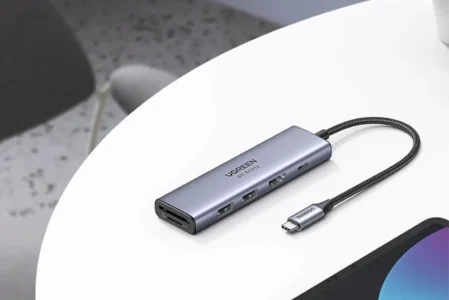
The UGREEN Revodok 1071 is a 7-in-1 USB-C hub designed to add essential ports to a MacBook, laptop, iPad Pro, Mac mini or recent iPhone equipped with USB-C. It adds one HDMI port up to 4K 30 Hz, one 5 Gb/s USB-C data port, two 5 Gb/s USB-A 3.0 ports, one USB-C Power Delivery port up to 100 W, an SD reader and a TF microSD reader. The card readers support cards up to 2 TB at speeds of up to 104 MB/s, making it practical for transferring photos, videos, documents or work files without a separate adapter.
The USB-C Power Delivery port can provide up to 95 W to the computer in practice, with the hub keeping a small amount of power for itself. It cannot be used for data transfer or video. This is not a full docking station with Ethernet or dual-display support, but it does what you expect from a versatile hub by adding a 4K 30 Hz display, two fast USB-A ports, a USB-C data port and two card readers to a USB-C device.

Highlights :
Drawbacks :
On Amazon right now:
Anker A83D2: the compact 7-in-1 USB-C hub with 4K 60 Hz HDMI
The Anker A83D2 is a 7-in-1 USB-C hub designed to add essential ports to a laptop, MacBook, compatible iPad or USB-C device without using a large docking station. It includes one HDMI port up to 4K 60 Hz, two 5 Gb/s USB-A 3.0 ports, one 5 Gb/s USB-C 3.0 data port, one USB-C Power Delivery input up to 100 W, an SD reader and a TF microSD reader. It is a useful format for connecting an external display, USB drive, external SSD, mouse, keyboard or memory card while charging the laptop through the same adapter.
It has neither Ethernet nor dual-display support, but it offers HDMI, three 5 Gb/s data ports and SD/microSD readers.

Highlights :
Drawbacks :
On Amazon right now:
Mistakes to avoid before buying a USB hub
A hub can advertise a long list of connections and still disappoint if the HDMI output is limited, charging is too weak or USB speeds drop with an external SSD. For a desktop setup with display, network and storage, choose a better-equipped and better-powered model.
Also check the port on your computer. Not every USB-C port offers the same functions. To use an external display, Power Delivery or high transfer speeds, the PC or Mac must support them too.