


You ran PageSpeed, the score is not great, and someone told you to install a caching plugin. It is tempting: install a plugin, tick a few boxes, click “Clear cache,” and hope the site gets faster.
Sometimes it works. But a caching plugin does not fix everything. It can serve a page faster, reduce server workload, and improve the browsing experience. It cannot fix an oversized image, a bloated theme, slow hosting, or a page built with too many scripts.
There is no single best WordPress caching plugin for everyone. The right choice depends on your hosting, theme, whether you use WooCommerce, your technical experience, and what you are willing to test.
In this article
- Before choosing, find out what is slowing down the site
- WP Rocket for a standard site that needs speed without endless settings
- LiteSpeed Cache if your hosting uses LiteSpeed
- FlyingPress for Core Web Vitals
- Cache Enabler when you want to keep things lightweight
- WP Super Cache and W3 Total Cache
- The WooCommerce case
- Which plugin should you choose for your situation?
- Settings to enable gradually
- When caching is not the answer
- The right choice
Before choosing, find out what is slowing down the site
If the server responds slowly, caching can help, but it may not solve the hosting problem. If the main image is several megabytes, optimize the image. If the page loads unnecessary scripts, simplify the page. Caching comes after this first diagnosis.
The right approach is simple. Test an important page with PageSpeed, GTmetrix, or WebPageTest. Note the main problem, then choose a plugin that fits the situation. Free speed-testing tools can help you interpret these signals without chasing a perfect score.
WP Rocket for a standard site that needs speed without endless settings
WP Rocket is paid, but remains popular because it is easy to use. The interface guides you through the setup. Page caching, preloading, lazy loading, CSS and JavaScript optimization: it brings these features together in a fairly clear tool.
It is a good choice for a brochure site, blog, or small business site when you want better performance without spending hours on configuration. Still, test the site after activating it. Check the mobile menu, forms, maps, galleries, and pop-ups to make sure nothing breaks.
LiteSpeed Cache if your hosting uses LiteSpeed
LiteSpeed Cache is very powerful when the server runs LiteSpeed or OpenLiteSpeed. It can then use server-side caching, which gives it a real advantage. It also offers image optimization, QUIC.cloud, minification, and many advanced settings.
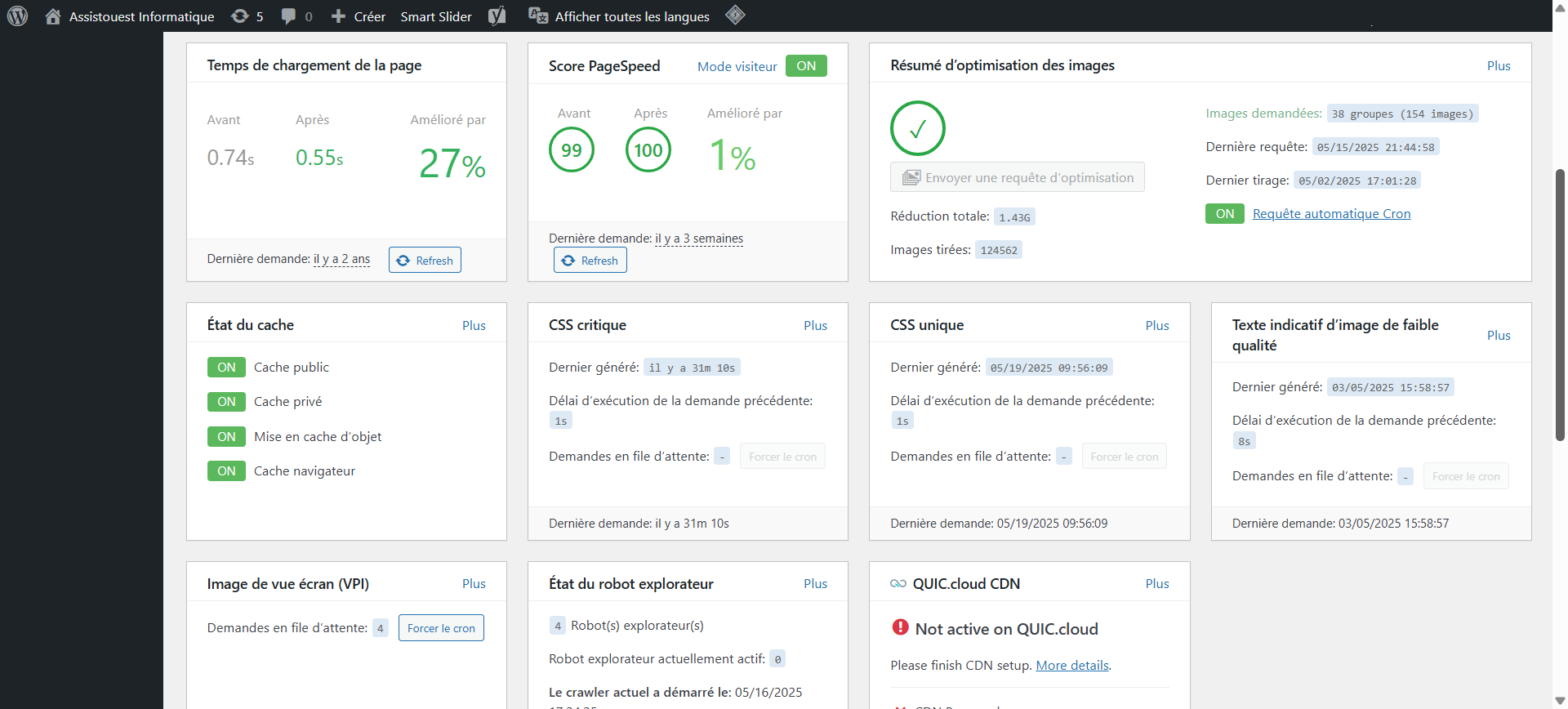
The downside is the number of options. It is easy to enable too many. If you are new to this, take it one step at a time. First enable page caching and test. Then add one optimization at a time.
FlyingPress for Core Web Vitals
FlyingPress appears in recent comparisons because it targets Core Web Vitals with a clean interface. It may suit you if you want a paid tool focused on modern performance, with font, JavaScript, and rendering optimizations.
It is not necessarily the first plugin to recommend to someone who only wants simple caching. But if LCP, INP, or JavaScript is at the heart of the problem, it is worth comparing with WP Rocket.
Cache Enabler when you want to keep things lightweight
Cache Enabler gets less attention than the larger plugins, but it has a valuable quality: it stays simple. For a well-built brochure site with few dynamic features, it may be enough to add page caching without turning the dashboard into an airplane cockpit.
Consider this kind of plugin when the site is already well built and you do not want to pile on automatic optimizations.
WP Super Cache and W3 Total Cache
WP Super Cache is a familiar free option. It can work well for a blog or simple site, especially if you want basic caching without every possible optimization.
W3 Total Cache has more features, but is also more technical. It can suit advanced users or specific setups. For beginners, it can be frustrating because too many options increase the risk of misconfiguration.
The WooCommerce case
A WooCommerce store needs more care than a brochure site. The cart, checkout, customer account, and some dynamic pages must not be cached like regular pages. Otherwise, visitors may see incorrect information or be unable to place an order.
After each change, test the full journey: add an item to the cart, change its quantity, apply a coupon, run a test payment, and check the order email. A higher PageSpeed score is useless if customers can no longer buy.
Which plugin should you choose for your situation?
| Your situation | First option to consider | Why |
|---|---|---|
| Standard brochure site | WP Rocket or Cache Enabler | Simple setup, limited risk, quick improvement |
| LiteSpeed server | LiteSpeed Cache | Better server-side caching when the host supports it |
| Core Web Vitals-focused site | FlyingPress or WP Rocket | More control over rendering, fonts, and JavaScript |
| Simple blog | WP Super Cache or Cache Enabler | Caching without a complicated setup |
| Technical user | W3 Total Cache | Fine-grained settings, but requires a sound method |
| WooCommerce | WP Rocket, LiteSpeed Cache, or a well-configured host solution | Cart, checkout, and customer account exclusions are essential |
Settings to enable gradually
- Start by enabling page caching.
- Check the site on mobile and desktop.
- Then enable preloading if the plugin offers it.
- Enable image lazy loading with care.
- Test CSS and JavaScript minification separately.
- Do not combine several full caching plugins.
- Clear the cache after every significant change.
The goal is to learn which setting helps and which one causes problems. If you enable ten options at once, you will not know which one caused the issue.
When caching is not the answer
If the site is still slow after caching is configured properly, look deeper. The images may be too large, the theme overloaded, the page builder poorly used, scripts loaded everywhere, hosting underpowered, or there may be too many plugins. Caching can hide part of the problem, but it cannot make a fragile foundation healthy.
In that case, it is better to revisit how the site is built than to keep piling on plugins. Reworking the WordPress foundation can last longer than adding another optimization plugin.
The right choice
For most simple sites, choose the tool you can configure and verify. WP Rocket for paid simplicity. LiteSpeed Cache if your host supports it. Cache Enabler to keep things lightweight. FlyingPress when Core Web Vitals are a real concern. W3 Total Cache if you know what you are doing.
The best plugin is not the one that promises the highest score. It is the one that makes the site faster without breaking the visitor’s journey.
We allow some readers to view our articles for free with an ad blocker. However, their number is currently too high for us to keep this access available to everyone.
You can disable your ad blocker to continue reading immediately, subscribe to enjoy all our content without ads, or come back a little later when the pressure has eased.
Access will be restored automatically as soon as the situation allows.