

Unwanted calls are a daily nuisance. Between incessant spam and phone solicitors using masked or local numbers, it’s becoming urgent to get back under control. Fortunately, if you’re using a Samsung or Android device, tools like Hiya and Samsung Smart Call are here to make your life easier. Find out how these solutions can automatically block the majority of these unsolicited calls.
In this article
Why do the canvassers call me so often?
If you’re constantly receiving calls from cold callers, it’s often because your number appears in databases accessible to marketing companies. These databases are usually obtained in several ways:
- Online forms or registrations: If you have entered your phone number online (to enter a contest, receive offers or create an account), your information may have been resold or shared.
- Public directories: If your number is listed in a public telephone directory, it may be collected by canvassing companies.
- Automatic techniques: Some direct marketers use tools to randomly generate phone numbers within a given range, thus increasing the chances of reaching you.
- Data leaks: If a company with which you’ve shared your information has suffered a data leak, your number could end up in the wrong hands.
Telephone solicitors frequently harass you becausethey use dubious practices to maximize their profits. They don’t hesitate to use automated calling systems, in violation of regulations, to contact you again and again, even if you’ve never given your consent. These unscrupulous companies rely on call volume and aggressive canvassing to force consumers to give in to their offers, regardless of the impact on your peace of mind, your privacy or the illegality of their actions.
In short, let’s block these pests ?
Smart Call: Block unwanted calls on a Samsung phone
Unwanted calls can be a nightmare. With Samsung Smart Call, your phone can automatically identify and block unwanted calls and scams. Here’s a step-by-step guide, complete with screenshots, to setting up this feature on your Samsung phone.
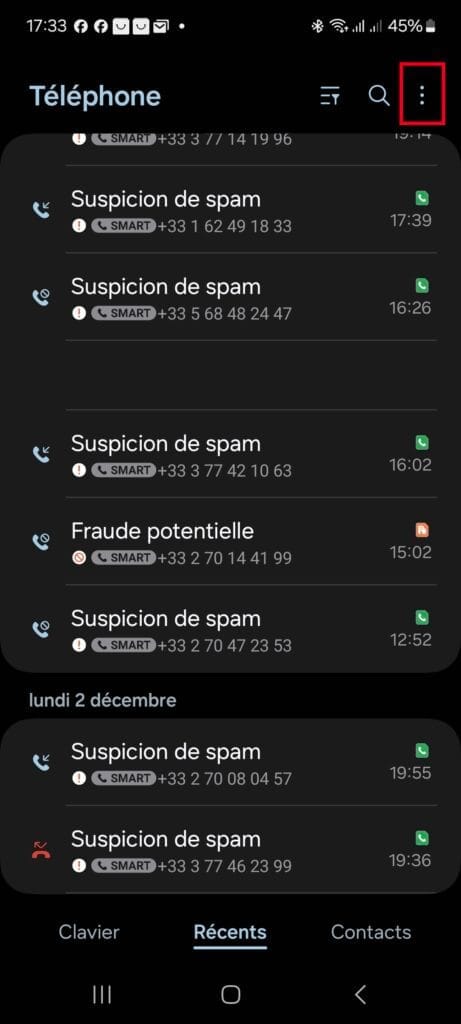
- Open the Phone application on your Samsung device.
- Press the three dots at the top right of the screen.
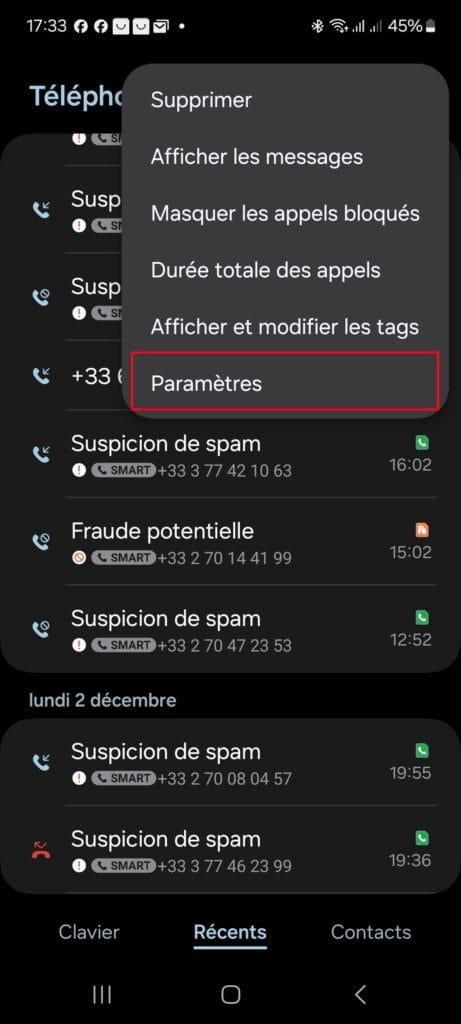
- From the drop-down menu, select Settings.
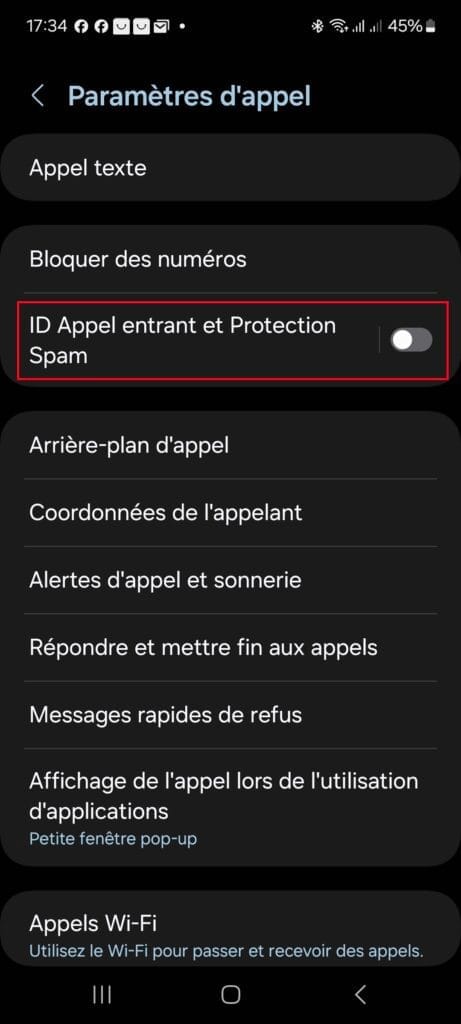
- Look for the Incoming Call ID and Spam Protection option and activate the switch next to Call ID and Spam Protection.
- Press it to access its settings.
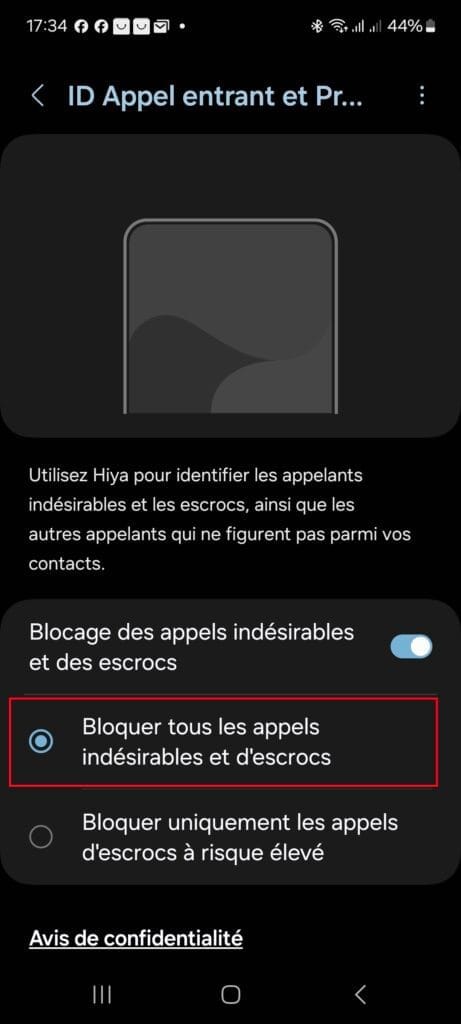
- Once activated, you will have several blocking options.
- Select Block all unwanted and scam calls for maximum filtering.
- If you prefer a more targeted approach, choose Block only calls from high-risk scammers.
When a call is identified as spam, it is automatically blocked or marked in red as “suspected spam”.
You can also manually flag numbers as undesirable to enrich the database.
Congratulations! You’ve now set up Samsung Smart Call to block unwanted calls and scams.
You’re now in control of your calls. If a suspicious number tries to contact you, it will be automatically identified or blocked according to your settings. Don‘ t hesitate to report spam to help enrich the database and protect even more users.
Hiya: Identify and report unwanted calls on Android
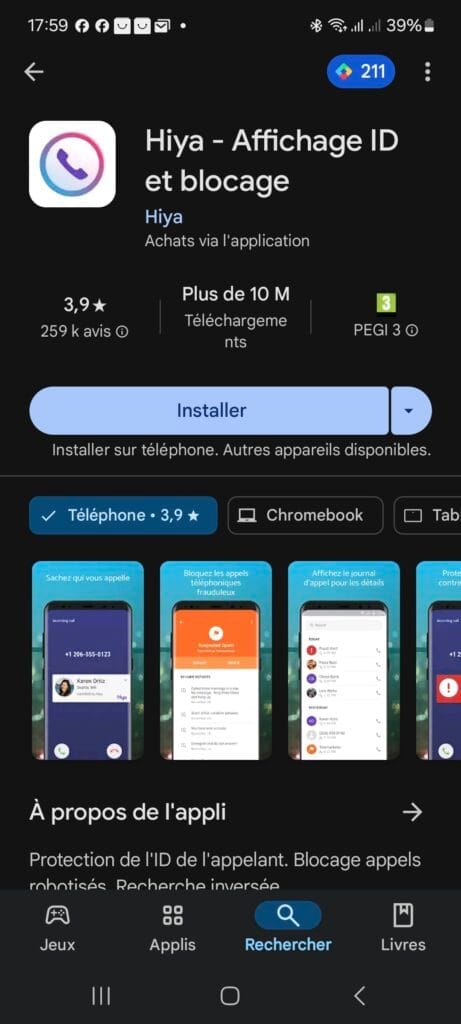
Hiya is a free application that acts as a call blocker on Android. It doesn’t automatically block calls, but allows you to identify and report unwanted numbers such as spam, scams or direct marketers. Here’s how to set up and use Hiya.
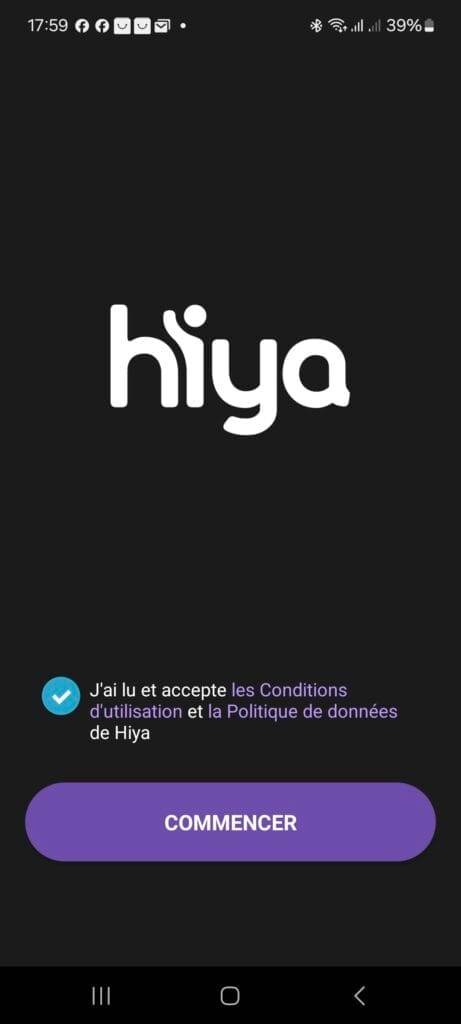
- Accept the Terms of Use and Privacy Policy by checking the box, then press Start.
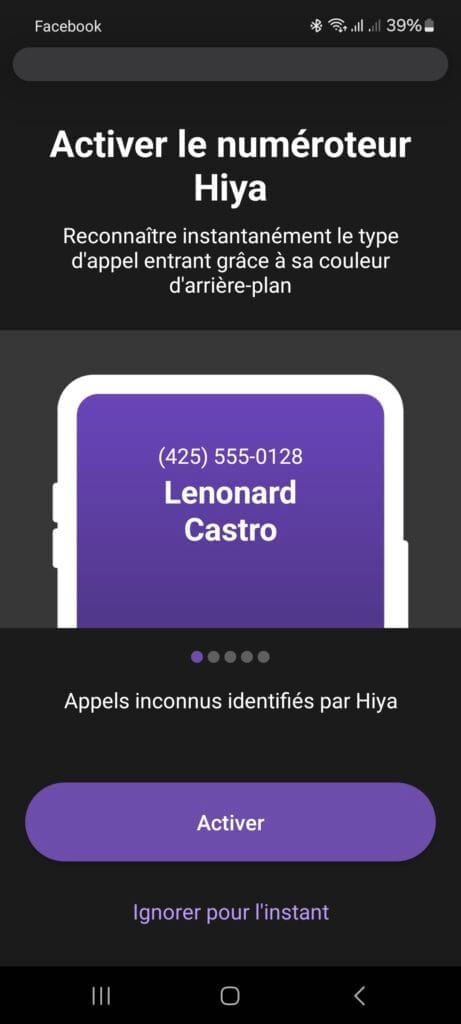
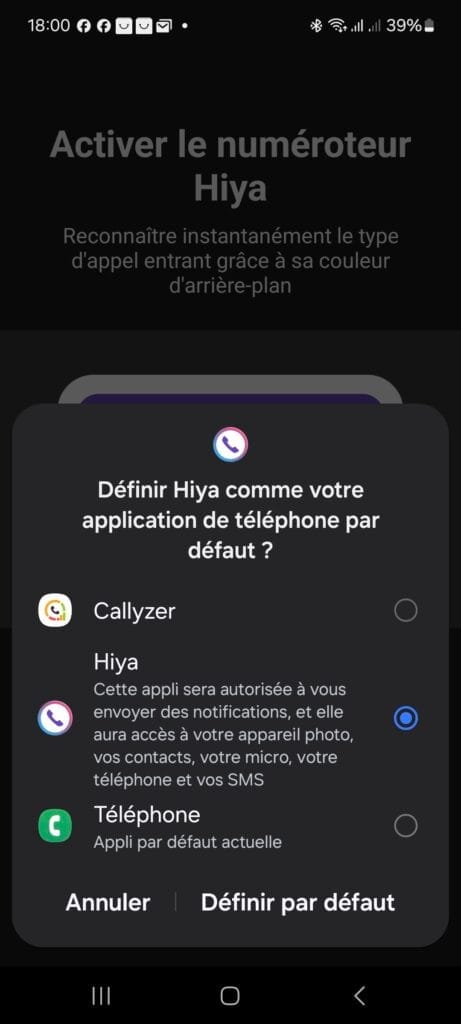
- During configuration, Hiya will ask you to become the default application for calls. This is necessary so that it can identify incoming numbers.
- Select Hiya and press Set default.
- Hiya will ask you to verify your number. Enter your number and press Continue.
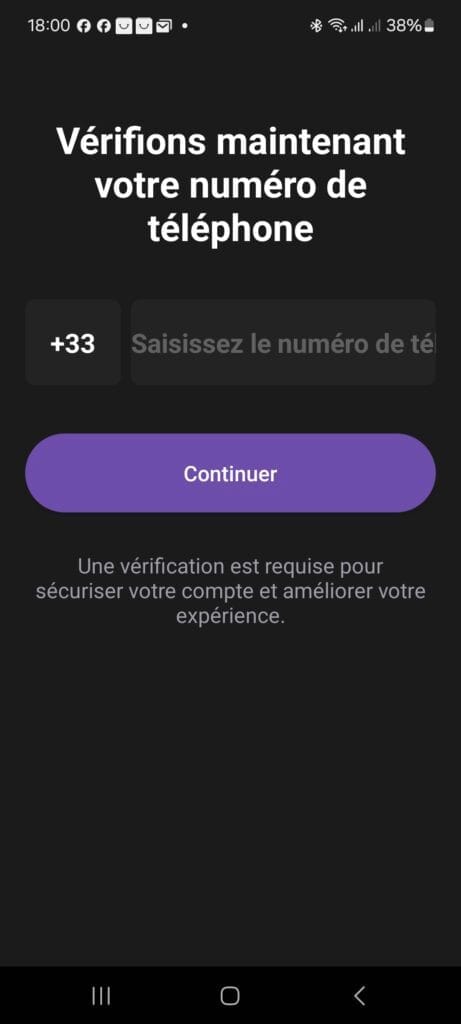
- You will receive a confirmation code by SMS. Enter this code to complete the verification process.
- When you receive a call, Hiya analyzes the number in real time and displays a label to indicate whether it’s spam, a scam or a legitimate call.
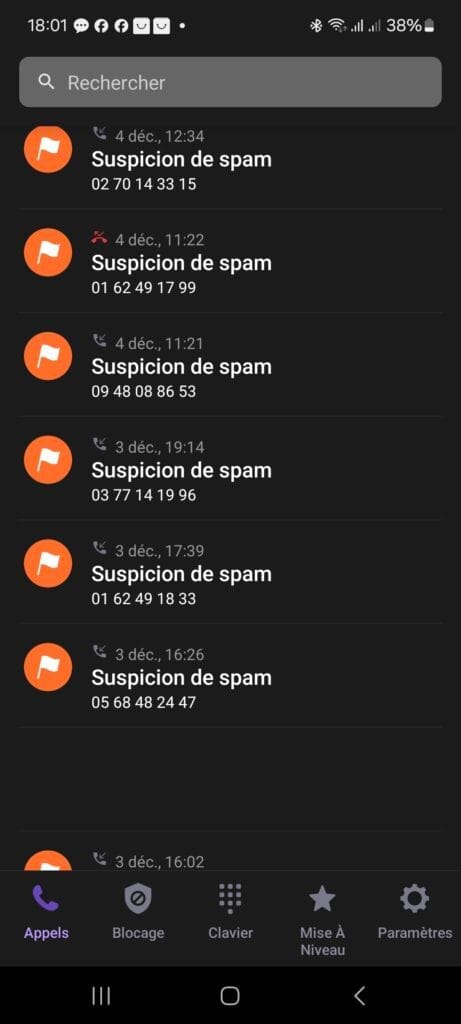
You can choose to ignore, answer or report the number.
Hiya offers a Premium version with advanced features, such as automatic spam blocking and unlimited access to their number database. You can upgrade to this version if required.
Is Samsung Smart Call available on all Samsung models?
Samsung Smart Call is a native feature designed to identify and block unwanted calls directly on Samsung smartphones. This feature is integrated into recent Samsung Galaxy devices running One UI from Android 9 (Pie) or higher.
We allow some readers to view our articles for free with an ad blocker. However, their number is currently too high for us to keep this access available to everyone.
You can disable your ad blocker to continue reading immediately, subscribe to enjoy all our content without ads, or come back a little later when the pressure has eased.
Access will be restored automatically as soon as the situation allows.