
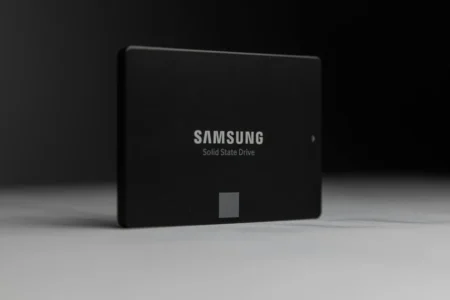
In 2026, SSDs remain the most effective way of giving a PC a second lease of life. While NVMe models dominate in terms of speed, the 2.5″ SATA format retains its appeal thanks to universal compatibility and excellent value for money. With a capacity of 1TB, these SSDs offer enough space to install Windows, your software and a fine library of games. In this guide, we review the best models available this year to help you choose.
The best 1Tb 2.5″ SATA SSDs in 2026
|
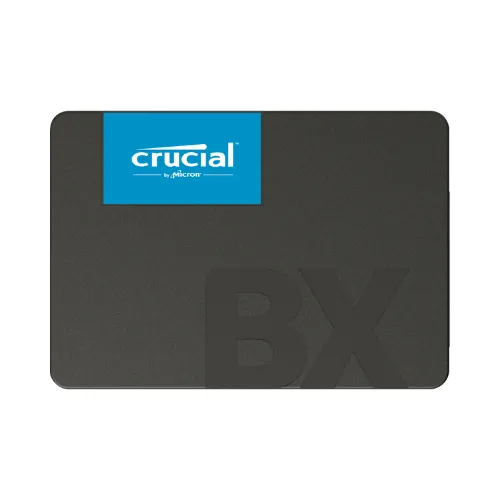
Crucial BX500
|
Low price
PNY CS900
|
Samsung 870 QVO
|
|---|---|---|
 |
 |
 |
|
Read speeds up to 540 MB/s Write speeds up to 500 MB/s 1TB Endurance: 360 TBW 3-year limited warranty 3D NAND, DRAM-less |
Read speeds up to 535 MB/s Write speeds up to 515 MB/s 3-year limited warranty 3D NAND, DRAM-less For simple upgrades |
Read speeds up to 560 MB/s Write speeds up to 530 MB/s 1TB Endurance: 360 TBW 3-year limited warranty QLC memory + LPDDR4 cache |
| View on Amazon | View on Amazon | View on Amazon |
Need an even faster drive? Discover our selection of the best M.2 NVMe SSDs.
Crucial BX500: the low-cost SSD for upgrading
The Crucial BX500 is a 2.5-inch internal SSD designed to improve the responsiveness of computers equipped with a SATA III (6 Gb/s) interface. It’s based on 96-layer 3D NAND TLC memory, managed by the Silicon Motion SM2259XT controller, guaranteeing sequential read speeds of up to 540 MB/s and write speeds of up to 500 MB/s. Available in a range of capacities, from 240 GB to 4 TB, it offers an affordable alternative to traditional hard disks.
With its low energy consumption, the BX500 optimizes notebook autonomy while reducing start-up and application loading times. Endurance varies according to model, reaching 720 TBW for the 2TB version, making it ideal for moderate office, multimedia and gaming use. It is also compatible with advanced error correction technologies, ensuring greater reliability of stored data.
With its competitive price/performance ratio, the BX500 is aimed at users looking for a high-performance, affordable storage solution. However, with a limited three-year warranty and the absence of DRAM memory, it’s positioned more as an entry-level SSD, ideal for cost-effective upgrades rather than write-intensive workloads.
Highlights :
Drawbacks :
On Amazon right now:
Discover our Crucial BX500 240GB test.
Samsung 870 QVO: the SSD for gamers and professionals
The Samsung 870 QVO is an internal SSD drive in 2.5-inch format, using the SATA III (6 Gb/s) interface. Designed to meet the needs of users requiring large-scale storage, it is based on second-generation V-NAND QLC memory, enabling capacities of up to 8TB. Its Samsung MKX controller, combined with a DDR4 cache, optimizes data management to guarantee constant performance.
With speeds of up to 560 MB/s read and 530 MB/s write, it fully exploits the potential of SATA III, while Intelligent TurboWrite technology enhances write performance with dynamic buffering. Although QLC memory has a lower endurance than TLC SSDs, the 870 QVO doubles the durability of its predecessor, reaching up to 2,880 TBW for the 8TB model. It also features an advanced ECC algorithm for enhanced error correction and reliability.
Ideal for desktops, workstations and multimedia storage, this SSD offers an alternative to traditional hard disks, combining high capacity with sustained throughput. However, with a limited 3-year warranty, it is aimed primarily at users seeking high-density storage at a competitive price, rather than applications requiring high write endurance.
Highlights :
Drawbacks :
PNY CS900: The SSD for small budgets
The PNY CS900 is a 2.5″ internal SSD using the SATA III (6 Gb/s) interface, designed to offer a fast, reliable alternative to traditional hard disks. With speeds of up to 550 MB/s read and 500 MB/s write, it significantly improves boot-up times, application launches and file transfers. Its design with no moving parts makes it more resistant to shock and vibration, thus limiting the risk of mechanical failure.
Available in a range of capacities, from 120GB to 8TB, it adapts to a variety of needs, whether upgrading for office, multimedia or gaming use. Its low energy consumption helps extend notebook autonomy, while reducing heat dissipation. Compatible with Windows, macOS and Linux systems, it integrates easily into the majority of configurations.
With a three-year limited warranty, the PNY CS900 is positioned as an affordable, high-performance storage solution. Although it doesn’t feature DRAM memory, it’s a wise choice for users looking for a reliable, fast and cost-effective SSD for everyday tasks and upgrades to older systems.
Highlights :
Drawbacks :
On Amazon right now:
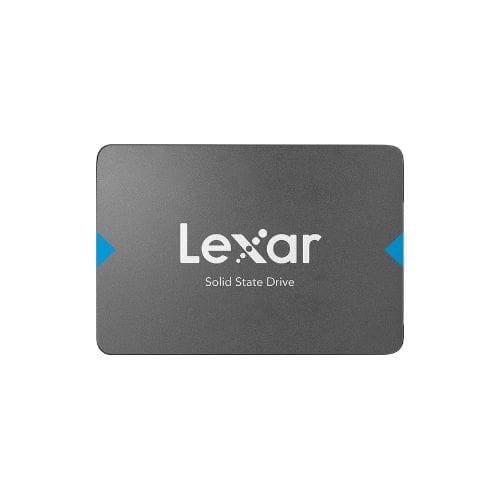
Lexar NQ100: an inexpensive SATA SSD to boost your PC
The Lexar NQ100 is a 2.5″ SATA III SSD designed to give a second life to PCs and notebooks equipped with mechanical hard drives. Available in a range of capacities (240GB, 480GB, 960GB), it reaches speeds of up to 550MB/s in sequential read mode, for faster system start-up and greater responsiveness of everyday applications. Quiet, shock-resistant and energy-efficient, it’s a cost-effective solution for office use, multimedia and web browsing.
In write mode, its performance reaches around 330 MB/s, which is still significantly higher than that of a conventional hard disk, although more limited than mid-range or high-end SATA SSDs. With its 3-year warranty, the NQ100 is positioned as an economical entry-level SSD, ideal for upgrading a computer without breaking the budget.
Highlights :
Drawbacks :
Discover our test of the Lexar NQ100 SATA SSD.
WD Blue 3D NAND: a good option when it’s on sale
The WD Blue 3D NAND is an internal SSD available in 2.5″ and M.2 2280 formats, using the SATA III interface (6 Gb/s). Designed to improve system responsiveness, it is based on 3D NAND memory, which optimizes energy consumption while guaranteeing speeds of up to 560 MB/s read and 530 MB/s write. This architecture reduces latency and speeds up system start-up, application loading and file transfer.
Available in capacities from 250GB to 4TB, it meets a variety of needs, whether upgrading a laptop or providing additional storage for a desktop PC. Endurance varies according to model, up to 600 TBW, while MTTF is rated at 1.75 million hours, guaranteeing extended reliability. WD SSD Dashboard software accompanies the drive, enabling real-time monitoring of its performance and health.
With a five-year limited warranty, WD Blue 3D NAND is positioned as a high-performance, durable SSD, suitable for users looking for fast, reliable storage for office automation, gaming or content creation. Its excellent performance/price ratio and compatibility with the majority of systems make it an ideal solution for the transition to silent, energy-efficient and shock-resistant storage.

Highlights :
Drawbacks :
Discover all our buying guides and components here.
How to choose the right 1TB 2.5″ SATA SSD : Complete guide
Choosing a 1TB 2.5″ SATA SSD can greatly improve your computer’s performance, but not all models are created equal. Here are the important criteria for making the right choice.
Reading and writing speed
SSD speed? The higher the speed, the faster your file transfers, software loads and system boots. Look for models with sequential read and write speeds close to 550 MB/s to make the most of the SATA interface.
Controller: the heart of the SSD
The controller is one of the most important components of the SSD. It manages communication between the NAND memory and your system. Choose reliable brands such as Phison, Marvell or Silicon Motion for stable, long-lasting performance.
Memory technology: MLC, TLC or QLC?
- MLC (Multi-Level Cell): More expensive, but more durable, ideal for intensive use.
- TLC (Triple-Level Cell): A good compromise between cost, performance and endurance.
- QLC (Quad-Level Cell): Cheaper, but with lower endurance, suitable for light use or long-term data storage.
For intensive use (games, video editing), prefer high-quality MLC or TLC.
Housing and connector if required
A 2.5″ SATA SSD is compatible with most laptop and desktop computers. If you plan to use it as a portable SSD, check that a USB adapter is included or readily available. Case construction should also offer good heat dissipation to avoid overheating.
Encryption and backup: interesting bonuses
Some models include AES 256-bit hardware encryption to secure your sensitive data. What’s more, the backup software supplied by certain brands (such as Samsung Magician or Crucial Storage Executive) can be invaluable assets in simplifying data management and upgrading.