
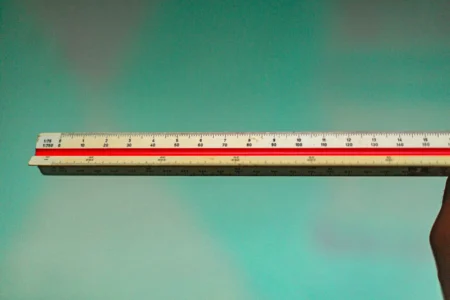
The size of a laptop screen corresponds to the diagonal measurement of the display area. Measure this diagonal from one corner to the other, excluding the bezel, then divide the result in centimetres by 2.54. A diagonal of 39.6 cm therefore corresponds to a 15.6-inch screen.
This measurement is sufficient to determine the screen’s commercial diagonal. When buying a privacy filter, screen protector or spare part, you should also check the screen’s width, height and aspect ratio. A 14-inch screen with a 16:9 aspect ratio does not have the same dimensions as a 14-inch screen with a 16:10 aspect ratio.
All you need is a ruler or a tape measure.
- Open the PC and position the start of the tape measure in a corner of the area where the image is displayed.
- Measure across to the opposite corner along the diagonal.
- Don’t include the black border or the bezel around the screen.
- Divide the measurement in centimetres by 2.54.
- Round up to a standard size such as 13.3, 14, 15.6, 16 or 17.3 inches.
With a diagonal measurement of 35.6 cm, the calculation is 35.6 ÷ 2.54 = 14. Your screen is 14 inches.
At 39.5 or 39.7 cm, you’re looking at a screen marketed as a 15.6-inch model. A difference of a few millimetres is normal when using a flexible tape measure, due to a narrow bezel or an incorrectly positioned starting point.
In this article
- Where should you place the tape measure to measure the size of your screen?
- A 14-inch screen can come in two shapes
- How can you tell if a screen is 16:9 or 16:10?
- Get back into shape with the PC programme
- Can Windows display the size directly in inches?
- Make sure you measure carefully before buying a privacy filter
- What size laptop bag should you choose?
- Frequently asked questions about PC screen sizes
Where should you place the tape measure to measure the size of your screen?
The diagonal runs from one corner of the image to the opposite corner. You can measure from the bottom-left corner to the top-right corner, or vice versa. The result is the same.
On a screen surrounded by a raised frame, measure only the visible area within that frame. On a fully glazed front panel, the glass should be measured from edge to edge when a filter covers the entire surface; this distinction is particularly relevant when purchasing a protective film. Two computers fitted with a 14-inch screen may have different chassis depending on the thickness of their bezels.
| Stated size | Diagonal in centimetres |
|---|---|
| 11.6 inches | 29.5 cm |
| 12.5 inches | 31.8 cm |
| 13.3 inches | 33.8 cm |
| 14 inches | 35.6 cm |
| 15.6 inches | 39.6 cm |
| 16 inches | 40.6 cm |
| 17 inches | 43.2 cm |
| 17.3 inches | 43.9 cm |
An inch is a unit of length equal to 2.54 cm. The conversion therefore works both ways.
To convert from centimetres to inches: Measurement in centimetres ÷ 2.54
To convert from inches to centimetres: Height in inches × 2.54
However, a diagonal measurement does not indicate either the width or the height of the screen. These two dimensions depend on the screen format.
A 14-inch screen can come in two shapes
The number of inches refers only to the diagonal. It says nothing about the proportions.
A 16:9 screen is wider and not as tall. The 16:10 aspect ratio is slightly taller, which leaves more space to display a web page, a document or lines of code. The difference may seem minor on a technical specification sheet, but it becomes obvious when you place a 16:9 filter over a 16:10 screen.
Here are the dimensions of the display area for the most common formats.
| Diagonal | Dimensions in 16:9 | Dimensions in 16:10 |
|---|---|---|
| 13.3 inches | 29.4 × 16.6 cm | 28.6 × 17.9 cm |
| 14 inches | 31.0 × 17.4 cm | 30.2 × 18.8 cm |
| 15.6 inches | 34.5 × 19.4 cm | 33.6 × 21.0 cm |
| 16 inches | 35.4 × 19.9 cm | 34.5 × 21.5 cm |
| 17.3 inches | 38.3 × 21.5 cm | 37.3 × 23.3 cm |
A Dell Pro 14 Plus, for example, has a stated active area of 301.59 × 188.50 mm for a 14-inch diagonal screen. These dimensions correspond to a 16:10 aspect ratio. Rely on the dimensions specified by the filter manufacturer and your own measurements.
How can you tell if a screen is 16:9 or 16:10?
Measure the visible area horizontally, then vertically, and compare the result with the table above.
The definition displayed in Windows also provides a clue.
| Screen definition | Likely resolution |
|---|---|
| 1366 × 768 pixels | 16:9 |
| 1920 × 1080 pixels | 16:9 |
| 2560 × 1440 pixels | 16:9 |
| 1920 × 1200 pixels | 16:10 |
| 2560 × 1600 pixels | 16:10 |
| 2880 × 1800 pixels | 16:10 |
To view this information in Windows 11, open Settings, then System and Display. Next, look for the line relating to screen resolution.
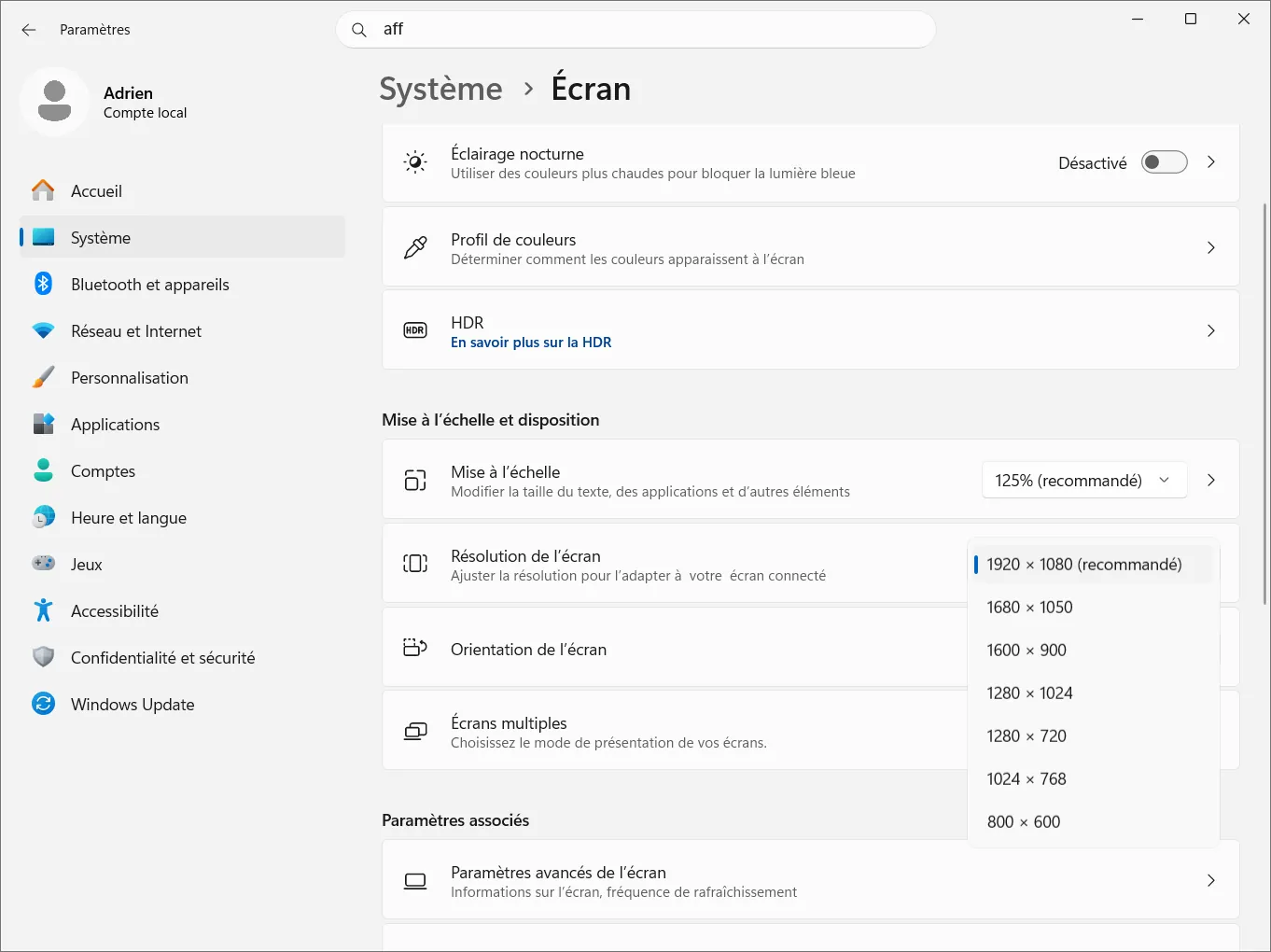
The definition does not specify the number of inches. A 13.3-inch screen and a 15.6-inch screen can both display 1920 × 1080 pixels. It merely helps to identify the aspect ratio.
Get back into shape with the PC programme
You can skip this step if you know the computer’s exact model number. Then look up this model number on the manufacturer’s website and open the technical specifications or user manual.
The name of the range isn’t always enough. A single product family may include models with different screen sizes or vary in format from one generation to the next. The full model number can be found underneath the PC, on its packaging or in Windows.
The msinfo32 utility displays the ‘System Model’ line.
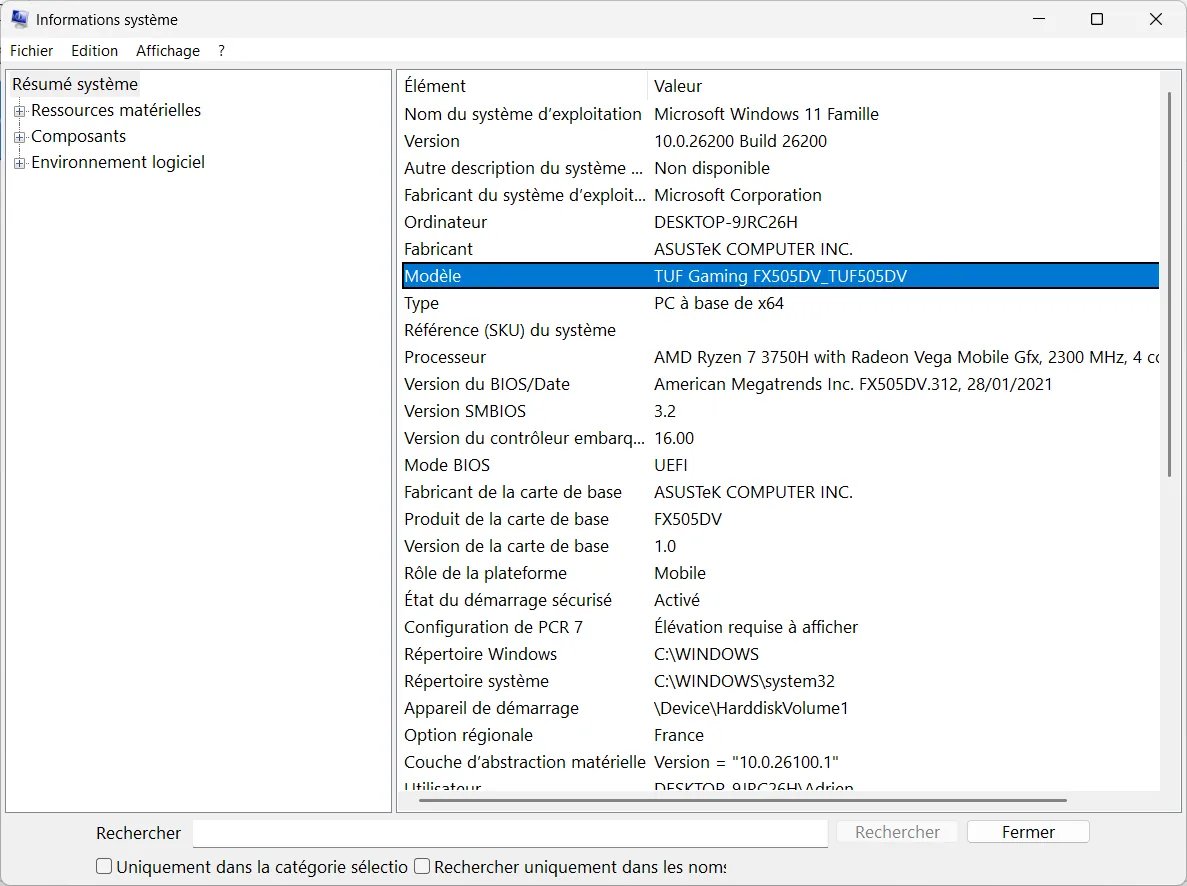
I explain these methods in detail in my guide, ‘How do I identify the exact model of my Windows PC?’.
Once you have obtained the part number, check three details in the manufacturer’s documentation.
• The screen diagonal
• The aspect ratio: 16:9, 16:10 or 3:2
• The width and height of the active area
This method is useful when the screen is broken, black or unresponsive.
Can Windows display the size directly in inches?
Windows displays the PC’s resolution, scale, orientation and model. It does not provide a usable diagonal measurement in the display settings.
Some software programmes read the information transmitted by the screen, but the result may be missing, rounded off or linked to a panel reference that is difficult to interpret. When choosing an accessory, it is safer to refer to the manufacturer’s specifications or take a manual measurement.
Do not work out the screen size from its resolution. The number of pixels describes the resolution and the display area, not the physical dimensions.
Make sure you measure carefully before buying a privacy filter
A filter must match the shape of the screen, not just the number of inches.
Let’s take two 14-inch screens.
- The first one is in 16:9 and measures approximately 31.0 × 17.4 cm.
- The second one is in 16:10 format and measures approximately 30.2 × 18.8 cm.
Their diagonals are the same, but the filter on the first one will be too wide and too short for the second one.
Before placing your order, please note down these four details in this order.
- The width of the area to be covered
- The height of this area
- The announced diagonal
- The type of fastening required
Width and height should take precedence over screen size. Once you’ve noted down your measurements, you can check out our comparison of the best privacy filters for laptops. The models are listed by screen size, aspect ratio and mounting method.
What size laptop bag should you choose?
A 15.6-inch laptop bag isn’t designed based on the screen size alone. It needs to accommodate the entire chassis.
Measure the closed PC in all three dimensions.
| Measurement | Where to place the tape measure |
|---|---|
| Width | From the left-hand edge to the right-hand edge |
| Depth | From the front of the PC to the hinges |
| Thickness | At the thickest point, including the feet |
Next, compare these measurements with the internal dimensions of the laptop bag. The ‘compatible with 15.6-inch laptops’ label serves as a guide, but it is the internal dimensions that determine whether the laptop will fit.
Frequently asked questions about PC screen sizes
How can I tell if my screen is 14 or 15.6 inches?
How big is a 15.6-inch screen?
How can you find out the screen size without switching on the PC?
How big is a 14-inch screen?
We allow some readers to view our articles for free with an ad blocker. However, their number is currently too high for us to keep this access available to everyone.
You can disable your ad blocker to continue reading immediately, subscribe to enjoy all our content without ads, or come back a little later when the pressure has eased.
Access will be restored automatically as soon as the situation allows.