A VM can be slower on an NVMe server and storage than an older physical machine with a hard drive. The CPU is not saturated and memory is available. The problem is often that the VM’s disk controller is still set to IDE, the default mode in many hypervisors. Every read or write then goes through full software emulation before reaching the storage. The NVMe is present, but the VM cannot access it directly. Paravirtualized drivers solve this problem.
In this article
Why does virtualization limit performance?
Without paravirtualized drivers, the hypervisor must imitate complete physical hardware. The VM believes it is talking to a real Intel e1000 network card, an IDE controller or a VGA graphics adapter. The hypervisor intercepts every instruction sent to that fictitious hardware, translates it, executes it on the real hardware and returns the result.
This mechanism works, but it is expensive. Every disk or network access causes a context switch between the VM and the hypervisor. On frequent I/O operations, these interruptions accumulate and erase much of the benefit of the underlying hardware.
Classic emulation (trap-and-emulate)

VM (believes it writes to an IDE disk)
      │  trapped CPU instruction
      ▼
Hypervisor  ──  translates + executes
      │
Real hardware (NVMe SSD)

Paravirtualization (VirtIO / paravirtualized drivers)

VM  ──  virtqueue  ──  Hypervisor  ──  Real hardware
         direct channel, no trap
Xen’s origins and kernel modification
In the early 2000s, x86 processors had no dedicated virtualization extensions. To work around this limitation, the Xen project invented paravirtualization by modifying the guest operating system’s kernel so it knew it was running in a VM and sent hypercalls to the hypervisor instead of standard CPU instructions.
Linux could be adapted because it is open source. Windows could not. Intel VT-x and AMD-V arrived in the mid-2000s and solved the problem in hardware, making it possible to virtualize any operating system without modifying its kernel. Full kernel paravirtualization became obsolete.
What remained were paravirtualized I/O drivers. There is no need to modify the entire kernel: just install a disk or network driver that communicates directly with the hypervisor.
VirtIO: the open standard for KVM and Proxmox
VirtIO is the paravirtualized-driver standard used by KVM, QEMU and Proxmox. Instead of emulating a physical device, VirtIO exposes a simplified interface to the VM that communicates with the hypervisor through virtqueues.
A virtqueue is a circular buffer in memory shared by the VM and the hypervisor. The VM places its I/O requests in the buffer, and the hypervisor reads and executes them without going through the trap-and-emulate cycle. On equivalent workloads, VirtIO can reach two to three times the throughput of an emulated e1000 network card.
VirtIO mechanism (virtqueue)

VM (VirtIO frontend driver)
      │
      ▼  places requests in the circular buffer (shared memory)
      │
Hypervisor (VirtIO backend driver)
      │
      ▼
Physical hardware
VirtIO covers several device types: virtio-net for networking, virtio-blk and virtio-scsi for storage, virtio-balloon for memory and virtio-gpu for display. Each replaces an emulated device with a direct channel.
vhost: going further for networking
By default, the VirtIO network backend runs in the QEMU userspace process. Each packet therefore crosses the kernel/userspace boundary, adding latency.
vhost moves this backend directly into the Linux kernel. Packets travel from the VM to the host kernel without passing through QEMU. The difference is noticeable on VMs requiring high network throughput or low latency. Proxmox enables vhost by default on virtio-net interfaces.
The balloon driver: memory paravirtualization
VirtIO is not limited to disk and network I/O. The balloon driver (virtio-balloon) dynamically manages RAM between VMs.
When the hypervisor needs RAM for another VM, it asks the affected VM’s balloon driver to claim unused memory inside that VM and return it to the hypervisor. The VM sees its available RAM decrease while the hypervisor reallocates it elsewhere. When pressure decreases, the balloon deflates and the RAM is returned.
This explains why a VM can show 2 GB in its task manager while the hypervisor allocated 8 GB to it: the balloon driver reclaimed 6 GB for other VMs.
Paravirtualized drivers by hypervisor
The principle is the same everywhere. Each hypervisor has its own paravirtualized-driver implementation to install in the VM.
| Hypervisor | Disk drivers | Network drivers | Agent / integration |
|---|---|---|---|
| KVM / Proxmox | virtio-blk or virtio-scsi | virtio-net | qemu-guest-agent |
| VMware ESXi | PVSCSI | VMXNET3 | VMware Tools / open-vm-tools |
| Hyper-V | hv_storvsc | hv_netvsc | hv_vmbus (built into Linux) |
| VirtualBox | Guest Additions | Guest Additions | Guest Additions |
| Xen | xvd* (blkfront) | xennet (netfront) | xe-guest-utilities |
VMware Tools and open-vm-tools: which should you install on Linux?
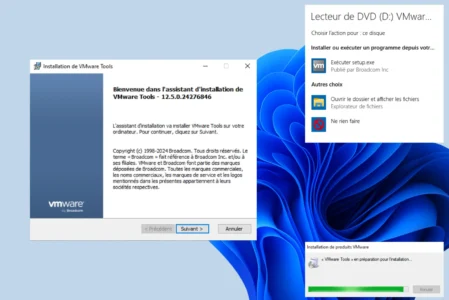
VMware Tools is VMware’s integration package for guest VMs. It installs PVSCSI and VMXNET3 drivers, synchronizes the clock, enables host/guest copy and paste and supports consistent snapshots.
 assistouest.fr
On Linux, VMware has recommended using open-vm-tools instead of the proprietary .tar.gz package since vSphere 5.5 (2013). This open-source version is available in the repositories of Ubuntu, Debian and RHEL. On Ubuntu, simply run apt install open-vm-tools. The .tar.gz package downloaded from vCenter is intended for distributions without official support.
Hyper-V drivers on Linux
Hyper-V integration drivers for Linux have been built into the Linux kernel since version 3.4. On a Linux VM running under Hyper-V, the hv_vmbus, hv_storvsc and hv_netvsc modules activate automatically when the kernel is recent. No manual installation is required on Ubuntu 22.04+ or Debian 11+.
Without these modules, Linux uses emulated Hyper-V devices (IDE, e1000) instead of the direct VMBus channel. The difference in network and disk performance is significant. For the VMBus and Hyper-V parent-partition architecture, see the article about Hyper-V’s type 1 classification.
Install VirtIO drivers on a Windows VM under Proxmox
Windows does not include VirtIO drivers natively. If you create a Windows VM on Proxmox with a virtio-scsi controller, Windows will not detect the disk during installation and the wizard will stop.
The solution is to mount the VirtIO driver ISO as a second CD-ROM drive during installation. The ISO is maintained by the Fedora/Red Hat project and can be downloaded from the Proxmox wiki.
When the Windows installer detects no disk, click “Load driver”, select the ISO’s CD-ROM drive, choose the folder matching your Windows version (w11, w10, 2k22…) and install the SCSI driver. The disk appears immediately.
After Windows is installed, mount the ISO again and run virtio-win-guest-tools.exe to install the remaining drivers (network, balloon, serial and guest agent).
# Install qemu-guest-agent on Linux (Debian/Ubuntu)
apt install qemu-guest-agent
systemctl enable --now qemu-guest-agent
qemu-guest-agent allows Proxmox to take consistent snapshots by freezing the filesystem, retrieve the VM’s IP address from the Proxmox interface and send clean shutdown signals to the guest.
Choose hypervisors and drivers according to your use case
On Proxmox or KVM, enabling VirtIO for disk and network is the first thing to do after creating the VM. Drivers are built into the Linux kernel. For Windows, mount the VirtIO-win ISO during installation and install qemu-guest-agent in every case.
On VMware ESXi, install open-vm-tools on Linux VMs through the package manager and VMware Tools on Windows VMs through vCenter or the VMware Tools ISO. Enable PVSCSI and VMXNET3 in the VM’s hardware profile in vCenter.
On VirtualBox, install Guest Additions from the Devices menu in the VM window. Without them, screen resolution remains limited, copy and paste does not work and shared folders are unavailable.
To choose the right hypervisor for your use case before considering drivers, see the difference between type 1 and type 2 hypervisors.
What is the difference between VirtIO, VMware Tools and Guest Additions?
Paravirtualization requires hardware virtualization to be enabled in the BIOS. Our guide to enabling VT-x or AMD-V in the BIOS covers the main PC brands. For a practical macOS VM installation on Windows, see the macOS with VMware guide.
We allow some readers to view our articles for free with an ad blocker. However, their number is currently too high for us to keep this access available to everyone.
You can disable your ad blocker to continue reading immediately, subscribe to enjoy all our content without ads, or come back a little later when the pressure has eased.
Access will be restored automatically as soon as the situation allows.