Are you looking to assemble a Custom PC, and finding out how to calculate energy consumption seems complex? In this article, I break down the various information you need to know before embarking on the assembly of a Custom PC.
In this article
How powerful are PC components?
A PC’s power consumption depends on the type of component and its power.
For example, a gamer PC will consume much more power because its components are more powerful than an office PC.
| Custom PC components | Power requirements |
|---|---|
| Motherboard | 25 – 100 W |
| CPU / Processor | 55 – 150 W |
| GPU / Graphics card | 25 – 350 W |
| HDD hard disk | 0.7 – 9 W |
| Solid-state drive (SSD) | 0.6 – 3 W |
| RAM | 2 – 5.5 W |
| Housing fan | 0.6 – 3 W |
| CD / DVD player | 15 – 27 W |
| CPU fan | 5 – 10 W |
What is the average power consumption of a computer in watts?
A computer’s power consumption can vary considerably depending on the power of the processor, graphics card, connected peripherals and so on.
A PC’s power consumption can range from 300 Watts to 1250 Watts.
The average power consumption of a computer is around 550 Watts.
| Office automation | 300W to 650W |
| Gamer | 550W to 1250W |
| Laptop PC | 45W to 120W |
How to calculate the energy consumption of a Custom PC?
As you’ve seen, PC power consumption is extremely variable, and there’s no room for randomness in this area.
Let’s take the concrete example of a computer on Mesure :
| Component | Model | Consumption |
|---|---|---|
| Motherboard | Gigabyte B760 Gaming | 100 W |
| CPU | i5-12400F | 117 W |
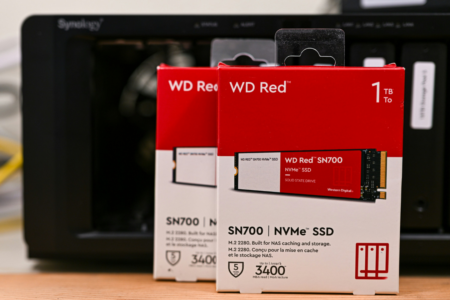
| SSD M.2 | Crucial P3 Plus 2TB | 10W |
| Graphics card | MSI GeForce RTX 4060 Ventus 2X Black 8G OC | 135 W |
| RAM (X4) | Crucial DDR4 3200MHz 4x16GB | (10W x 4)= 40W |
| CPU fan | Be quiet Pure Rock | 10 W |
| Security | Add 20% of total | 412W + 20% = 494.4W |
Advice: always go for the highest variable, as it’s better to have a more powerful power supply than a less powerful one. In addition, think about possible upgrades so you don’t have to invest in a new power supply when upgrading your computer’s components.
What is the risk of a lack of power from the power supply?
- System instability : If the power supply is not sufficient to power all PC components, this can lead to instabilities such as system crashes, unexpected reboots or hardware errors.
- Overheating : When the power supply is unable to deliver sufficient power, some components may operate at unstable voltages, causing the computer to overheat.
- Component damage : Under-feeding of components can lead to premature wear and component malfunction.
We allow some readers to view our articles for free with an ad blocker. However, their number is currently too high for us to keep this access available to everyone.
You can disable your ad blocker to continue reading immediately, subscribe to enjoy all our content without ads, or come back a little later when the pressure has eased.
Access will be restored automatically as soon as the situation allows.