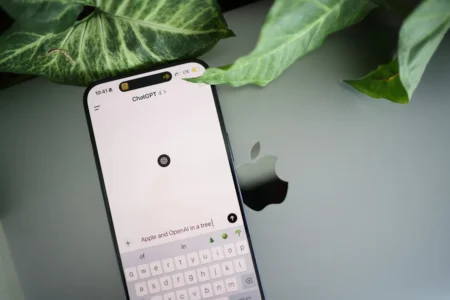

Microsoft now integrates OpenAI’s GPT-5 into Copilot on Windows 11 for free. Unlike ChatGPT, which reserves GPT-5 for paying subscribers, Copilot offers this model without an additional subscription, directly from the taskbar. Access is still subject to usage limits, after which the assistant switches to a lighter model.
In this article
GPT-5: OpenAI’s new model is free with Copilot
GPT-5 is OpenAI’s latest language model. Faster and more precise than GPT-4o, it handles a larger context and produces better-calibrated answers on technical or nuanced subjects. Its main advantage over previous versions is greater consistency in long conversations and fewer logical-reasoning errors.
Its practical uses include writing, rewriting, coding assistance, document summaries, translation and data analysis. Integrating it into Copilot makes these capabilities available without visiting the ChatGPT website.
Use GPT-5 for free with Copilot on Windows 11
Copilot is Windows 11’s built-in assistant, designed to centralize writing help, information searches, idea generation and the automation of certain tasks. Available from the taskbar or through a keyboard shortcut, it lets you interact with your computer in natural language and improve your productivity.

With the arrival of GPT-5, Copilot benefits from a Smart Mode that selects the most suitable response mode (fast or in-depth reasoning) and an adaptive response system that adjusts the tone, style and level of detail to the request. These improvements make the assistant more relevant, more responsive and better suited to different user needs.
Copilot appears as an overlay on the desktop or in the active window, allowing you to keep working while asking the AI to summarize a document, generate code, create marketing copy or analyze data. You can call on GPT-5 with one click without interrupting your workflow.
Free GPT-5 on Windows 11: who can use it and how do you activate it?
Since August 2025, Microsoft has offered free access to GPT-5 through Copilot for all Windows 11 users. No subscription is required. Simply open Copilot from the taskbar or the Start menu. Smart Mode is enabled by default and lets the AI automatically choose the best response mode.
This free access is not limited to Windows 11: Copilot is also available on macOS, iOS and Android through the dedicated app. However, free access is subject to a daily usage quota. Once the quota is reached, Copilot switches to a faster but less powerful model. Users with intensive needs can choose Copilot Pro (around €22/month) for priority and unlimited GPT-5 access.
To get the full experience, simply update your system or Copilot app to the latest version. You can then ask questions, write content, analyze data or generate code directly from your device.
We allow some readers to view our articles for free with an ad blocker. However, their number is currently too high for us to keep this access available to everyone.
You can disable your ad blocker to continue reading immediately, subscribe to enjoy all our content without ads, or come back a little later when the pressure has eased.
Access will be restored automatically as soon as the situation allows.