How do I temporarily disable Windows Defender

How do I temporarily disable Windows Defender?

Windows Defender is the native Windows antivirus designed to protect your system from threats in real time. However, in certain situations, you may need to temporarily disable it: installing incompatible software, performance testing or managing another antivirus. In this article, we explain step-by-step how to disable Windows Defender.

How do I temporarily disable Windows Defender?

Temporarily disable Windows Defender from its interface

If you wish to disable Windows Defender for a short period, you can do so via the Windows security settings.

  1. Click on the Start menu and search for Windows Security.
  1. Open the software and click on Virus and ThreatProtection.
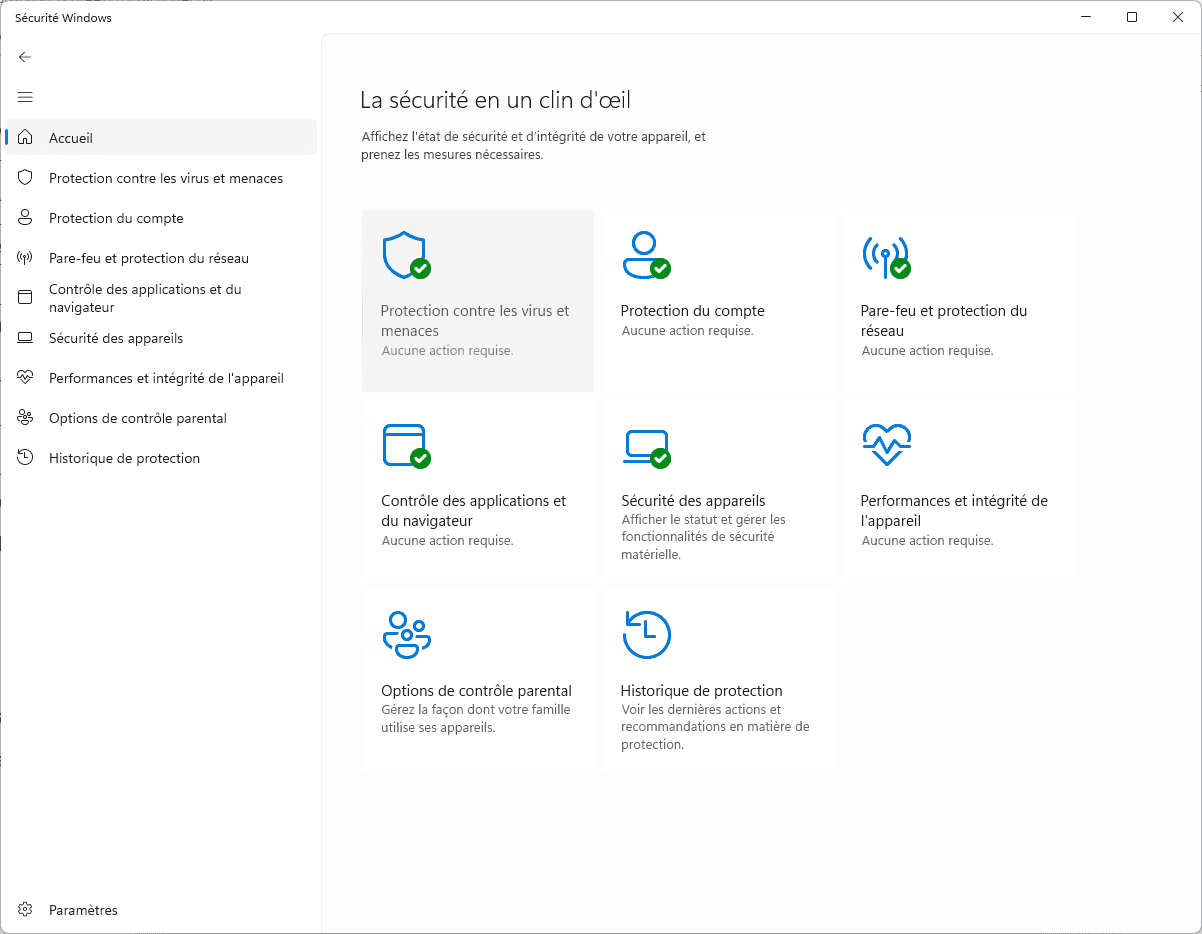
Windows Defender virus and threat protection
  1. Then click on Manage settings.
Manage Microsoft Defender settings Windows
  • Deactivate Real-time protection.
  • Deactivate Cloud Protection.
  • Deactivate Automatic sample sending.
  • Deactivate Development drive protection.
  • Deactivate Protection against tampering.
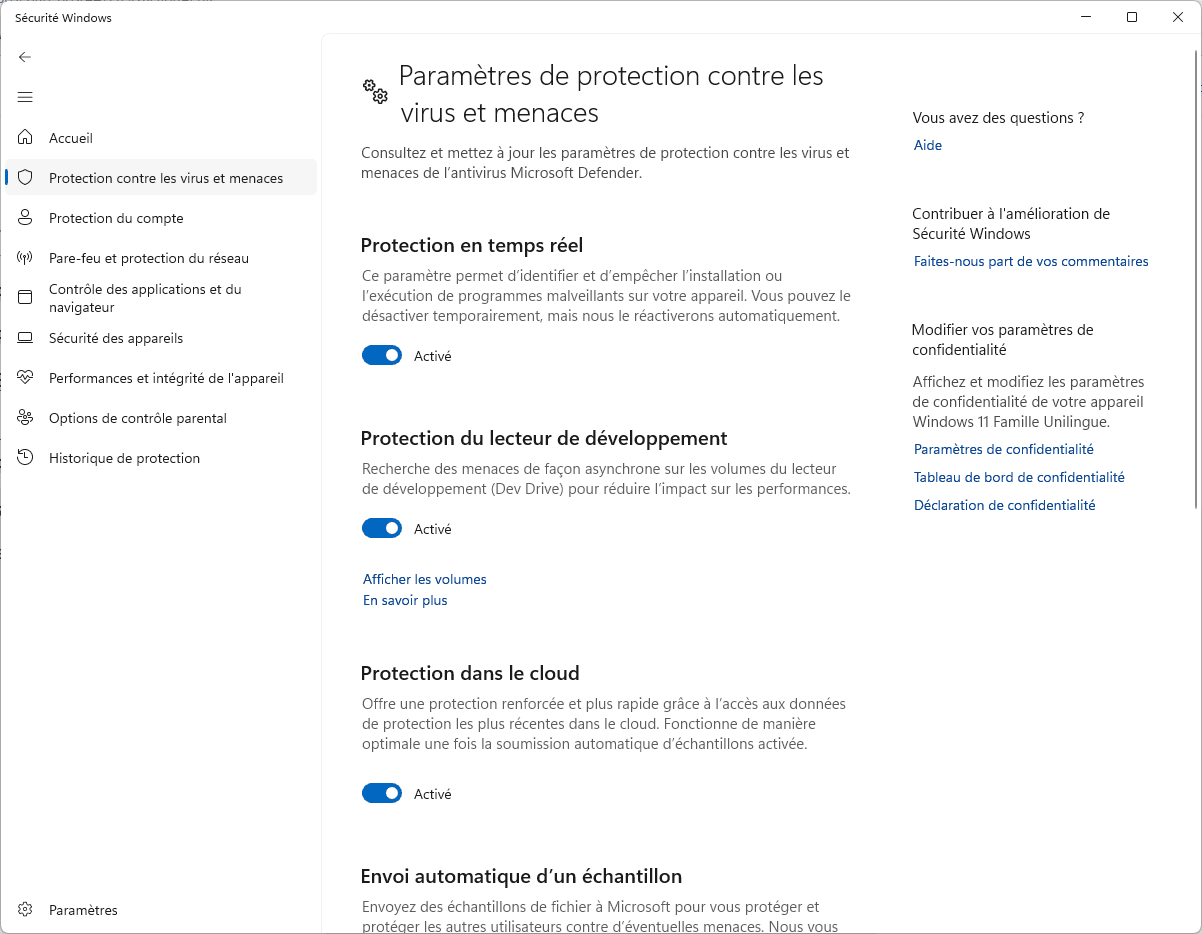
Disable Real-time Protection Windows Defender

Windows may request confirmation via User Account Control (UAC). Accept to validate changes.

🔹 Note: This method disables Windows Defender only temporarily. Real-time protection will reactivate automatically after a Windows restart or update. You will need to manually reactivate the other options.

The articles everyone is reading right now

How to check file integrity (MD5, SHA1, SHA256…) on Windows
Popular

How to check file integrity (MD5, SHA1, SHA256…) on Windows

Find out how to verify file integrity in Windows using MD5 and SHA-256 fingerprinting. Protect yourself against corrupted or falsified files.

Découvrir
Ransomware invades macOS and progresses apace

Ransomware invades macOS and progresses apace

macOS is no longer spared: ransomware is increasingly targeting Apple users in 2025. Find out more.

Découvrir
Tails OS: The operating system that protects against surveillance and censorship

Tails OS: The operating system that protects against surveillance and censorship

Tails OS is a secure, portable operating system designed to protect your anonymity, bypass censorship and erase all traces after use.

Découvrir
Decrypt ransomware: the complete list of free tools to recover your files in 2025

Decrypt ransomware: the complete list of free tools to recover your files in 2025

Have your files been encrypted by ransomware? Discover free and official tools to identify the strain, test a reliable decryptor and try to restore your data without paying.

Découvrir
The 4 best ransomware protection programs in 2025

The 4 best ransomware protection programs in 2025

Protect your documents before it's too late. Comparison of the 4 best anti-ransomware software to install in 2025 on Windows.

Découvrir
The best free antivirus programs for home users in December 2025

The best free antivirus programs for home users in December 2025

Discover our selection of the best free and paid antivirus products, tested and compared to help you choose the best protection.

Microsoft Defender review: How does Windows’ native antivirus measure up in 2025?

Microsoft Defender review: How does Windows’ native antivirus measure up in 2025?

Find out whether Microsoft Defender is sufficient to protect your PC in 2025. Comprehensive analysis of Windows antivirus performance, features and limitations.