
Windows 11 was especially slow on my mini PC with an Intel N100 processor and just 4 GB of RAM. Yet the computer has an NVMe SSD and its hardware works perfectly well. So I decided to replace Windows with ChromeOS Flex, Google’s free operating system.
The difference in responsiveness is remarkable. With the same processor, memory, and SSD, ChromeOS Flex is much more pleasant to use every day. I also found that Linux apps make the system far more versatile than I had expected.
After several tests, my overall impression is very positive, although some of Google’s choices bother me, especially the requirement to sign in to a Google Account to get the most out of the computer.
In this article
An Intel N100 mini PC with just 4 GB of RAM
For this test, I used a fairly modest mini PC that originally ran Windows 11. Its Intel N100 processor is an entry-level model launched in 2023, designed mainly for affordable computers and compact, low-power machines.
Here is the exact configuration of my computer.
| Component | Configuration |
|---|---|
| Processor | Intel N100, 4 cores and 4 threads |
| Maximum frequency | 3.4 GHz |
| Memory | 4 GB DDR4-2666 |
| Storage | 256 GB M.2 NVMe SSD |
| Original operating system | Windows 11 |
| System tested | ChromeOS Flex |
With 4 cores and a stated base power of 6 W, the N100 was not designed for demanding workloads. It is suited to web browsing, office work, media, and everyday tasks.
It is not an old processor in the strict sense, but it represents the performance of an entry-level computer. The 4 GB of RAM is also a significant limitation for a modern system.
The NVMe SSD provides fast file access, but it cannot make up for every limitation of the processor and memory. Windows 11 still felt slow on this computer despite the fast storage.
ChromeOS Flex is much faster than Windows 11 on this PC
This was the first difference I noticed after installing it. Tasks that felt laborious in Windows 11 respond quickly in ChromeOS Flex. Menus open promptly, settings are easy to browse, and switching between apps feels much lighter.
Google Chrome naturally plays a central role in the system. For browsing websites, watching videos, checking email, and using online services, the mini PC feels far more responsive than it did with Windows 11.
Heavy apps, demanding websites, and keeping a large number of tabs open are still limited by the computer’s capabilities. For everyday tasks, however, the improvement in responsiveness is large enough to transform the experience.
Google lists 4 GB of RAM as the minimum configuration for ChromeOS Flex. My test also shows that this amount of memory can provide a comfortable everyday experience without upgrading to 8 or 16 GB.
An intuitive interface that is especially well organized
Performance is not the only thing that won me over. I also like the ChromeOS Flex interface, which I find more intuitive and better organized than many Linux distributions.
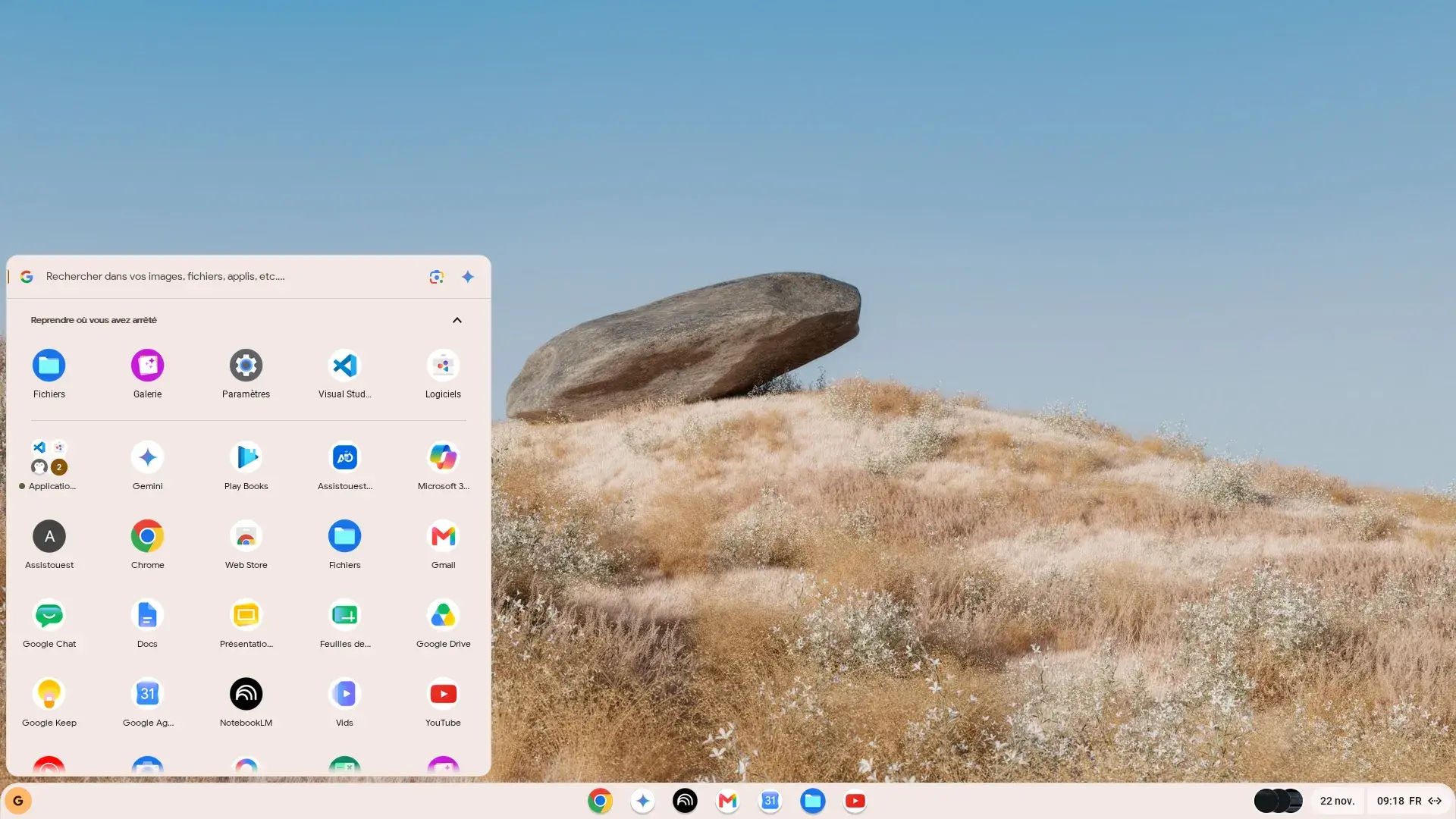
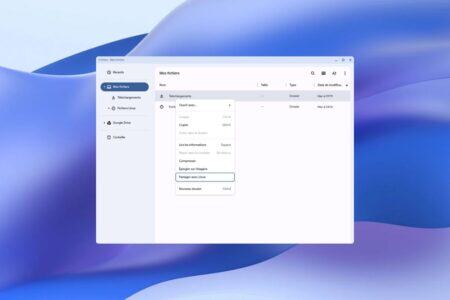
The desktop is simple, with a taskbar, an app launcher, and a panel for quick settings. Essential controls such as Wi-Fi, volume, Bluetooth devices, and display settings are easy to find.
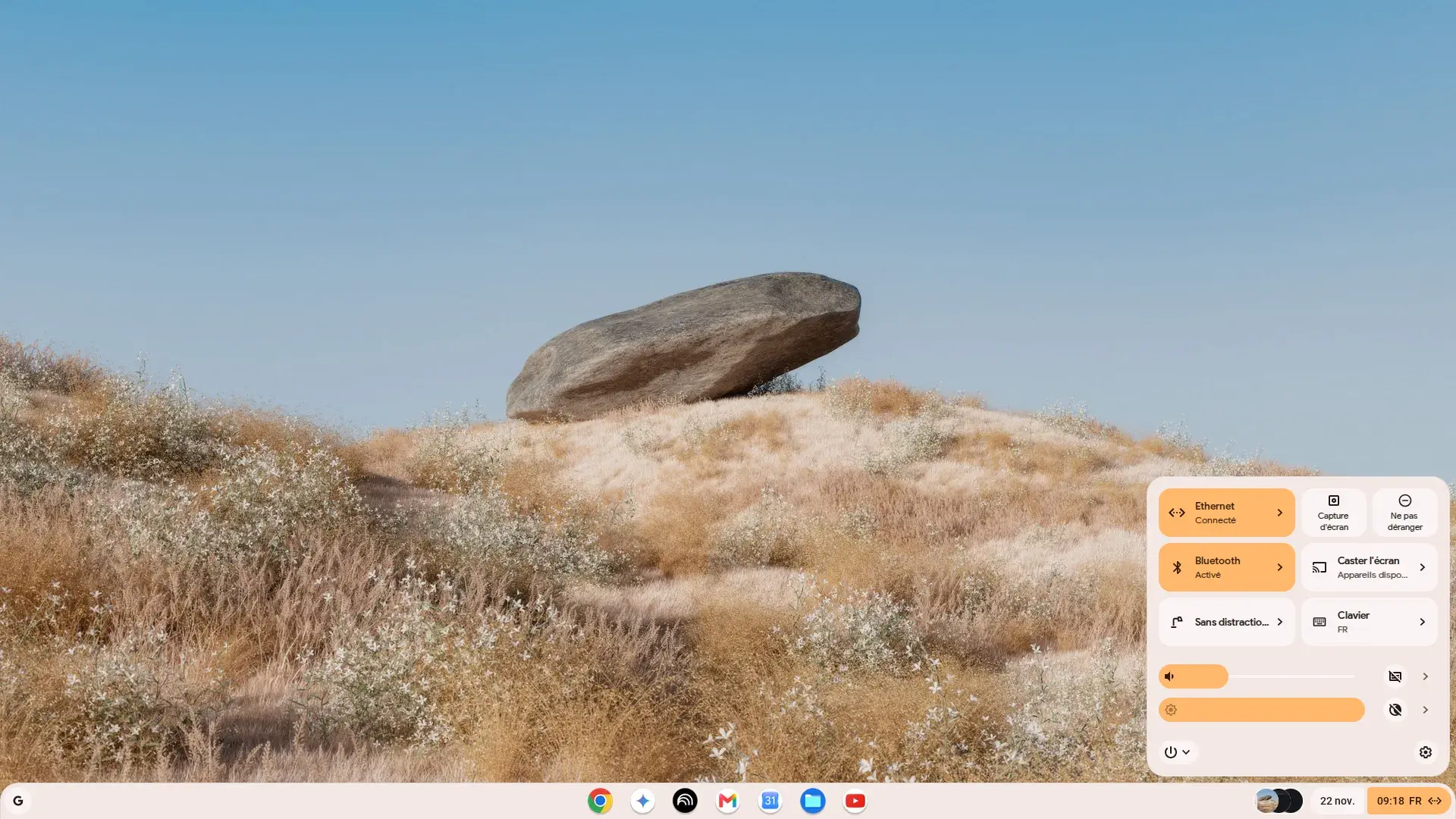
Everything feels consistent and pleasant to use. Apps open in regular windows, moving between workspaces feels natural, and the menus are easy to understand. You do not need to spend time customizing the environment to get a functional, polished desktop.
Linux apps make ChromeOS much more flexible
At first glance, the system seems mainly designed for Google Chrome and web apps. But compatible computers can also run full Linux software.
Linux apps appear in the app launcher and open on the ChromeOS Flex desktop like regular programs. You get the simplicity of ChromeOS while keeping the option to work with tools that do not rely solely on a browser.
 assistouest.fr
This option makes a big difference to the system’s usefulness. ChromeOS Flex is no longer limited to browsing the web and using Google services. It can also handle a broader range of office and technical tasks.
Keep in mind that the Linux environment uses system resources too. With only 4 GB of RAM, running several demanding apps at the same time is limited. That does not take away from the value of having these programs on such a modest machine.
A Google Account is required to create a session
During setup, ChromeOS Flex asks you to sign in to a Google Account. This creates a personal profile, brings back your synced Chrome data, and gives you access to the environment’s usual features.
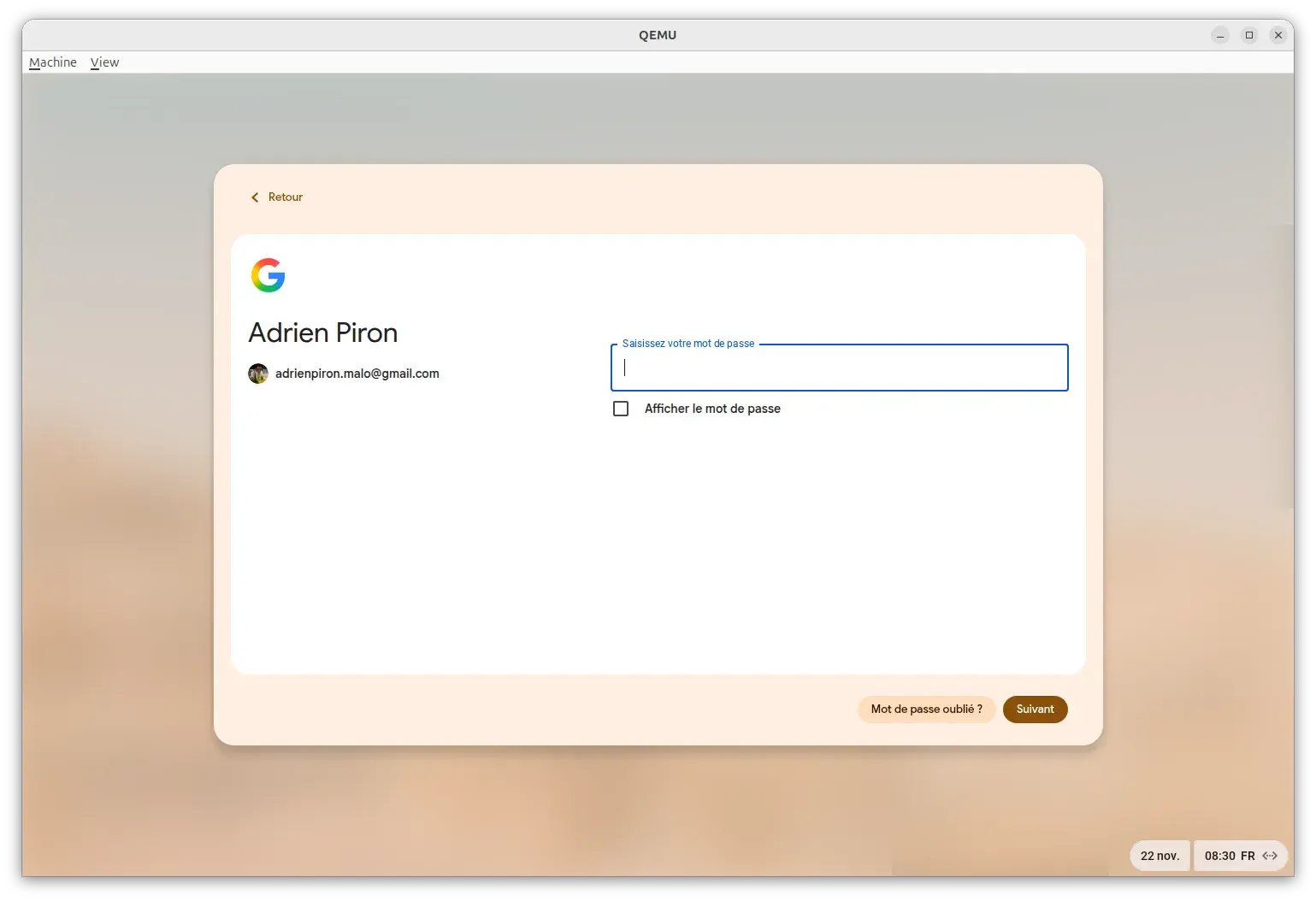
There is a Guest mode that lets you use the computer without signing in to a Google Account. However, it is a temporary session: browsing data and preferences are not saved after you sign out.
Windows 11 also asks for a Microsoft account during initial setup, but you can work around this requirement and install Windows 11 with a local account. ChromeOS Flex offers no such option, making its reliance on a Google Account even more frustrating.
ChromeOS Flex does not include the Google Play Store
Unlike many Chromebooks, ChromeOS Flex does not include the Google Play Store. You cannot install Android apps directly. To use more software, you need to turn to web apps or the built-in Linux environment. Linux apps make up for some of these limitations.
ChromeOS Flex recognized my hardware without drivers
Hardware compatibility is another limitation of ChromeOS Flex. Unlike Windows, the system does not let you freely install drivers supplied by manufacturers. Some Wi-Fi cards, printers, and laptop-specific features are not supported.
My Intel N100 mini PC had no particular issues, though. After formatting Windows 11, I had to install Wi-Fi and Ethernet drivers manually to get network access back. ChromeOS Flex recognized both interfaces immediately.
Despite its more limited hardware compatibility, ChromeOS Flex was easier to set up than Windows 11 on this computer.