
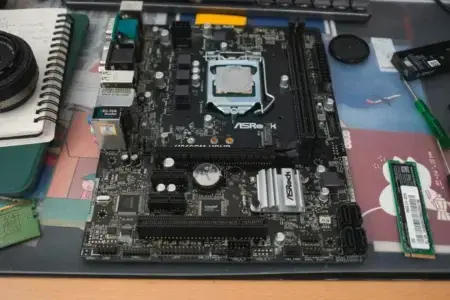
Some NVMe SSDs have no onboard DRAM, yet they can use a small portion of your computer’s RAM to improve performance. Host Memory Buffer (HMB) lets an SSD access fast memory without having its own DRAM chip.
However, not all DRAM-less SSDs support this feature, and its use also depends on the device in which the SSD is installed.
In this article
An SSD needs memory to find your data
An SSD stores your files in NAND flash memory. To find the data, its controller uses mapping tables that connect the addresses requested by Windows to the physical locations where the data is stored.
This information is managed by the Flash Translation Layer (FTL). Some SSDs have an onboard DRAM chip that lets the controller keep part of these tables in fast memory instead of looking them up in NAND.
DRAM helps with operations that require frequent data access while several programs are using the storage at the same time. However, this chip is an additional component that increases the SSD’s manufacturing cost.
To make more affordable models, some manufacturers have therefore removed onboard DRAM and partially replaced it with another solution.
Host Memory Buffer lets an SSD use your PC’s RAM
Introduced with the NVMe 1.2 specification, Host Memory Buffer lets a compatible SSD ask the system to reserve a small amount of the computer’s RAM for it.
The controller then uses this memory to hold some of its mapping-table data. It can access it over PCI Express instead of repeatedly retrieving it from NAND flash. This technology helps reduce manufacturing costs while offsetting some of the limitations of having no onboard DRAM.
It is not extra storage. Your files remain stored in the SSD’s NAND chips. Your computer’s RAM is mainly used to speed up some of the controller’s operations.
The Samsung 980 uses just 64 MB of RAM
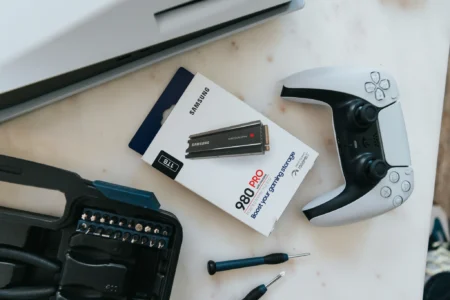
The Samsung 980 NVMe is sold without DRAM. It uses Host Memory Buffer with a 64 MB system-memory allocation. On a computer with 8 GB of RAM, that is less than 1% of the available memory. HMB therefore has only a limited effect on the RAM left for Windows and your applications.
This amount varies from one SSD to another. The requested memory depends on the controller and its firmware, while the operating system decides how much it can allocate.
Not all DRAM-less SSDs use Host Memory Buffer
HMB is an optional feature of the NVMe protocol. To use it, the SSD must support HMB and the computer must have a system that can allocate memory to it.
As a result, SSDs can use several different architectures to manage the controller’s data.
| SSD type | How it manages memory |
|---|---|
| SSD with DRAM | Uses memory built into the SSD. |
| DRAM-less SSD with HMB | Can use part of the computer’s RAM. |
| DRAM-less SSD without HMB | Works without dedicated DRAM or HMB memory. |
For example, the Samsung 980 and Lexar NM790 use HMB, while a DRAM-less SATA SSD such as the Crucial BX500 cannot use this NVMe feature.
HMB does not fully replace onboard DRAM
Although HMB can improve the performance of DRAM-less SSDs, it does not bring them up to the level of a model with dedicated memory.
With onboard DRAM, the controller accesses its own memory directly. With HMB, data has to travel over PCI Express to reach the computer’s RAM. This can affect access times when the SSD performs many random operations. Performance also depends on the controller, NAND flash, and how the firmware uses HMB. Two DRAM-less SSDs can perform very differently, even if both use this technology. Keep this in mind when you compare M.2 NVMe SSDs.
An HMB-compatible SSD cannot always use the device’s RAM
Host Memory Buffer also depends on the system where the SSD is installed. A compatible drive may work without HMB if the device does not support the feature.
This is the case with the PlayStation 5. The console does not support Host Memory Buffer, even when an HMB-compatible M.2 SSD is installed in its expansion slot. The SSD can still work, but its performance may be lower than on a computer that can use this feature.
This is worth considering when you choose an NVMe SSD for your PS5. A drive that performs well on a PC does not get the same optimizations in a console.
We allow some readers to view our articles for free with an ad blocker. However, their number is currently too high for us to keep this access available to everyone.
You can disable your ad blocker to continue reading immediately, subscribe to enjoy all our content without ads, or come back a little later when the pressure has eased.
Access will be restored automatically as soon as the situation allows.