

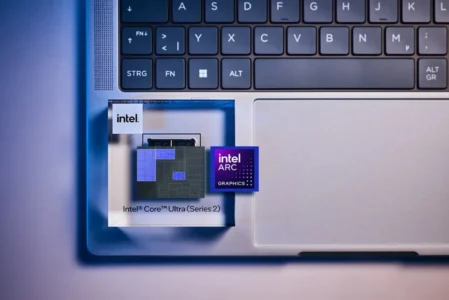
With recent technological advances, iGPUs (Integrated Graphics Processing Units) are increasingly in the spotlight. New AMD and Intel processors now include graphics units powerful enough to rival mid-range dedicated graphics cards in some situations. But what exactly is behind this term? This guide explains what an iGPU is, how it works and why it could transform the way we use computers in the coming years.
In this article
What is an iGPU?
An iGPU (Integrated Graphics Processing Unit) is a graphics processing unit built directly into the processor (CPU) or the motherboard. Unlike a dedicated graphics card, an iGPU uses system memory (RAM) rather than separate video memory (VRAM). Its main role is to handle everyday graphics tasks: displaying the desktop, accelerating video, rendering light 2D/3D content and sometimes running less demanding games.
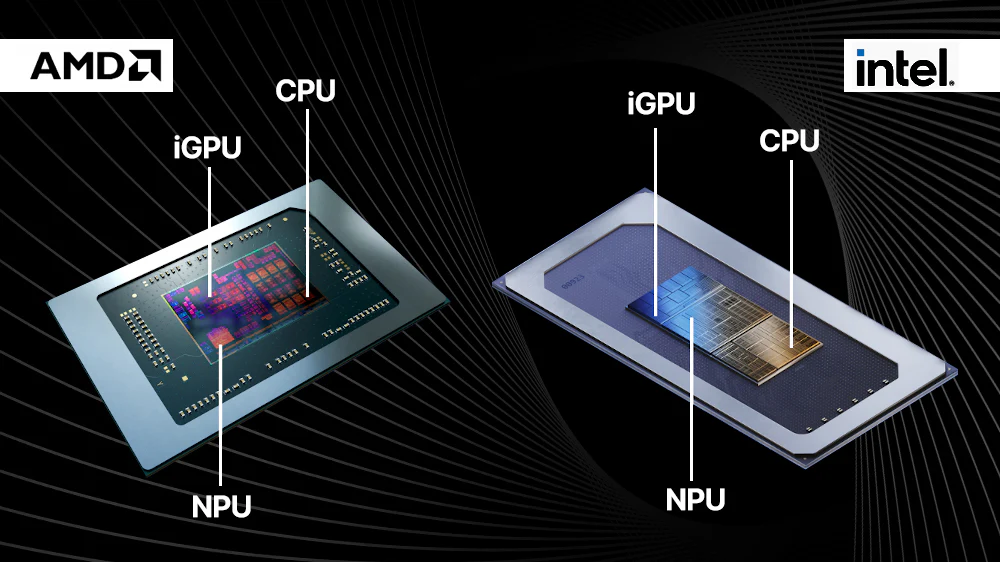
The differences between an iGPU, a dedicated GPU and an APU:
- iGPU: integrated into the CPU, it shares resources (memory and processing power) with it. It is suitable for everyday tasks, multimedia and some light games.
- Dedicated GPU (dGPU): an independent graphics card with its own memory and cooling system, designed for demanding workloads such as modern games, 3D rendering and intensive calculations.
- APU (Accelerated Processing Unit): a term mainly used by AMD for processors that combine a CPU and a powerful iGPU on a single chip, optimized to work together.
An integrated graphics processor makes it possible to use a computer without a dedicated graphics card. This reduces cost and power consumption, but also limits performance in intensive workloads.
How does an integrated graphics processor work?
An iGPU is integrated directly into the CPU in the form of specialized blocks etched onto the same chip. This means that it shares the same physical space, interconnects and thermal envelope (TDP). Because of this integration, signals between the CPU and iGPU are exchanged very quickly, without passing through an external bus as they do with a dedicated graphics card.
Intel UHD and Intel Iris Xe architectures are examples of iGPUs integrated into Intel Core processors. AMD uses the term APU for CPUs and GPUs combined under its Radeon Graphics brand.
The iGPU uses system memory (RAM)
Unlike dedicated GPUs, which have their own video memory (VRAM), an iGPU draws on the computer’s main RAM. The BIOS/UEFI reserves part of this memory for graphics calculations.
For example: If your PC has 16 GB of RAM, the iGPU may use 1 to 4 GB to store textures, buffers and graphics data. This keeps hardware costs down, but it also slightly reduces the memory available to other applications.
The faster the RAM, the more powerful the iGPU becomes as a graphics processor.
Is an iGPU enough for video editing or gaming?
Originally, iGPUs were designed for simple tasks such as office work, web browsing, video streaming and general display output. For these uses, they are perfectly adequate on laptops and budget PCs.
But what about gaming and video editing?
If you are not a demanding gamer and stick to lightweight or undemanding games such as Minecraft, League of Legends, Stardew Valley or Rocket League, a modern iGPU will work perfectly well at 720p or 1080p with medium to low settings. It can also be enough for occasional video editing with short 1080p clips, no complex effects and no heavy rendering, but exports will take longer than with a dedicated GPU.
Although they were initially unsuitable for intensive workloads, AMD’s latest iGPUs based on the RDNA 3.5 architecture, such as the Ryzen AI Max+ Pro 395, are trying to prove otherwise. Early benchmarks suggest that they can even compete with mid-range dedicated graphics cards such as the RTX 4060, opening the door to more advanced uses: Full HD gaming, AI, 4K editing and GPU-accelerated image processing.
To see exactly which games run and at what frame rates on a Ryzen 8000G or Ryzen AI 300, read our guide to gaming without a dedicated graphics card in 2026.
How can you tell whether you are using an iGPU?
Identifying whether your computer uses an iGPU (integrated graphics processor) or a dedicated graphics card helps you understand the performance available to you. The check is straightforward and requires no software tools.
Check the physical connections
Look at the back of your computer:
- If your monitor is connected to the HDMI or DisplayPort ports directly on the motherboard (at the top of the rear panel), the processor’s integrated graphics are handling the display.
- If, on the other hand, your monitor is connected to ports on an expansion card lower down, with the outputs grouped on a single metal plate, you are using a dedicated graphics card.
We allow some readers to view our articles for free with an ad blocker. However, their number is currently too high for us to keep this access available to everyone.
You can disable your ad blocker to continue reading immediately, subscribe to enjoy all our content without ads, or come back a little later when the pressure has eased.
Access will be restored automatically as soon as the situation allows.