How do you install Windows 11 on an older, incompatible PC?
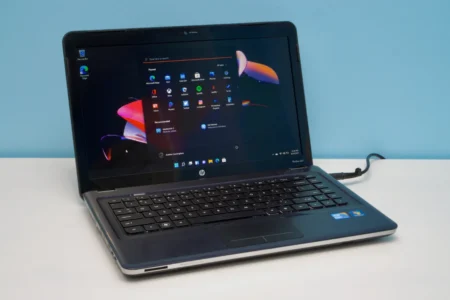
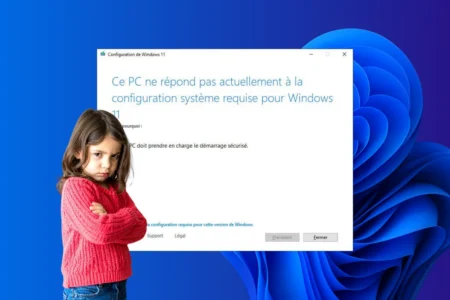
Learn how to install Windows 11 on an unsupported older PC by creating a bootable USB drive with Rufus and setting up a local account.
Read the articleIs your computer running slowly, displaying an error or refusing to install a Windows update? Our tutorials show you how to repair the system, free up space, speed up start-up and recover a drive that has become invisible. You can also prepare a USB stick to reinstall Windows 10 or Windows 11, boost your PC’s security and customise settings without accidentally deleting your files. Find our other computer troubleshooting tips on the Assistouest blog.
Learn how to install Windows 11 on an unsupported older PC by creating a bootable USB drive with Rufus and setting up a local account.
Read the articleMicrosoft is preparing for the future by adding support for the USB 4.2 standard, capable of transfer speeds of up to 80 Gb/s.
Read the articleAccess Wi-Fi passwords stored in Windows! Find out how to easily view your network security keys via your Wi-Fi connection settings.
Read the articleIs your PC struggling to run games smoothly? Discover the Windows settings, drivers and optimizations to check to gain FPS without changing hardware.
Read the articleDiscover the best screen recording software for Windows: free, watermark-free, simple or professional, for every purpose.
Read the articleFlyoobe lets you migrate to Windows 11 on a non-compatible PC, without reinstalling or losing data. See how it's done with a local ISO.
Read the articleWhich software still works with Windows 7 in 2025? Find compatible browsers, antivirus programs, media tools and office alternatives.
Read the articleRepair Windows system files and images with DISM GUI. Enjoy a fully operational computer.
Read the articleMicrosoft now displays a watermark on non-Windows 11-compliant PCs. Find out why and how to hide it easily
Read the articleFollow our guide to create a quick shutdown button on the desktop and simplify your computer's shutdown.
Read the articleWindows 11 lets you force a program to close via the taskbar. Find out how to activate this option and quickly stop a blocked process.
Read the articleMicrosoft blocks workaround methods for installing Windows 11 on older PCs and ends support for Windows 10. Security, forced obsolescence or business strategy?
Read the article