An old PC that takes five minutes to start up often ends up forgotten in a cupboard. Yet the hardware is usually still usable: it is the operating system that is holding it back. A computer that can no longer run the latest versions of Windows may still be useful for browsing the web, writing, watching videos or building a small home server. The challenge is choosing a lightweight OS that restores performance without turning installation into a headache. From minimalist Linux distributions to Windows-like interfaces and systems designed for old hardware, the right choice makes all the difference.
In this article
Less than 1 GB of RAM: which Linux distribution should you use?
With less than 1 GB of RAM, a merely lightweight distribution is no longer enough: you need an ultra-optimized system. Such hardware requires a minimalist environment capable of running with very little memory and without graphics acceleration. Priorities include fast startup, the ability to run from RAM, a simple interface and enough responsiveness for basic tasks such as reading a file, writing text or opening a lightweight web page without bringing the computer to its knees.
Puppy Linux: the ultra-lightweight distribution for old PCs
Puppy Linux is an ultra-lightweight GNU/Linux distribution designed to breathe new life into even the oldest computers. Its main advantage lies in its ability to boot entirely into RAM, even with less than 128 MB of memory, delivering unusually fast performance. Despite its small size (less than 300 MB), Puppy integrates a complete set of applications for Web browsing, text processing, multimedia playback and system maintenance tasks.
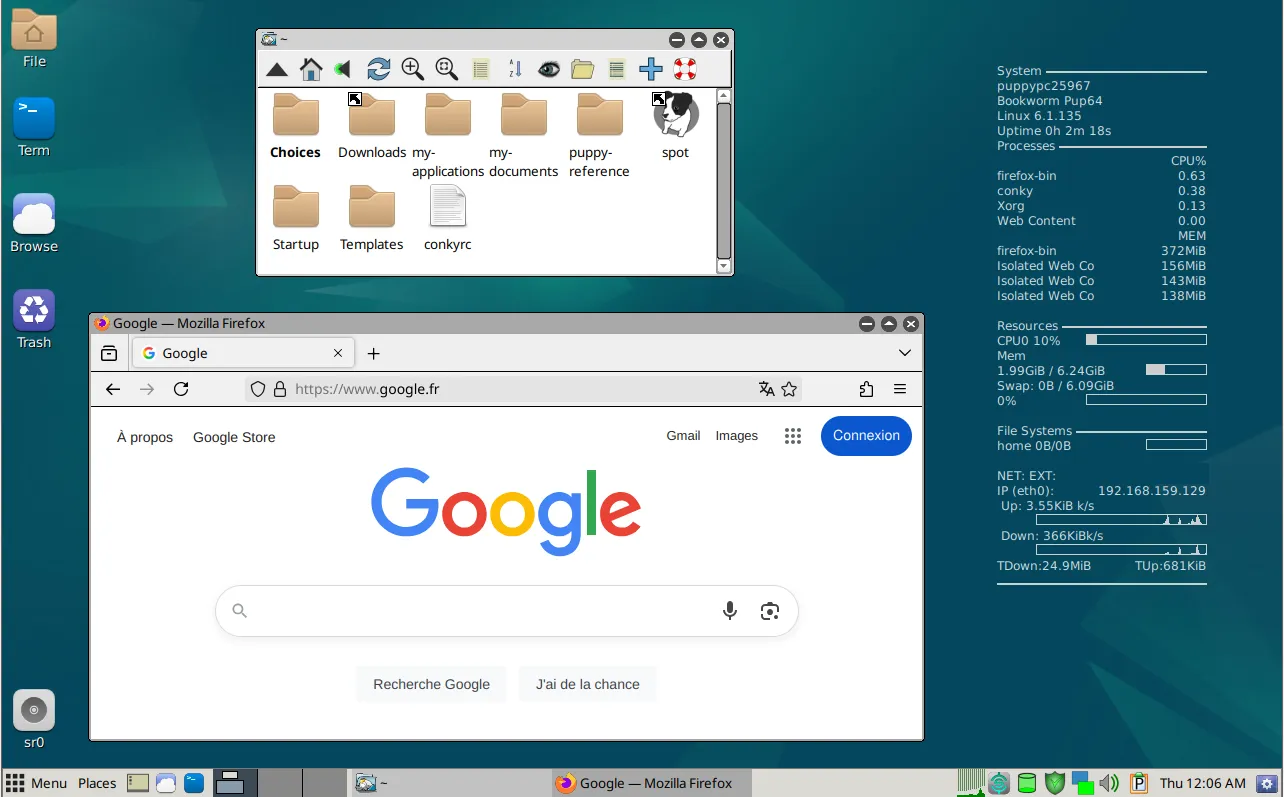
Unlike other distributions, Puppy can be run from a USB key, CD or even in frugal mode on hard disk. Each session can be backed up, so that each time you start up, you’ll find your own personalized environment. This portability makes Puppy an ideal solution for one-off interventions, troubleshooting or simply prolonging the use of a neglected PC.
Puppy Linux is highly customizable. Thanks to its Woof-CE builder, you can create your own version based on Debian, Ubuntu or Slackware. Its unique root administration mode, minimalist JWM interface and in-house tools appeal as much to tinkerers as to users looking for efficiency on very low resources.
Minimum system requirements for Puppy Linux
- Processor: 1 core, 900 MHz
- RAM: 300 MB minimum (functional from 128 MB, very limited)
- Storage: 500 MB (frugal or live mode)
- Start-up media: USB key, CD, or hard disk
Recommended configuration for smooth operation
- Processor: 2 cores, 1.5 GHz or more
- RAM: 1 to 2 GB
- Storage: 8 GB (depending on the software installed)
- Intended use: web browsing, office automation, audio/video playback, light daily use
Lightweight operating systems to install on an old PC
Too many guides recommend Ubuntu for an old PC, even though it can struggle on a machine with less than 4 GB of RAM. You install it, performance is poor, and you give up. The distributions below are genuinely lightweight options capable of turning an aging computer into a practical everyday machine.
antiX Linux: a modern alternative to heavyweight distributions
antiX Linux is a lightweight GNU/Linux distribution based on Debian, specially designed to run on older or less powerful computers. With no systemd, it favors a minimalist yet efficient approach, enabling a graphics environment to run with less than 256 MB RAM. antiX offers several editions (Full, Base, Core, Net) to suit everyone, from the novice user to the tinkerer who wants a minimal system to build manually.
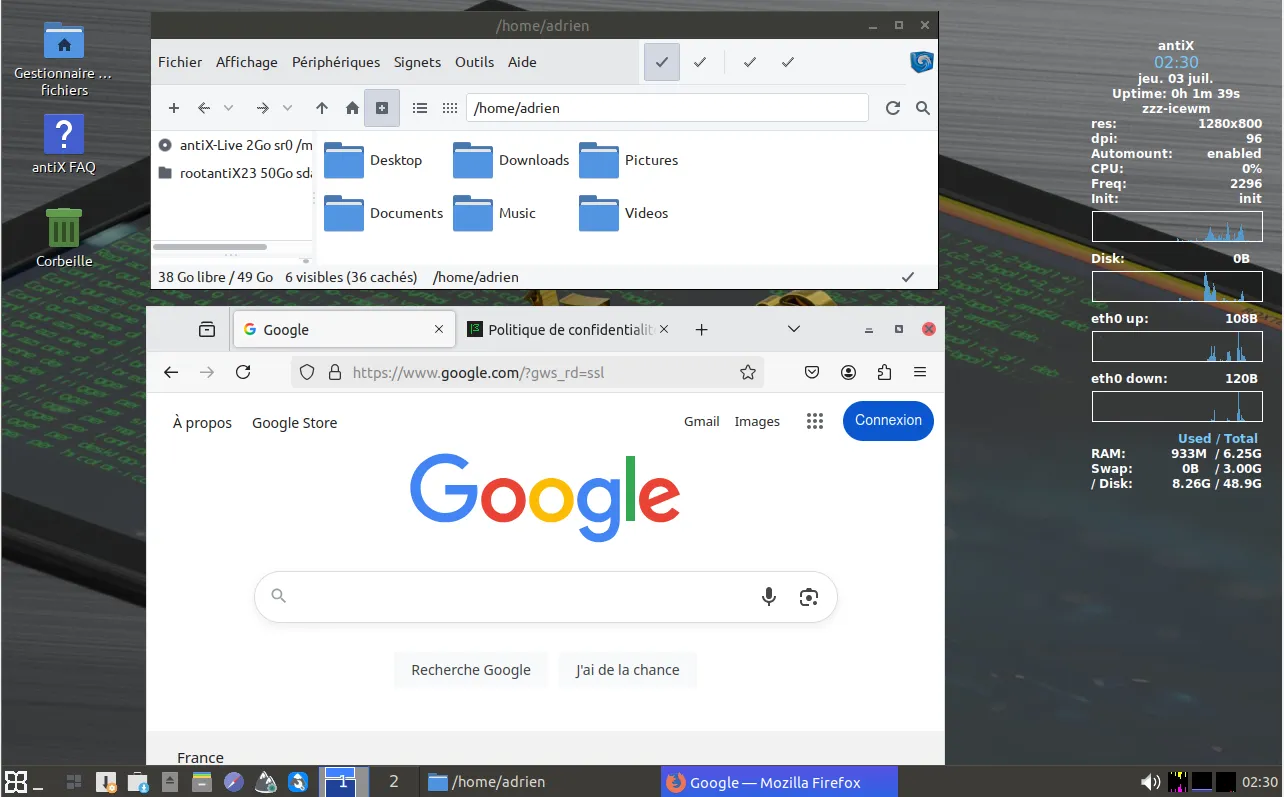
The Full version offers a complete environment with IceWM as window manager, pre-installed tools for office, multimedia and system administration, and synaptic for Debian package management. It’s designed to be fast, stable and fully functional for USB live use, fixed installation or troubleshooting.
antiX also stands out for its commitment to software freedom and modularity. It is particularly appreciated in IT recycling contexts, for refurbishing PCs with few resources without sacrificing functionality. Thanks to its Debian core and active community, antiX remains up-to-date, secure and capable of competing with much heavier distributions.
Minimum system requirements for antiX Linux
- Processor: 1 core, 1 GHz
- RAM: 256 MB (with active swap partition)
- Storage: 1 to 2 GB (for Core or Net versions)
- Start-up media: USB key, CD or conventional installation
Recommended configuration for smooth operation
- Intended use: web browsing, light office applications, file management, etc.
- Processor: 2 cores, 1.5 GHz or more
- RAM: 4 GB or more (512 MB minimum)
- Storage: 120 GB
Arch Linux: a lightweight way to speed up an old PC
Arch Linux may seem intimidating at first, but it’s one of the best choices for bringing an old PC back to life. Its minimalist philosophy allows you to install only the bare essentials, with no superfluous software or heavy services that unnecessarily consume resources. Where conventional distributions come with dozens of active processes by default, Arch lets you build a lightweight, uncluttered system, calibrated to the capabilities of your hardware.
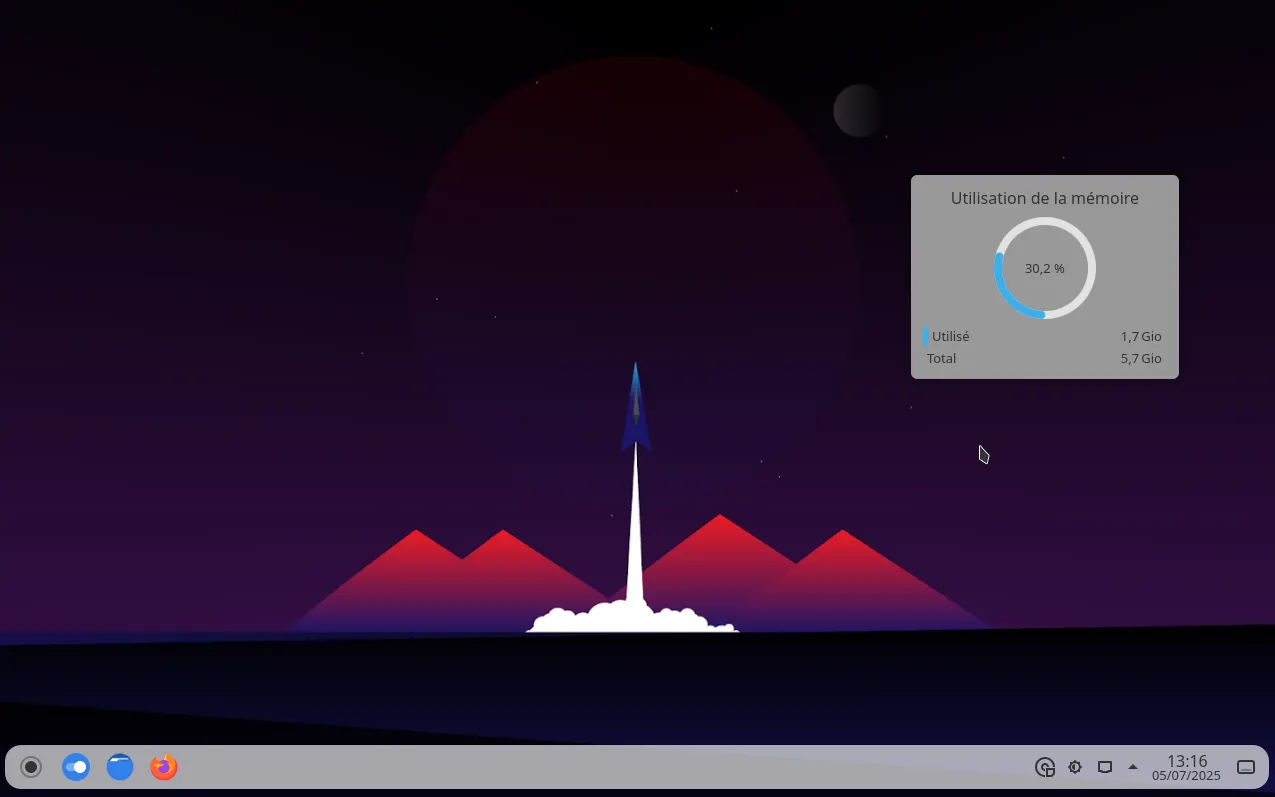
You can choose an ultra-lightweight desktop environment such as IceWM, Openbox or LXQt instead of more demanding options like GNOME or KDE. This freedom helps keep the system fast even with an old processor or less than 2 GB of RAM. Installation requires some technical knowledge or a good tutorial because Arch Linux is installed manually from the terminal.

 assistouest.fr
Arch Linux is aimed at users who want a high-performance OS on an old machine, provided they’re prepared to learn. It’s a durable, always up-to-date solution that lets you get the most out of a PC that many already consider obsolete. If you’re motivated by technical mastery and optimization, Arch can transform an old PC into a modern, fast and stable system.
Lubuntu: the lightweight version of Ubuntu for older PCs
Lubuntu is an official Ubuntu variant designed to be light, fast and resource-efficient. It uses the LXQt desktop environment, which offers a modern interface while consuming much less memory and processor power than heavier desktop environments. Thanks to this optimized architecture, Lubuntu runs smoothly on modest or older machines, with 1 to 4 GB of RAM recommended for comfortable use.
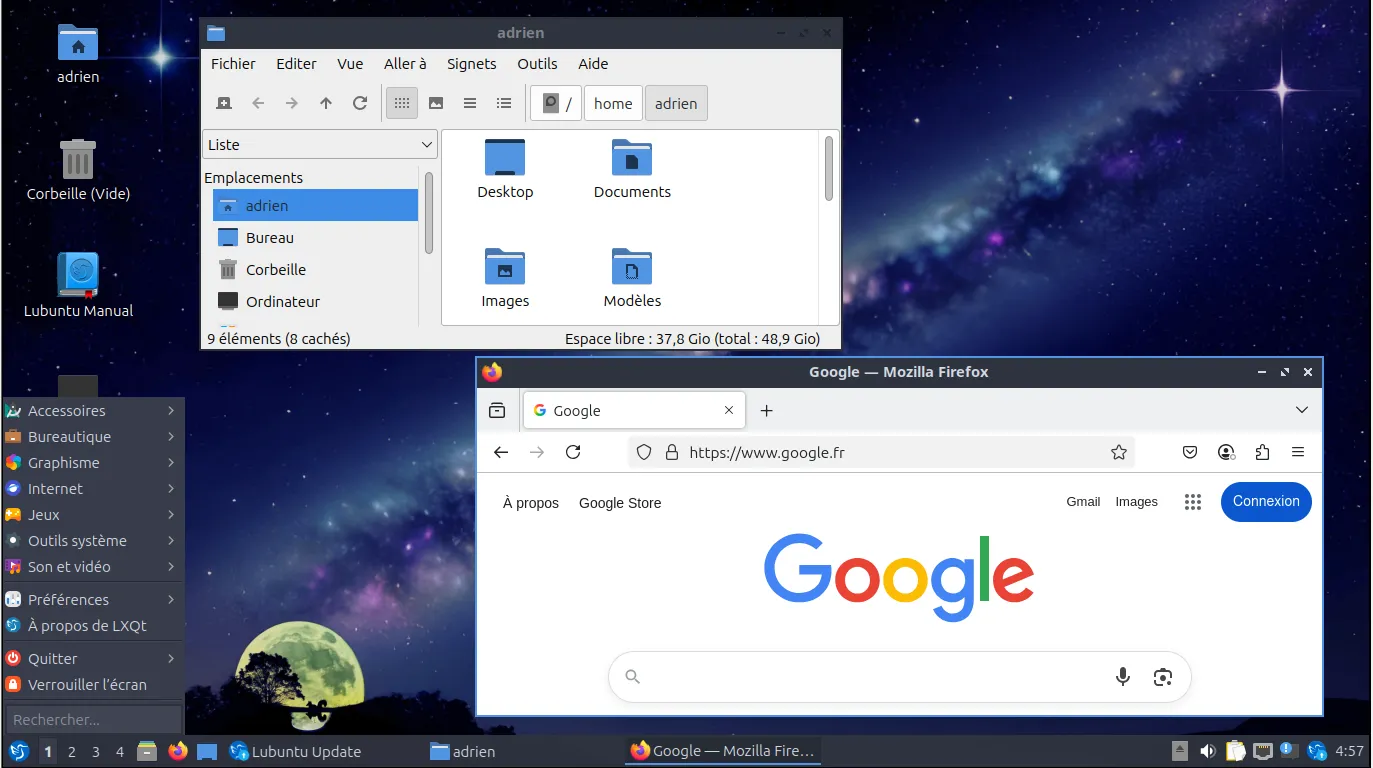
Despite its light weight, Lubuntu remains a complete, ready-to-use distribution featuring a web browser, media player, lightweight office suite and system tools. It benefits from the extensive Ubuntu ecosystem: software repositories, security updates and compatibility with a wide range of hardware and applications. It’s a solution for users who want a faster and more responsive experience.
Easy to install, use and maintain, Lubuntu suits beginners as well as experienced users looking for simplicity. It is often recommended for reviving an old PC or creating a stable, uncluttered workstation. Thanks to its LTS release cycle and active community, it combines accessibility, longevity and performance.
Minimum system requirements for Lubuntu
- Processor: 1 core, 700 to 1000 MHz (64-bit required)
- RAM: 512 MB minimum
- Storage: 5 GB free space
- Boot media: USB stick or CD/DVD, BIOS and UEFI compatible
Recommended configuration for smooth operation
- Processor: 1 to 2 cores, 1.0 GHz or more
- RAM: 4 GB or more
- Storage: 120 GB or more for a complete setup with applications
- Intended use: web browsing, office automation, file management, fast, modern LXQt environment
A new OS to avoid buying a new computer
A change of operating system can transform a slow or unusable PC into a functional, responsive machine. Thanks to Linux, today there are distributions tailored to every level of resource, even the most modest.
A little learning time may be necessary, but the effort is well worth it. You can extend the life of your equipment, reduce electronic waste and avoid the cost of buying a new computer. Giving an old PC a second life is useful, environmentally friendly and often much easier than it seems.
We allow some readers to view our articles for free with an ad blocker. However, their number is currently too high for us to keep this access available to everyone.
You can disable your ad blocker to continue reading immediately, subscribe to enjoy all our content without ads, or come back a little later when the pressure has eased.
Access will be restored automatically as soon as the situation allows.