

Is your PC restarting for no apparent reason, overheating or crashing after a gaming session? These symptoms may point to hardware instability. To find out for sure, software can put your computer through its paces. OCCT (OverClock Checking Tool) is one of the leading options: it is free, easy to use and particularly comprehensive. In this guide, we will see how to test your processor, graphics card, RAM and even power supply with OCCT.
In this article
What is OCCT?
OCCT (OverClock Checking Tool) is free stress-testing and hardware-diagnostic software for Windows and Linux. It can put the processor, graphics card, RAM or power supply under load to check a PC’s stability. Originally designed for overclocking enthusiasts, it is now suitable for anyone who wants to make sure their PC is working properly.
Alongside its different tests, OCCT includes a real-time monitoring tool that displays temperatures, frequencies, voltages and power consumption. This combination of stress testing and monitoring makes it possible to quickly detect overheating, instability or a hardware fault, whether after a build, repair or hardware upgrade.
The Combined Test: the ultimate stress test for your PC
OCCT’s Combined Test mode is probably the most useful way to assess a PC’s overall stability. Unlike separate tests that target only the processor, memory or graphics card, it puts everything under load at the same time. The CPU, RAM, GPU and VRAM are all stressed, reproducing conditions close to intensive real-world use such as a long gaming session or 3D rendering.
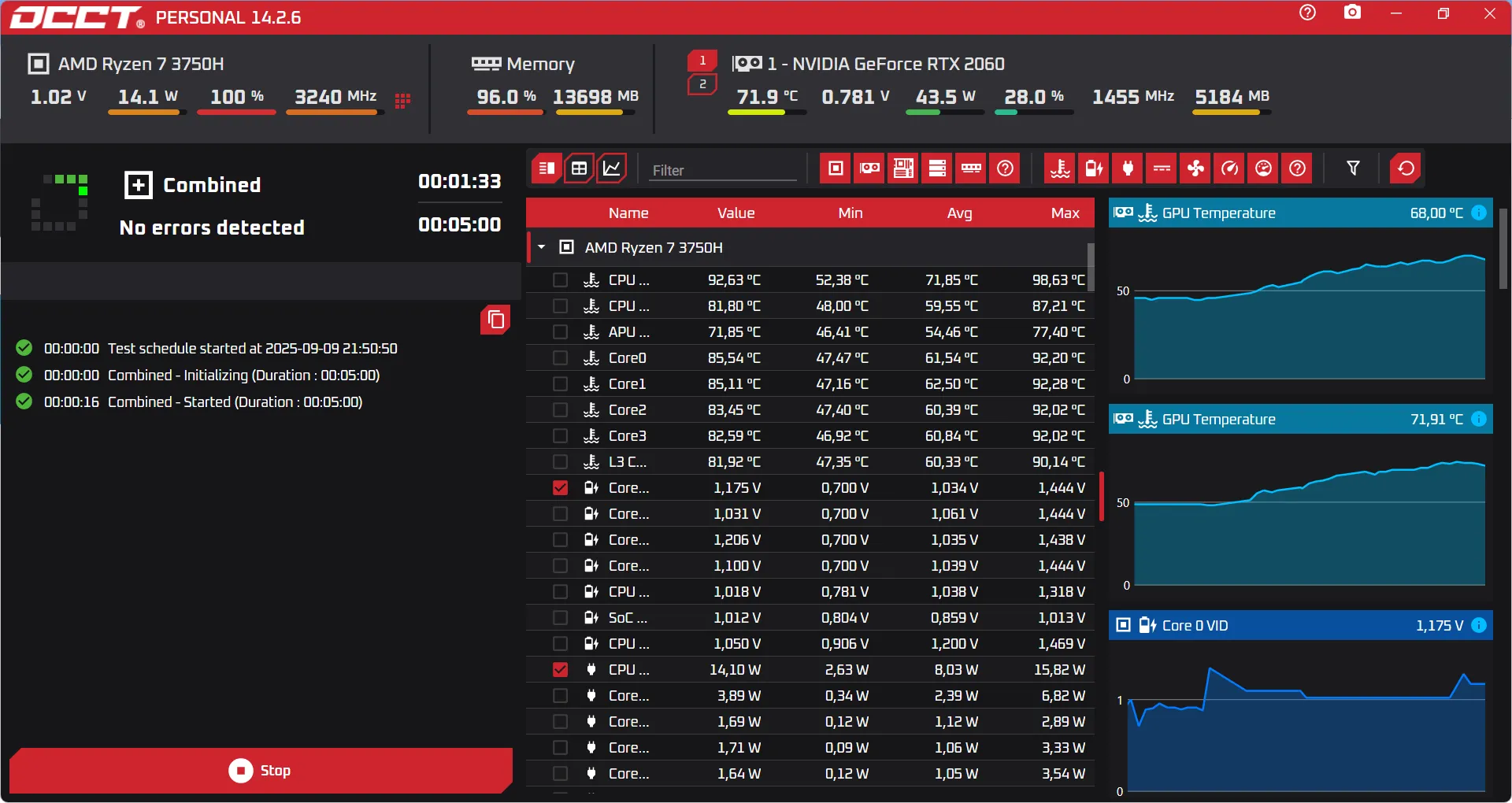
You can adjust the size of the calculations sent to the processor and memory, choose whether the load stays constant or varies and select the instruction set used. Most users can leave these settings at their defaults, but anyone validating an overclock will choose the most demanding options. For memory, it is generally recommended to allocate around 70% of available RAM so it can be tested without completely blocking Windows.
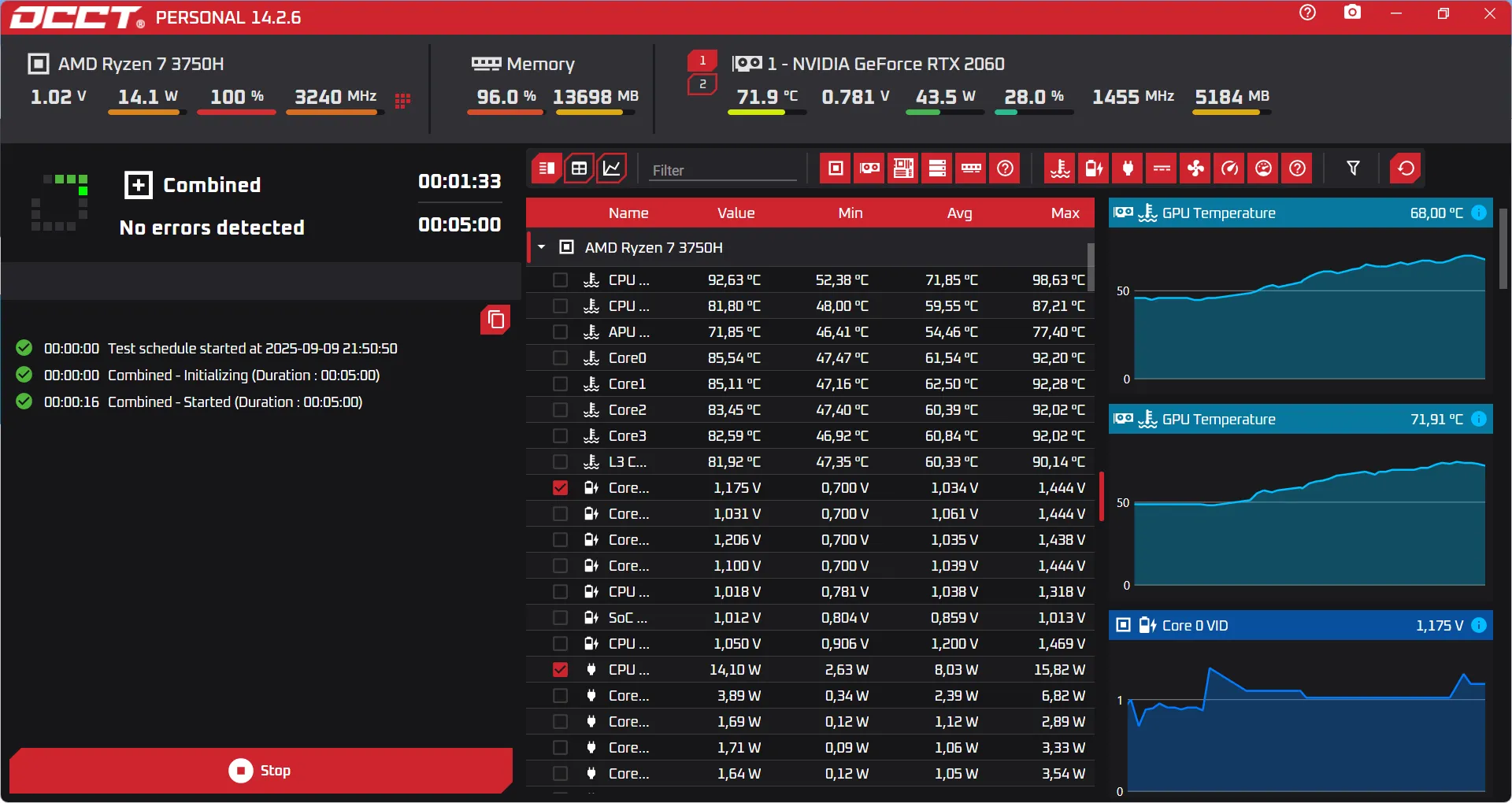
The strength of this test is that it does not only saturate the processor: the graphics card and its memory are stressed in parallel as well. This comes close to a real situation in which the CPU and GPU work together, a common setup in modern games and some professional software.
If the test finishes without errors and temperatures remain normal, your PC is stable. A sudden restart or frozen screen, however, may indicate a power or cooling problem. Visual artifacts such as coloured pixels or flickering point more towards graphics-card instability.
Download OCCT for free from the official website.
Linpack: the CPU test that checks processor stability
OCCT’s Linpack mode is considered one of the most demanding stress tests for a processor because it is designed to fully saturate the CPU with intensive mathematical calculations from the scientific field. The library was originally developed by Intel to measure raw floating-point performance, but it quickly became a reference tool for checking processor stability.
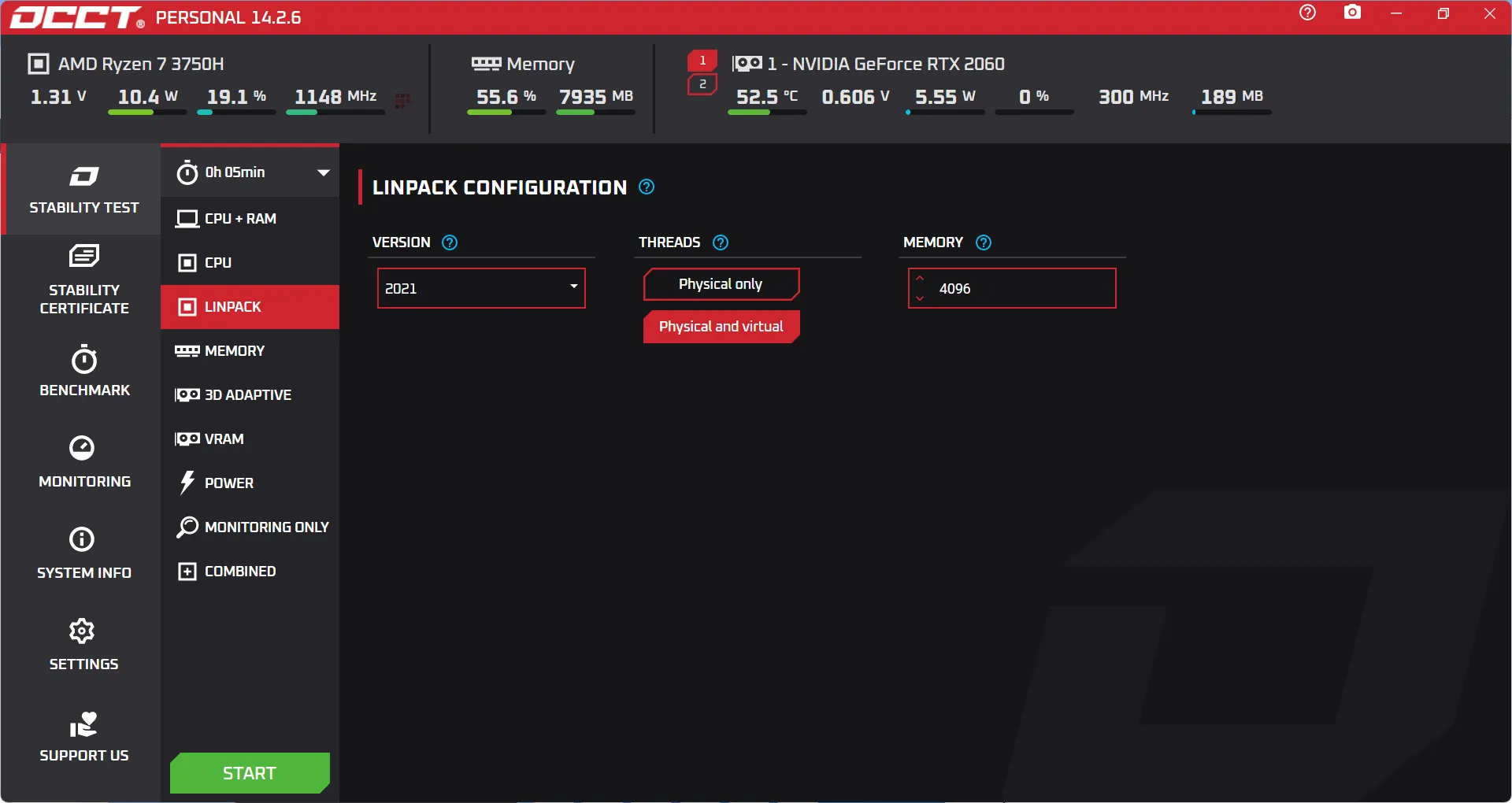
Linpack makes maximum use of modern CPU instructions such as SSE and AVX and forces all cores to work simultaneously on heavy calculations. This drives power consumption sharply higher and pushes temperatures to their maximum very quickly. That is why many overclockers consider Linpack essential: if the processor can complete this test without crashing or overheating, it will handle almost any real-world workload without difficulty.
 assistouest.fr
Keep in mind that Linpack is an extreme scenario. In everyday use, even the most demanding applications never load the CPU in this way. The test is therefore not representative of daily life, but it is very effective at revealing a cooling weakness, an undersized power supply or a poorly calibrated overclocking voltage. It is a tool for taking the diagnosis as far as possible and making sure a PC is genuinely stable under the most extreme conditions.
Testing the graphics card and video memory (VRAM)
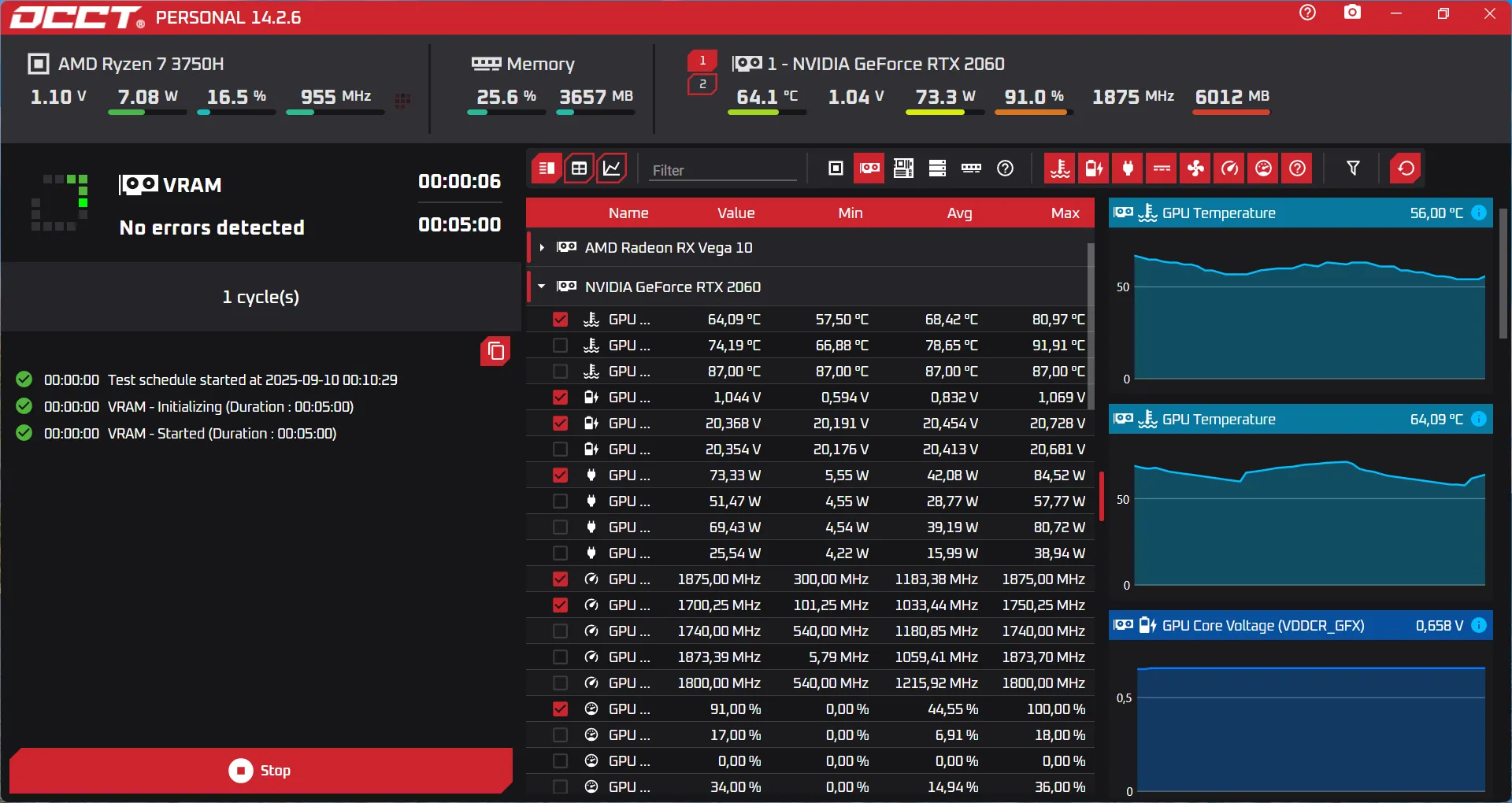
OCCT also provides tools for putting your graphics card through its paces. The GPU test simulates a sustained 3D load comparable to a game or rendering software. The goal is to push the card to its limits and check that it remains stable, that cooling is effective and that no anomalies such as artifacts or crashes appear. Throughout the test, OCCT displays temperature, frequency and power consumption in real time, making it easy to assess how the card holds up over time.
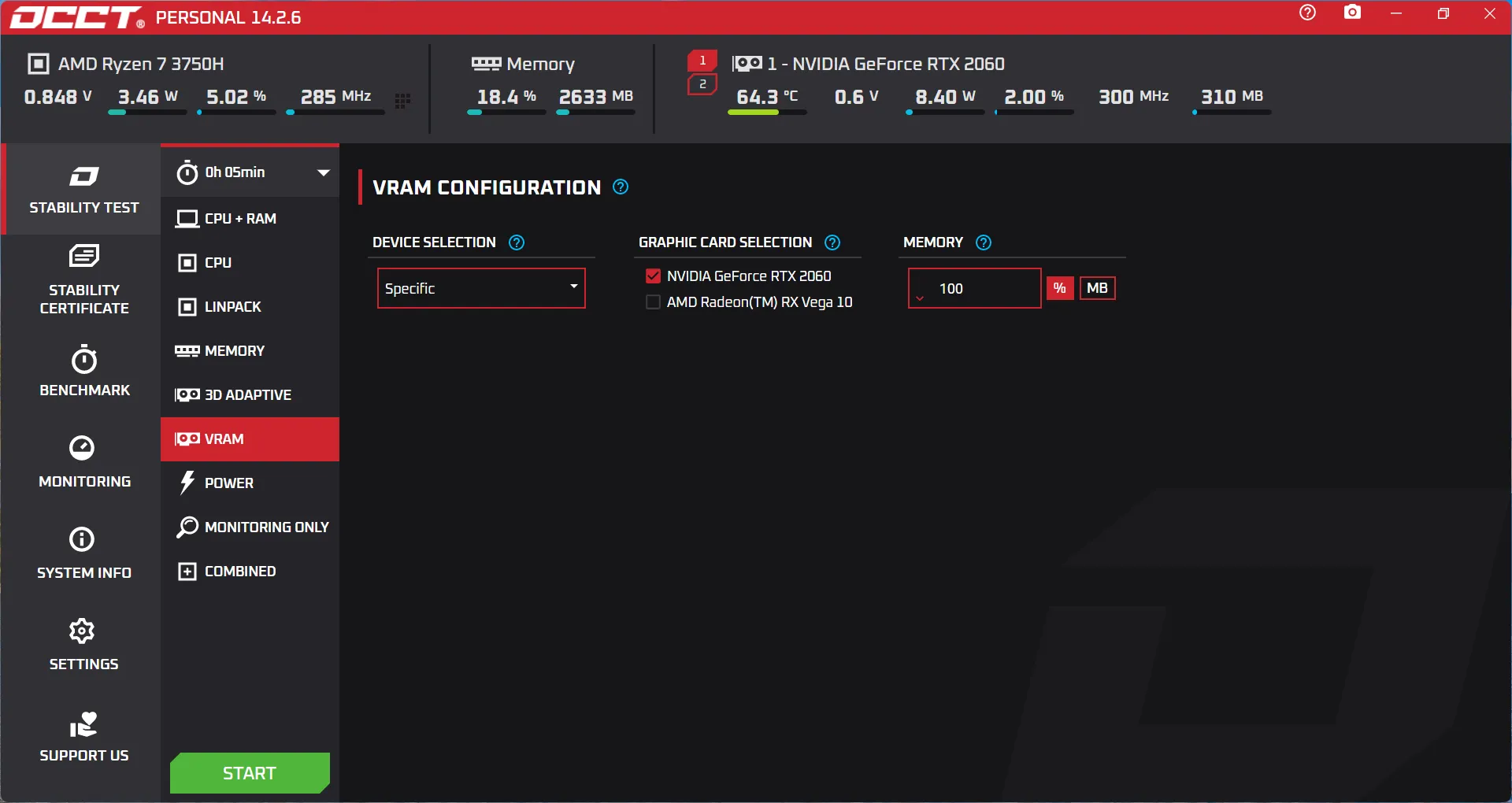
In addition, the software offers a VRAM test dedicated to the video memory built into the GPU, checking that its memory cells work correctly. OCCT writes and reads data blocks to detect possible corruption, much like MemTest does for conventional RAM. Although this test indirectly loads the GPU, its main purpose is to verify video-memory integrity, since faults there can cause visual artifacts or unexplained crashes.
It is also worth noting that some recent graphics cards provide a 3D Adaptive mode that combines graphics load with changing 3D scenes. This test is not available on every configuration, but when it is, it gives an even more realistic view of intensive real-world use.
How do you analyse the results of a PC stress test?
Once the test is complete, OCCT provides a detailed report to interpret. The first indicator to watch is the maximum temperature reached by the components. If the processor or graphics card regularly exceeds critical thresholds, consider improving cooling and applying one of the best thermal pastes.
When sensors are compatible, OCCT also provides power-consumption data. This is particularly useful for checking whether the power supply can handle the load without causing shutdowns.
If no problem appears and temperatures stay within a reasonable range, the hardware can be considered stable. Otherwise, you will need to test your PC’s ATX power supply or the CPU’s overclocking settings.
We allow some readers to view our articles for free with an ad blocker. However, their number is currently too high for us to keep this access available to everyone.
You can disable your ad blocker to continue reading immediately, subscribe to enjoy all our content without ads, or come back a little later when the pressure has eased.
Access will be restored automatically as soon as the situation allows.